
1. Executive Summary: What Is the Real Difference Between NAV and Business Central?
For more than two decades, Microsoft Dynamics NAV (originating from PC&C Navision in Denmark) was an undisputed engineering triumph in the mid-market ERP space. It powered hundreds of thousands of distributors, discrete manufacturers, and specialized service organizations worldwide with remarkable stability, predictable database performance, and unprecedented customizability.
Dynamics NAV and Dynamics 365 Business Central share the identical core business logic foundation (General Ledger, Posting Routines, Inventory Costing, and Subledgers). However, Business Central modernizes the delivery model: it replaces on-premises SQL servers and monolithic C/AL code with containerized Azure SaaS and upgrade-safe AL extensions, while introducing native Microsoft Copilot AI, zero-footprint web/mobile clients, and automated semi-annual feature releases.
Respecting the Heritage: Where Dynamics NAV Stood Out
Senior ERP architects recognize why organizations remain loyal to Dynamics NAV. In high-velocity wholesale distribution and discrete assembly plants, NAV’s Windows RoleTailored Client (RTC) and Classic client offered zero-latency keyboard data entry (F3, F7, Ctrl+F8) on local gigabit LANs that web browsers historically struggled to match. Direct access to SQL Server management allowed database administrators to optimize indexes and build bespoke reporting pipelines with zero platform friction. Dynamics NAV was, and remains, an exceptional piece of enterprise software.
Yet, the modern enterprise landscape has fundamentally transformed. Distributed hybrid workforces, sophisticated state-sponsored ransomware threats, complex multi-entity reporting, real-time supplier APIs, and regulatory changes have pushed on-premises infrastructure beyond its original design boundaries.
2. The Exact Microsoft Support Lifecycle: Where NAV Actually Stands in 2026
A common misconception promoted by aggressive software sales reps is that Dynamics NAV is “completely turned off.” In reality, Microsoft operates under a structured 10-year Fixed Lifecycle Policy consisting of 5 years of Mainstream Support followed by 5 years of Extended Support.
Here are the definitive Microsoft support cutoff dates for all modern releases of Dynamics NAV:
| Product Release | General Availability | Mainstream Support End Date | Extended Support End Date | Current 2026 Status |
|---|---|---|---|---|
| Dynamics NAV 2013 / 2013 R2 | October 2012 / Oct 2013 | January 9, 2018 | January 10, 2023 | Completely Ended (Jan 2023) |
| Dynamics NAV 2015 | October 2014 | January 14, 2020 | January 14, 2025 | Completely Ended (Jan 2025) |
| Dynamics NAV 2016 | October 2015 | April 13, 2021 | April 14, 2026 | Completely Ended (Expired Apr 2026) |
| Dynamics NAV 2017 | October 2016 | January 11, 2022 | January 11, 2027 | URGENT: Ends in < 90 Days (Jan 11, 2027) |
| Dynamics NAV 2018 | December 2017 | January 10, 2023 | January 10, 2028 | Extended Support (Ends Jan 2028) |
| Dynamics 365 Business Central Cloud | April 2018 – Present | Continuous (Modern Lifecycle) | Continuous (Modern Lifecycle) | Active Evergreen Cloud SaaS |
Urgent Action Required: Dynamics NAV 2017 Extended Support Ends January 11, 2027
If your organization is currently operating on Dynamics NAV 2017, you have entered the final sub-90-day operational window. Because enterprise ERP migrations require a disciplined 10 to 14 weeks for C/AL refactoring, dual-run testing, and user training, waiting any longer guarantees running production on an unpatched system. Once January 11, 2027 passes, Microsoft permanently ceases all security patch development, exposing your infrastructure to severe zero-day vulnerabilities and voiding cyber insurance compliance mandates.
What “Mainstream Support Ended” vs. “Extended Support” Actually Means
Understanding this operational boundary is vital for CFOs and Controllers evaluating compliance risk:
- When Mainstream Support Ended: Microsoft ceased providing functional feature improvements, non-security hotfixes, and critical annual regulatory tax updates. In NAV 2013–2018, Microsoft no longer issues automated updates for IRS Form 1099 changes, payroll tax table brackets, or state-specific sales tax reporting rules. Organizations must manually code these tax adjustments in C/AL or rely on custom partner scripts.
- What Extended Support Provides: During Extended Support (currently active only for NAV 2017 through January 11, 2027, and NAV 2018 through January 10, 2028—having already expired for NAV 2013, 2015, and 2016), Microsoft provides critical security vulnerability patches only. No new functional code, bug hotfixes, or compliance updates are delivered.
- After Extended Support Ends: The system enters an unpatched state. When zero-day vulnerabilities emerge in legacy Windows Server, SQL Server, or web tier protocols, no patches are developed, creating immediate exposure under cybersecurity insurance, SOC 2, and PCI-DSS compliance audits.
3. Deep Technical Architecture: NAV vs. Business Central
The transition between these two platforms represents a major shift in software engineering philosophy. Below is an architect-level comparison across eight fundamental technical domains:
| Architectural Domain | Dynamics NAV (On-Premises / Hosted VM) | Dynamics 365 Business Central (Cloud SaaS) |
|---|---|---|
| Code Extensibility | C/AL in Object Designer: Modifications directly alter core base Microsoft objects (e.g., Table 18, Table 36, Codeunit 80). Highly flexible, but creates tight coupling that makes version upgrades costly and complex. | AL in Visual Studio Code: Zero base code modifications allowed. All customizations reside in isolated AL Extensions interacting via Event Subscribers and Table Extensions. Core updates never overwrite custom logic. |
| Database & Data Access | Direct SQL Server Access: Full access to SSMS, raw T-SQL queries, custom SQL triggers, index tuning, and SQL Profiler. Database size limited only by physical storage. | Managed Azure SQL Backend: Direct T-SQL access is restricted. Data is accessed via modern OData V4/REST APIs, AL Queries with SetLoadFields, and telemetry telemetry queries in Azure Application Insights. |
| Client Interface & Mobility | Windows RoleTailored Client (RTC): Dedicated desktop executable. Fast data entry, but requires domain joins or complex VPNs for remote workers. Web client is functional but dated. | Modern Progressive Web Client: Zero desktop installation. Fully responsive on web browsers, mobile iOS/Android, and embedded directly inside Microsoft Teams, Outlook, and Excel. |
| Upgrade & Maintenance Model | Multi-Year Discrete Projects: Major version upgrades occur every 3 to 6 years, typically requiring 3 to 6 months and $60,000 to $150,000+ in partner code merging and testing. | Automated Evergreen Release Waves: Microsoft delivers major functional releases every April and October, with monthly quality patches deployed automatically in sandboxes before production with zero downtime. |
| Integration Architecture | Brittle Middleware & SOAP: Legacy integrations rely on flat file exports, C/FRONT, NAS background services, or slow XMLports over SOAP web services prone to locking. | High-Throughput REST V2.0 APIs: Native webhooks, Azure Logic Apps, Power Automate cloud connectors, and open Model Context Protocol (MCP) tool registries for real-time bidirectional sync. |
| Reporting & Business Intelligence | Classic Reports & RDLC: Report development requires RDLC / Visual Studio Report Builder. Complex dataset aggregation often requires external Jet Reports or SQL staging. | Embedded Power BI & Excel: Real-time Power BI telemetry embedded directly on role centers. Bi-directional Excel add-in allows live record editing and ledger publishing. |
| Security & Identity | Active Directory & SQL Authentication: Perimeter-based security requiring local firewalls, VPN gateways, and manual Windows Server OS patching by internal IT. | Microsoft Entra ID (Azure AD): Multi-Factor Authentication (MFA), Conditional Access policies, granular Role-Based Access Control (RBAC), and automated threat telemetry. |
| AI & Cognitive Automation | None (Manual Routines): All reconciliation, line matching, demand forecasting, and categorization relies entirely on manual operator intervention. | Native Microsoft Copilot: Automated bank account reconciliation line matching, marketing content drafting, inventory restocking forecasting, and autonomous agent tools. |
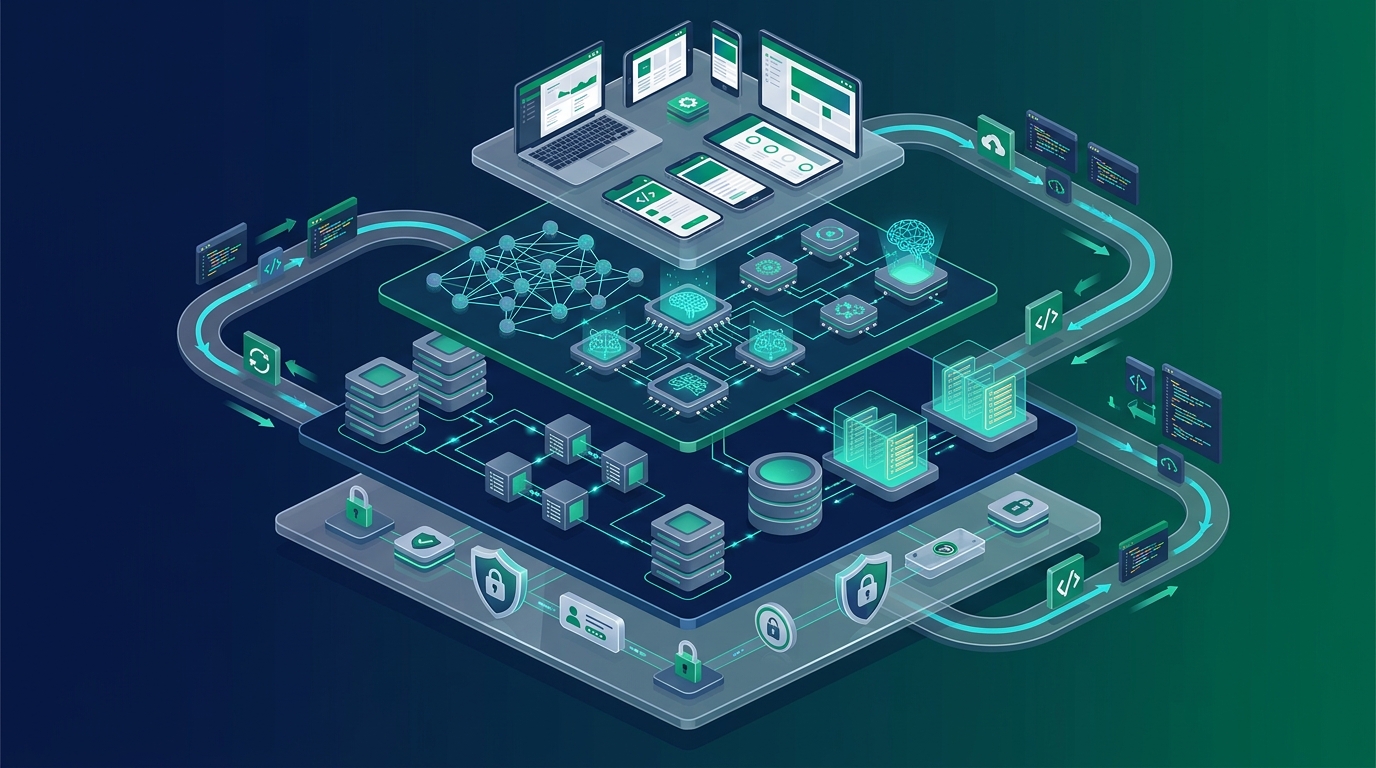
4. The Modern Frontier: What Is Only Possible in the Cloud
While on-premises NAV delivered remarkable reliability, modern digital business models require capabilities that legacy on-premises architecture cannot physically support:
1. Microsoft Copilot & Generative AI
In Business Central Online, Copilot automatically analyzes bank statement lines and matches them against open customer and vendor ledger entries with 90%+ accuracy. It drafts marketing copy directly from item attributes and identifies sales line anomalies before order release.
2. Agentic Model Context Protocol (MCP)
Business Central Cloud exposes secure REST tool registries that allow enterprise AI agents—such as Anthropic Claude or custom Azure OpenAI models—to query real-time general ledgers, inspect inventory availability, and stage draft quotes through Entra ID zero-trust authentication.
3. Gateway-Free Power Platform
Connecting Power Automate or Power Apps to on-premises NAV requires installing and maintaining an On-Premises Data Gateway. In Business Central Cloud, Dataverse Virtual Tables provide native, sub-second CRUD access with zero middleware.
4. Live Bi-Directional Excel Editing
Finance teams no longer need to export static spreadsheets. The Business Central Excel Add-in enables users to open journals, sales lines, or chart of accounts directly in Excel, edit rows with full ERP validation, and publish back to the cloud ledger with a single click.
5. Real-World Upgrade Costs & Total Cost of Ownership (TCO)
For financial leadership, evaluating a cloud migration requires comparing the ongoing operational costs of maintaining on-premises infrastructure against modern cloud SaaS subscriptions.
Annual Overhead Savings
$15,000 – $28,000 / 3-year refresh
$8,000 – $18,000 / year
$4,500 – $10,000 / year
$25,000 – $45,000 / year
$80,000 – $150,000 per cycle
Real Migration Project Cost Bands (2026 Standards)
A professional migration conducted by an experienced Microsoft Solution Partner falls into three primary complexity tiers:
Standard Migration ($25k – $45k)
Clean or lightly customized NAV 2017/2018 systems with under 5 ISV add-ons. Scope includes standard data conversion, chart of accounts validation, out-of-the-box workflow adoption, and user training (8–10 weeks).
Mid-Market Custom ($45k – $85k)
NAV 2013–2016 environments with custom C/AL modifications across sales, purchasing, or warehousing. Scope includes full AL extension refactoring, third-party AppSource replacement, and dual-run UAT (10–14 weeks).
Enterprise Complex ($85k – $140k+)
Multi-entity manufacturing or distribution enterprises with complex WMS/EDI integrations, automated shop floor routines, extensive legacy codeunits, and multi-gigabyte historical databases (14–18 weeks).
Microsoft CSP Cloud Migration Incentives & Licensing Transitions
A critical consideration for financial leadership is navigating the commercial transition from legacy perpetual licensing to cloud SaaS. While Microsoft’s promotional Bridge to the Cloud 2 campaign concluded on December 31, 2025, active Business Ready Enhancement Plan (BREP) customers retain robust ongoing transition mechanisms through authorized Microsoft Cloud Solution Provider (CSP) partners:
- CSP Dual-Use Rights (Cloud Solution Provider Enhancement Plan): Organizations transitioning to the cloud maintain dual-use operational rights. This allows your business to continue processing live commercial transactions on on-premises Dynamics NAV while configuring, testing, and training in Business Central Cloud—completely eliminating the financial penalty of double software licensing during implementation.
- CSP Cloud Migration Pricing & Transition SKUs: Microsoft and Tier-1 CSP partners provide specialized transition SKUs for qualifying customers migrating from perpetual NAV licenses, converting unpredictable annual enhancement fee spikes into predictable per-user monthly or annual operating expenses.
- Consult Our CSP Licensing Specialists: Because available transition incentives depend on your current NAV license version, module granules, and BREP anniversary date, ask our Microsoft CSP licensing practice to audit your CustomerSource profile and secure the most cost-effective path to cloud subscriptions.
6. Enterprise Migration Architecture: The Two Real Technical Pathways
A common point of confusion among IT directors is assuming Microsoft provides a single-click tool that lifts a legacy Dynamics NAV database directly into Business Central Online SaaS. In enterprise engineering reality, direct one-step migration from Dynamics NAV to cloud SaaS does not exist.
Depending on your customization depth, transactional volume, and regulatory data retention requirements, enterprise architects choose between two proven engineering methodologies:
Pathway A: Full-History Stepped Upgrade
The Multi-Hop Route: Required for organizations that mandate every historical ledger entry and subledger line exist natively inside the cloud database.
1. The Business Central 14 Bridge: Upgrading from Dynamics NAV (2013 through 2018) requires stepping first to Business Central Version 14 on-premises (Spring 2019). BC14 is the pivotal platform bridge—the final version supporting both legacy C/AL and modern AL compilers side-by-side.
2. Schema Decoupling & Custom Fields: Proprietary C/AL code is extracted and refactored into AL Per-Tenant Extensions (PTEs). Crucial technical rule: Data stored in custom fields on standard base tables (such as Customer, Sales Header, or Item) cannot be carried forward unless matching schema extension fields are compiled into modern AL table extensions prior to migration.
3. Stepping to Modern BC On-Premises (v25): The database must then be stepped up through modern on-premises versions (to at least version 25 on-premises) to achieve binary and schema parity with the cloud SaaS release.
4. Azure Cloud Migration Replication: Only once upgraded on-premises can Microsoft’s native Cloud Migration Tool (powered by Azure Data Factory and the Self-Hosted Integration Runtime) replicate the SQL database directly into the Business Central Online SaaS tenant.
Pathway B: Clean-Break Reimplementation
The Master Data Route (Recommended): Highly recommended for systems with 10+ years of operational bloat, departed entities, or heavily altered legacy C/AL base modifications.
1. Historical Ledger Staging & Read-Only SQL: Rather than spending tens of thousands of dollars converting multi-gigabyte historical item ledgers, transactional history is preserved in a secure, read-only SQL instance or Azure SQL cold repository. Power BI dashboards connect directly to provide cross-system financial reporting and meet 7-year statutory audit requirements.
2. Configuration Packages & BC Data Migration: Master data (Chart of Accounts, Dimensions, Customers, Vendors, Items, Fixed Assets, BOMs) and Opening Balances (GL open net balances, open customer AR invoices, open vendor AP vouchers, physical inventory journals) are extracted, scrubbed, validated, and ingested into Business Central Cloud.
3. Rapid Adoption & Zero Technical Debt: Wipes out decades of obsolete modifications, trims database footprint, lowers ongoing cloud storage tier costs, and accelerates go-live timelines from 5–6 months down to 8–10 weeks.
The Structured 5-Phase Implementation Methodology
Regardless of whether your organization selects the Full-History Stepped Upgrade or the Clean-Break Reimplementation route, our senior engineering practice executes the transition across five disciplined phases:
Weeks 1–2
Phase 1: Architecture Audit & Pathway Selection
Deep-dive inspection of legacy NAV SQL database size, table bloat, and custom C/AL modifications. Identifying obsolete codeunits, evaluating third-party ISV add-ons against modern AppSource availability, and deciding between Pathway A (Stepped Upgrade) and Pathway B (Clean Reimplementation).
Weeks 3–6
Phase 2: AL Extension Architecture & Schema Mapping
Engineering upgrade-safe AL Per-Tenant Extensions (PTEs). Decoupling business logic from standard base objects and binding into Microsoft event subscribers. Defining matching table extension fields in AL so custom business data fields have target schema receptacles during data migration.
Weeks 7–9
Phase 3: Data Migration Execution & Replication
Execution of the selected data pipeline. For Pathway A, stepping the database through the BC14 bridge and on-premises v25 before executing Azure Data Factory cloud replication. For Pathway B, running Configuration Packages and BC Data Migration tools to extract, scrub, and import master data and open balance journals while staging historical SQL archives.
Weeks 10–12
Phase 4: User Acceptance Testing (UAT) & Ledger Parity
Departmental UAT across accounting, warehouse operations, and sales order fulfillment in an isolated cloud sandbox. Verification of GL posting routines, trial balance reconciliation, bank feed automation, and role-based training on the modern browser and mobile interfaces.
Cutover
Phase 5: Cutover Weekend & Hypercare
Final delta synchronization executed over a controlled weekend. Freezing legacy NAV posting, running automated ledger parity validation scripts, and releasing Business Central Cloud on Monday morning backed by dedicated senior ERP engineers on standby.
7. Frequently Asked Questions
Common strategic and technical questions executive teams evaluate when considering Dynamics NAV versus Business Central:
Is Microsoft Dynamics NAV completely phased out or obsolete in 2026?
No, Dynamics NAV is not entirely phased out, but its lifecycle is in its critical final countdown. As of October 2026, Mainstream Support has ended for every version of Dynamics NAV. Extended Security Support has already expired for NAV 2013 (January 2023), NAV 2015 (January 2025), and NAV 2016 (April 14, 2026). The most urgent deadline is Dynamics NAV 2017, whose Extended Support permanently ends on January 11, 2027—less than three months away. Only Dynamics NAV 2018 remains supported through January 10, 2028. Remember that Extended Support provides critical security patches only: Microsoft no longer delivers new features or year-end tax compliance updates (such as IRS 1099 changes).
What did Dynamics NAV do exceptionally well that keeps companies using it?
Dynamics NAV was an engineering triumph for mid-market business operations. It offered complete data sovereignty, direct SQL Server database access, sub-millisecond local LAN execution speeds for high-volume order entry clerks, and total ownership under perpetual licensing without recurring cloud subscriptions. For organizations with stable business models, on-premises NAV delivered remarkable reliability for over a decade.
What capabilities are exclusively possible in Business Central Cloud that NAV cannot support?
Business Central Cloud unlocks native Microsoft Copilot AI (automated bank reconciliation line matching, marketing content generation, predictive inventory forecasting), native Power Platform connectivity without on-premises data gateways, universal browser and mobile access without VPN overhead, direct Model Context Protocol (MCP) agent connectivity, and automated semi-annual release waves that eliminate disruptive multi-year upgrade projects.
What is the architectural difference between C/AL customizations and AL Extensions?
In Dynamics NAV, customizations were written in C/AL and directly modified Microsoft’s core base objects (such as Table 18 Customer or Codeunit 80 Sales-Post), which meant every subsequent version upgrade required painstaking line-by-line code merging. In Business Central, all customizations are written in AL and compiled as isolated extensions. They interact with core business logic purely through event subscribers and table extensions, ensuring that Microsoft core updates never break bespoke business logic.
What migration licensing incentives and transition discounts are available for Dynamics NAV users?
While Microsoft’s promotional "Bridge to the Cloud 2" campaign concluded on December 31, 2025, active Business Ready Enhancement Plan (BREP) customers can leverage ongoing Microsoft Cloud Solution Provider (CSP) migration transition options. Through authorized CSP partners, organizations can secure CSP Dual-Use Rights—allowing them to run on-premises NAV in production during implementation without paying dual license fees—as well as specialized Cloud Migration SKUs that convert unpredictable annual enhancement fees into structured, predictable per-user cloud subscriptions.
8. Related Modernization & Support Resources
For detailed blueprints, enterprise service capabilities, and real-world transition case studies, explore our enterprise resource center:
- Dynamics 365 Business Central Implementation Services USA
- Dynamics 365 Business Central SLA Managed Support (15-Min P1 Response)
- Business Central AL Customization & API Integration Services
- Dynamics NAV to Business Central Migration Services
- Dynamics NAV to Business Central Cloud Migration Blueprint
- Business Central Customization Best Practices: Upgrade-Safe AL Guide
- Case Study: Dynamics GP to Business Central Cloud Migration
