Customer Self-Service Portals
Allow clients to review invoices, track orders, update profile details, raise support tickets, and view contract records 24/7 without calling support.

Microsoft Power Platform
Extend your business data securely to external stakeholders. Allgrow provides end-to-end Microsoft Power Pages consulting, secure B2B/B2C login architecture, and SLA-backed support services—connecting customer, vendor, and partner portals directly to Microsoft Dataverse and Dynamics 365 Business Central.
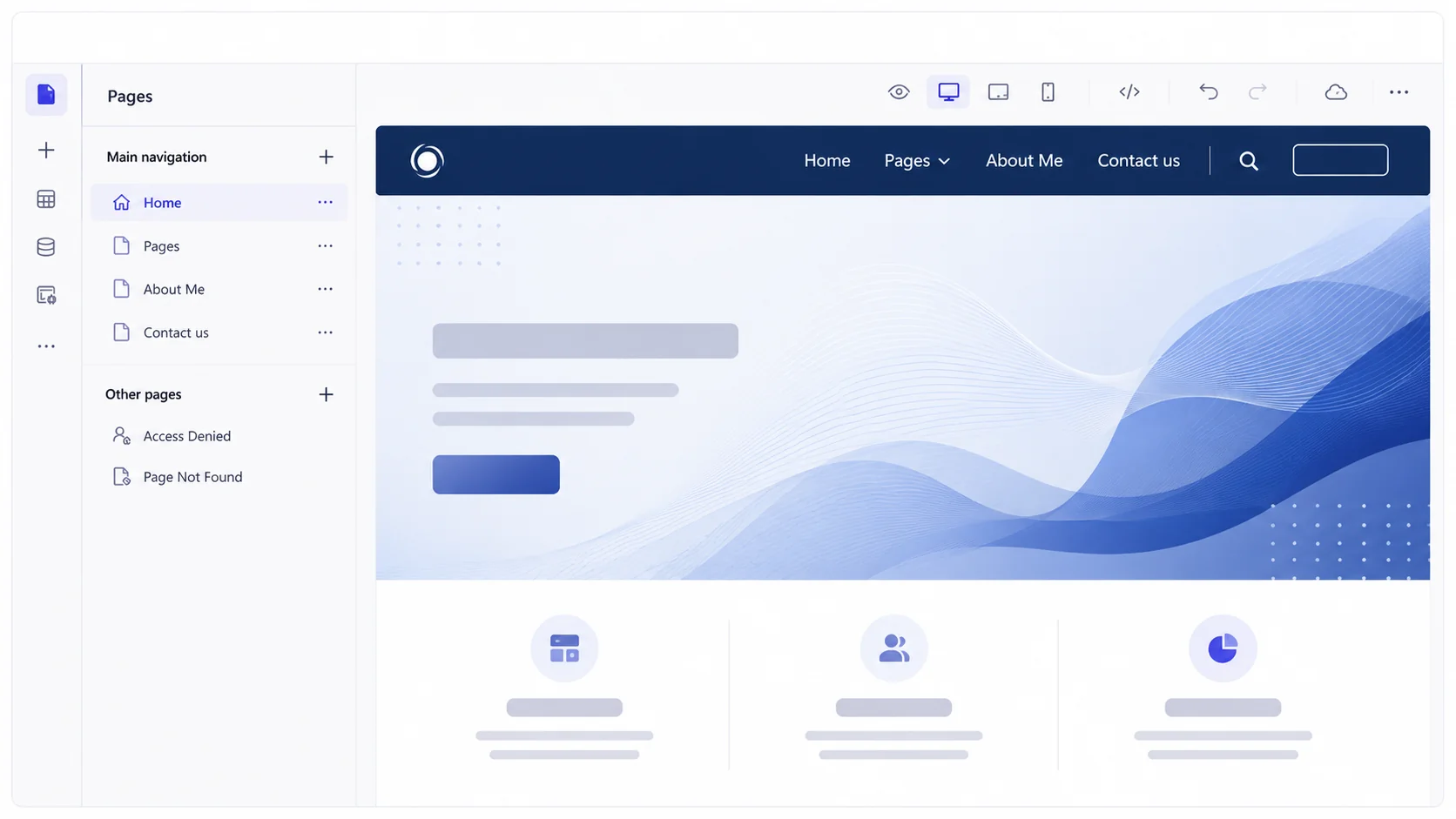
The case for change
When customers, suppliers, and external partners have to call or email for basic account status, invoice tracking, order placement, or document uploads, back-office staff spend hours serving as manual intermediaries. Fragmented web portals that do not connect directly to your ERP or CRM create data duplication, synchronization lag, and serious compliance vulnerabilities. Building custom web applications from scratch is notoriously slow and expensive to secure. Organizations need secure, self-service portals that read and write directly to core business records under unified governance.
The cost of disconnected communication
Without integrated self-service portals, administrative staff remain trapped in repetitive email and phone support cycles.
Power Pages portal architecture
Solution
Allgrow delivers enterprise Microsoft Power Pages solutions that empower customers, vendors, and community members with self-service capabilities while keeping internal systems protected. Built natively on Microsoft Dataverse, our portals provide real-time, bi-directional integration with Dynamics 365 Business Central, Sales, Customer Service, and Azure. With enterprise authentication (Azure AD B2C, Microsoft Entra ID, Google, and SAML), granular row-level table permissions, and responsive design, we deliver modern digital portals in a fraction of traditional development time.
What we build, from vendor registration portals to complex customer self-service applications and partner ecosystems.
Allow clients to review invoices, track orders, update profile details, raise support tickets, and view contract records 24/7 without calling support.
Streamline vendor registration, compliance document uploads, RFQ submissions, purchase order confirmations, and direct invoice intake.
Equip distributors and channel partners with lead distribution, real-time inventory visibility, warranty registrations, and sales collateral access.
Direct connection to Dataverse and Business Central data with zero staging tables, custom sync scripts, or third-party middleware latency.
Support Azure AD B2C, Entra ID, OpenID Connect, and social logins, backed by fine-grained table and column-level permission models.
Integrate Microsoft Copilot Studio into external portals to provide intelligent answers from internal knowledge bases and verified documentation.
Power Pages in action
Consider a distribution business: commercial customers log into a custom-branded Power Pages portal authenticated via Azure AD B2C. They check live item inventory, generate real-time price quotes, and submit purchase orders directly. Behind the scenes, the order instantly creates a sales order in Dynamics 365 Business Central, triggering automated warehouse fulfillment workflows via Power Automate. When shipment tracking updates in the ERP, the customer immediately sees the live carrier details on their portal dashboard without a single email exchange.
Connected portal-to-ERP operating model
Granular row-level permissions authenticate external users, updating Business Central records instantaneously.
Identity & Access Control
Provide frictionless, zero-trust login experiences for external customers, suppliers, and distributors without managing local passwords.
Enable corporate partners and suppliers to sign in using their existing organizational credentials with seamless B2B federation and zero password resets.
Deliver branded consumer registration, self-service password recovery, and social logins (Google, Microsoft, LinkedIn) with customizable user onboarding flows.
Federate authentication with enterprise identity providers including Okta, Ping Identity, and custom SAML/OAuth endpoints for unified enterprise SSO.
Protect sensitive transactional data with Multi-Factor Authentication (MFA), IP geofencing, session timeouts, and granular Dataverse table security roles.
Empower external users with self-service while reducing support workload and securing business data.
Deflect up to 40% of routine status calls and emails by giving clients immediate self-service access to live order and invoice data.
Deploy secure, responsive, mobile-optimized external portals in weeks using Microsoft low-code design tools and prebuilt components.
Eliminate data silos by writing directly to Microsoft Dataverse, ensuring portal data is always identical to internal ERP and CRM records.
Protect proprietary data with strict identity federation, Web Application Firewall (WAF) integration, and row-level access rules.
Deliver custom-branded, fully responsive web portals with custom domains, styling, and multi-language support.
Provide instant 24/7 support using generative AI Copilot agents grounded strictly in your curated organizational knowledge bases.
Delivery methodology
A structured, low-risk implementation lifecycle designed to launch secure web portals with confidence.
We define user personas, portal workflows, required Dataverse tables, and authentication schemes.
We configure Dataverse table permissions, web roles, and external identity providers.
We craft responsive, custom-styled web pages using Power Pages Design Studio and Liquid templates.
We connect Business Central APIs, Power Automate triggers, and automated document generation.
We perform rigorous penetration testing, permission validation, and multi-device usability tests.
We oversee domain cutover, monitor traffic, and deliver ongoing functional and security optimization.
Ongoing SLA Governance
Keep your mission-critical customer and vendor portals performant, secure, and fully aligned with Microsoft platform release waves.
Direct access to senior Power Platform engineers for rapid triage and resolution of login failures, form submission errors, and ERP API disruptions.
Rigorous sandbox regression testing prior to Microsoft semi-annual release waves (Wave 1 & Wave 2) to ensure custom code and Liquid logic remain unimpacted.
Continuous refactoring of custom JavaScript, Liquid templates, CSS styling, and portal Web API calls to maximize mobile responsiveness and loading speed.
Periodic penetration testing, WAF edge security tuning, SSL certificate maintenance, and OWASP compliance reviews to protect enterprise perimeter data.
Why Allgrow
At Allgrow Technologies, we architect Power Pages portals that solve real operational friction - not generic web pages. Our engineering depth spans Microsoft Power Platform, Dynamics 365 Business Central, Dataverse architecture, Azure security, and enterprise AI.
Whether deploying a high-volume customer account center, an automated vendor compliance hub, or a distributor portal linked directly to your ERP, we deliver governed, scalable web solutions that protect your data and elevate user satisfaction.
United States Delivery
Headquartered in Longwood, Florida (349 Bahia Circle, Longwood, FL 32750), Allgrow provides end-to-end Microsoft Power Pages development, authentication architecture, and managed support nationwide. We serve enterprise clients across EST, CST, and PST time zones with dedicated US principal engineers.
Questions
Microsoft Power Pages is an enterprise-grade, low-code Software-as-a-Service (SaaS) platform for creating, hosting, and administering modern, responsive, data-centric external websites and portals integrated with Microsoft Dataverse.
Power Pages is the evolved, standalone successor to Power Apps Portals, featuring a dedicated low-code Design Studio, advanced styling controls, built-in security templates, Visual Studio Code web integration, and generative AI Copilot tools.
Yes. Power Pages connects seamlessly to Business Central using Microsoft Dataverse virtual tables, Power Automate cloud flows, or custom REST APIs, enabling external users to view and update ERP records securely in real time.
Power Pages supports enterprise identity providers including Azure AD B2C, Microsoft Entra ID, OpenID Connect, SAML 2.0, and social providers like Google, LinkedIn, and Microsoft accounts, alongside anonymous public access where appropriate.
Data security is enforced directly at the Dataverse layer through Web Roles and Table Permissions. Users can only see or edit records they own or have explicit contact/account-level permission to access.
Yes. Power Pages supports pro-developer capabilities including Liquid templates, custom JavaScript, HTML/CSS, Web APIs, and integration with Visual Studio Code and Azure DevOps pipelines.
Power Pages separates identity authentication from data authorization. External users sign in via enterprise identity providers—such as Azure AD B2C, Microsoft Entra ID (Azure AD B2B), Okta, SAML 2.0, or Google—with optional Multi-Factor Authentication (MFA). Once authenticated, their identity maps to a Dataverse Contact record, where Web Roles and Table Permissions govern exactly which rows and columns they can access.
Our Power Pages support plans deliver guaranteed SLA response times, semi-annual Microsoft release wave regression testing, Liquid template maintenance, custom Web API troubleshooting, Web Application Firewall (WAF) monitoring, and ongoing user experience enhancements with US time zone coverage.
Yes. For corporate partners, suppliers, and distributors, we configure Microsoft Entra ID B2B collaboration. External users sign in securely with their own organization's credentials, enabling your enterprise to enforce Conditional Access policies, Multi-Factor Authentication (MFA), and session timeout rules without managing external passwords.
Allgrow Technologies is an independent enterprise technology consultancy headquartered in Longwood, Florida (349 Bahia Circle, Longwood, FL 32750). We combine deep Microsoft Power Platform proficiency with hands-on Dynamics 365 Business Central ERP integration, providing nationwide portal architecture, custom development, and managed support with zero proprietary lock-in.
Keep exploring
Next step
Whether you are looking to build a customer self-service center, a streamlined vendor onboarding hub, or a distributor portal connected directly to Business Central, Allgrow provides the architecture, security, and design expertise to deliver high-impact web portals.
100% Free · No Obligation · Senior Architects