Power Connectors for Dynamics 365 Business Central
Engineer high-throughput standard and custom connectors, custom AL API pages, and Dataverse Virtual Tables for seamless, real-time bi-directional Business Central integration.

Microsoft Power Platform
Every organization has unique business processes that off-the-shelf software cannot address. As a dedicated Power Apps development company in the USA, Allgrow Technologies engineers custom canvas applications, model-driven platforms, and high-performance Power Connectors for Dynamics 365 Business Central - transforming manual workflows into secure, enterprise-grade digital systems.
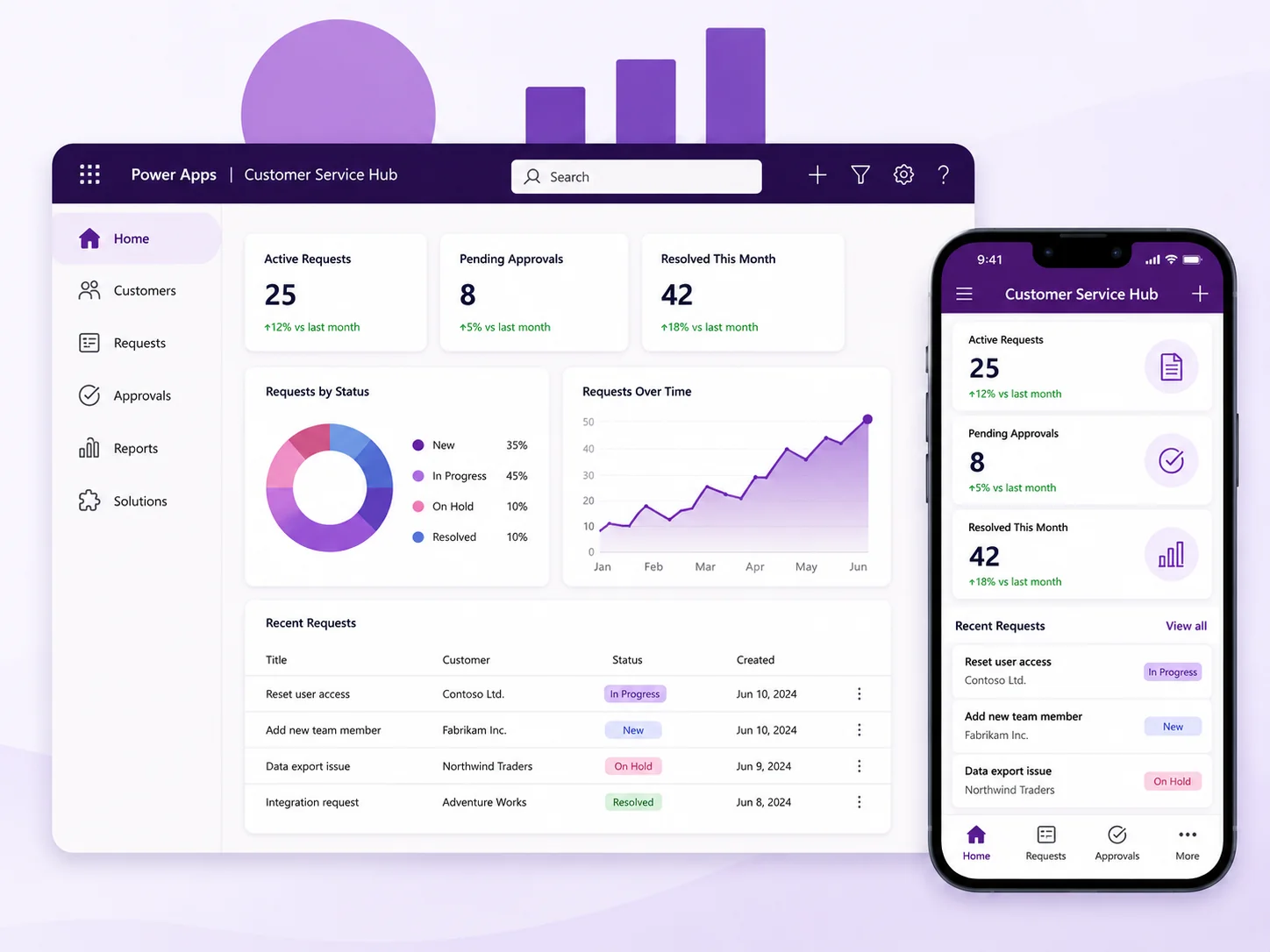
The case for change
Many organizations continue to rely on spreadsheets, paper forms, emails, and disconnected applications to manage daily operations. These manual processes increase errors, reduce productivity, delay approvals, and make it difficult to maintain accurate business information. Traditional software development is often expensive, time-consuming, and difficult to adapt as business requirements evolve. Organizations need a faster way to build applications that integrate with existing business systems while supporting future growth.
What manual processes cost your team
Reliance on spreadsheets and disconnected tools slows execution and introduces severe operational friction.
Low-code solution architecture
Solution
Our Microsoft Power Apps solutions help organizations rapidly build custom applications that connect employees, customers, vendors, and business systems through intuitive digital experiences. Whether replacing spreadsheets, digitizing inspections, creating mobile workforce applications, developing customer portals, or extending Microsoft Dynamics 365 Business Central through custom connectors and Virtual Tables, we build applications that integrate seamlessly with Microsoft Power Platform, Dataverse, Microsoft 365, Azure, and enterprise systems. Every application is designed around your business processes - not the limitations of generic software.
What we build, from mobile inspection apps to complete ERP extension suites and automated workflows.
Engineer high-throughput standard and custom connectors, custom AL API pages, and Dataverse Virtual Tables for seamless, real-time bi-directional Business Central integration.
Build pixel-perfect mobile canvas applications for frontline staff and data-dense, role-governed model-driven applications for back-office operations.
Enable field employees and warehouse teams to capture data, complete inspections, scan barcodes/QR codes, and operate offline with automatic ERP reconciliation upon reconnect.
Integrate Power Apps with Power Automate to automate multi-tier approvals, event notifications, document processing, and scheduled business workflows across systems.
Enhance applications with Microsoft Copilot, AI Builder, OCR document extraction, intelligent entity matching, and conversational assistant interfaces.
Implement strict environment lifecycles (Dev, Test, Prod), automated Azure DevOps/GitHub ALM pipelines, role-based access control (RBAC), and Data Loss Prevention (DLP).
Solution Matcher & Architecture Planner
Select your application scope, primary data source, and intelligence requirements to calculate recommended deployment velocity and architectural frameworks.
Engineered for frontline mobile workers. Utilizes custom Business Central API pages, camera photo capture, and AI Builder OCR extraction for automated document validation.
Power Apps in action
A manufacturing company relied on paper-based quality inspections and spreadsheet-based maintenance requests across multiple facilities. Supervisors manually consolidated reports, resulting in delayed issue resolution and limited operational visibility. Using Microsoft Power Apps with custom Business Central connectors, inspectors now complete digital inspections on mobile devices, attach photos, record equipment information, and submit reports instantly. Power Automate routes approvals automatically, Business Central updates maintenance records, and Power BI dashboards provide management with real-time visibility into equipment performance and operational trends. The result is faster inspections, reduced paperwork, improved data accuracy, and more efficient business operations.
Connected mobile-to-ERP operations
Digital forms submit real-time inspections, photo attachments, and automated approval triggers.
Transform manual workflows into powerful digital solutions.
Deliver business applications in weeks instead of months using Microsoft's low-code platform.
Replace spreadsheets, paper forms, and repetitive administrative tasks with digital workflows.
Provide employees with secure, mobile access to business information from anywhere.
Integrate ERP, CRM, Microsoft 365, Dataverse, and enterprise applications into one connected ecosystem.
Combine Power Apps with AI, Power Automate, and Microsoft Copilot to automate business processes and improve decision-making.
Build applications that evolve alongside changing business requirements without replacing your technology platform.
Why Allgrow
At Allgrow, we build Power Apps that solve real business problems - not demonstration projects. Our expertise combines Microsoft Power Platform, Business Central, Dynamics 365, Dataverse, Azure, AI, and enterprise integration to deliver secure, scalable applications that become part of your core business operations.
Whether modernizing legacy processes or developing entirely new digital experiences, we focus on creating applications that improve productivity, simplify operations, and support long-term digital transformation.
United States Delivery
With our US headquarters in Longwood, Florida, Allgrow provides dedicated Power Apps development and Power Platform consulting across the United States. We work with clients across EST, CST, and PST time zones to build canvas apps, model-driven solutions, automated workflows, and ERP/CRM integrations tailored to American enterprise standards and security requirements.
Questions
Microsoft provides a standard Power Platform connector for Dynamics 365 Business Central that enables Power Apps and Power Automate to read, create, and update records via OData v4 web services. For enterprise scenarios requiring high data volume or custom logic, Allgrow engineers custom AL API pages in Business Central and sets up Dataverse Virtual Tables. This allows Power Apps to interact with Business Central entities in real time without duplicating data or creating synchronization lag.
Allgrow Technologies combines deep ERP engineering background (Dynamics 365 Business Central, finance, supply chain) with advanced Power Platform architecture. Headquartered in Longwood, Florida, our senior practice leads design and build production-ready applications with zero technical debt, enterprise security, and 100% intellectual property ownership for your organization.
Yes. We design mobile canvas applications with Dataverse mobile offline profiles and transactional local caching. Field technicians, warehouse operators, and inspectors can view data, capture forms, take photos, and record signatures without an internet connection. Once reconnected, transactions are validated and synced back to Business Central automatically.
Standard connectors (like Business Central, SharePoint, and Office 365) work out-of-the-box with predefined operations. When your ERP processes require custom business logic, multi-table transactions, token-based rate limiting, or integration with proprietary internal systems, Allgrow builds custom connectors using OpenAPI/Swagger specifications and Azure API Management.
We implement the Microsoft Power Platform Center of Excellence (CoE) framework, setting up dedicated Dev, Test, and Production environments, automated Application Lifecycle Management (ALM) pipelines via Azure DevOps/GitHub Actions, Microsoft Entra ID (Azure AD) role-based access, and strict Data Loss Prevention (DLP) policies.
Absolutely. Many organizations use Power Apps to digitize inspections, approvals, inventory counts, field service work orders, HR onboarding, procurement requests, and operational compliance checklists.
Yes. We provide full-lifecycle consulting, UI/UX design, custom connector development, Business Central integration, user training, and ongoing managed support with defined SLA response times.
Keep exploring
Next step
Whether you're replacing manual processes, extending Business Central, developing mobile workforce applications, building customer portals, or implementing enterprise automation, Allgrow can help you design and deliver Microsoft Power Apps solutions that improve productivity and accelerate digital transformation.
100% Free · No Obligation · Senior Architects