
Replace disconnected spreadsheets, email chains, and expensive per-user HR subscriptions. AwayDesk delivers an enterprise-grade time-off portal built directly on Microsoft Dataverse with smart clash detection, automated holiday math, and full Microsoft Teams integration.
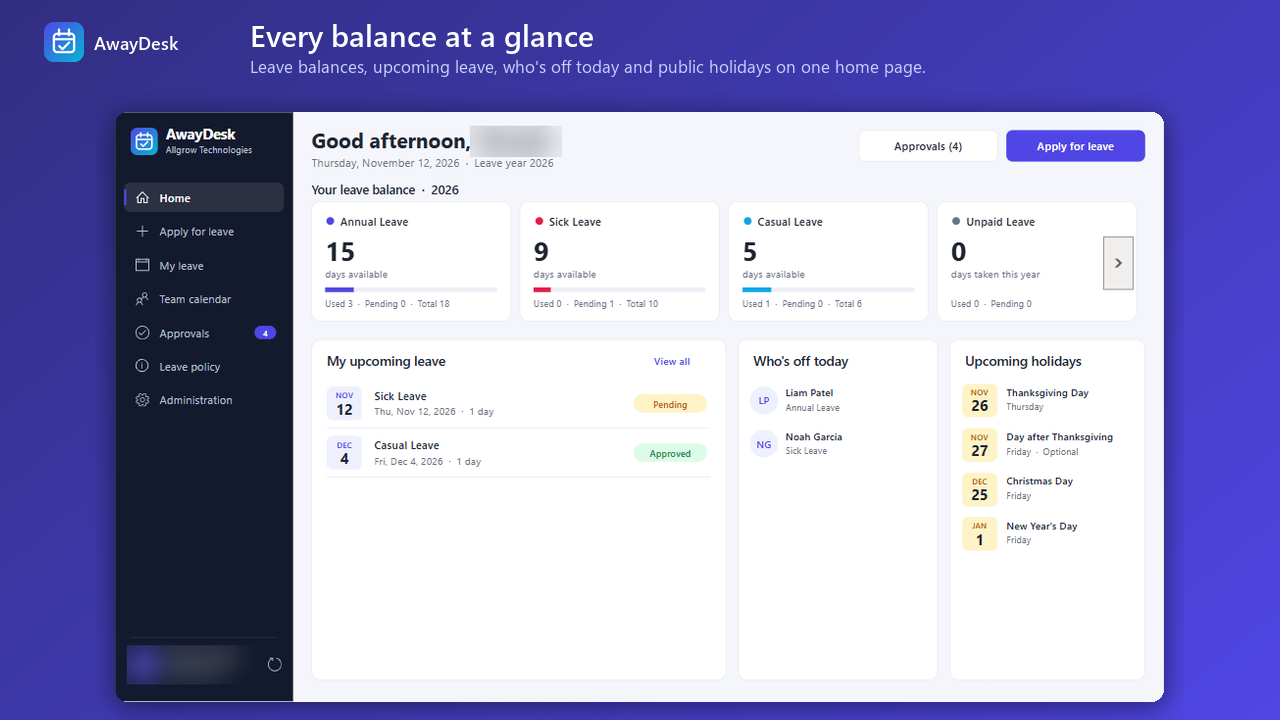
Explore the five core modules of AwayDesk—built to streamline requests, eliminate approval bottlenecks, and give HR leaders complete visibility.
Employees enjoy an intuitive, zero-training dashboard showing their exact remaining vacation, sick, and casual allowances alongside team public holidays.
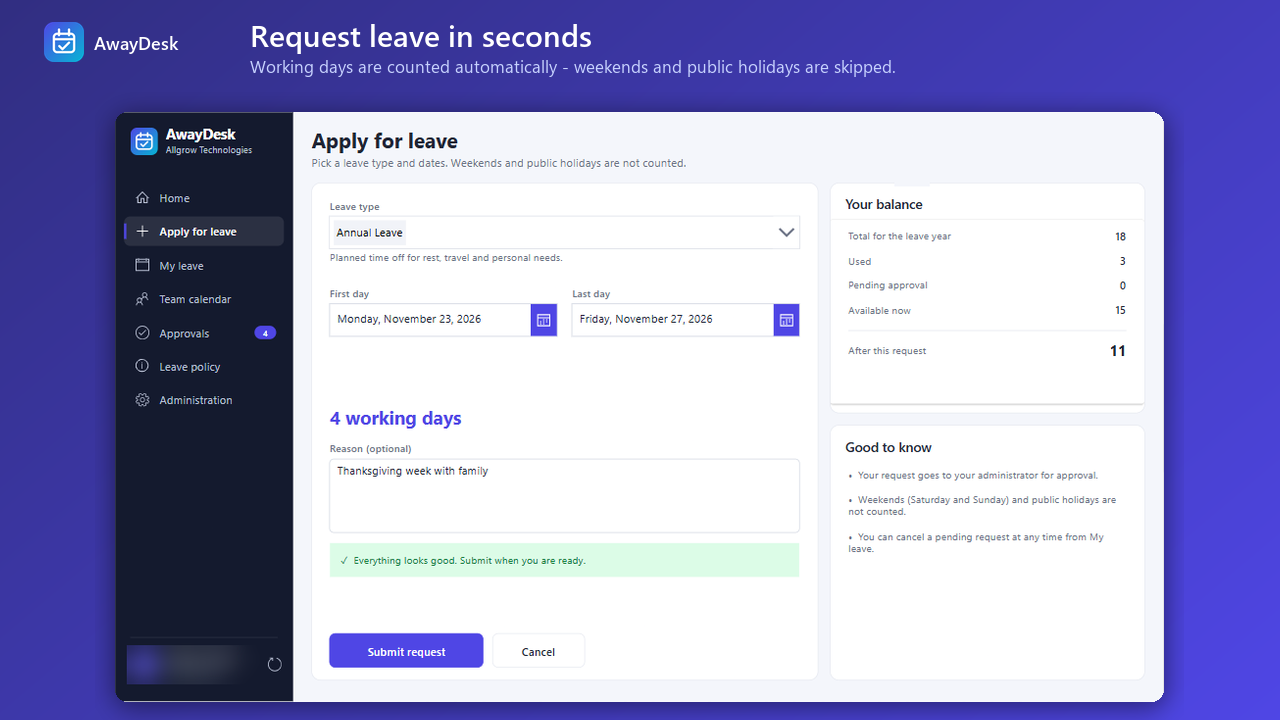
Eliminate manual math and counting errors. AwayDesk automatically excludes non-working weekends and official statutory company holidays.
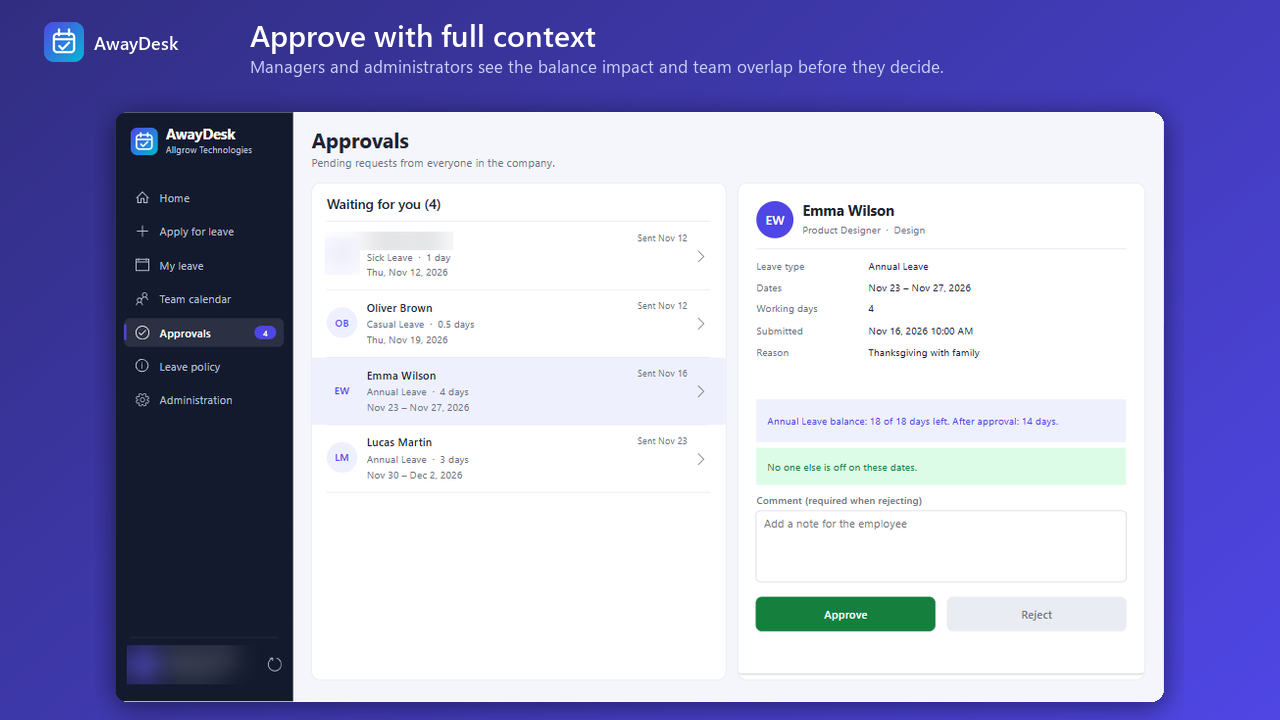
Prevent coverage gaps before they happen. When two team members request time off during the same window, AwayDesk flags the conflict in real time.
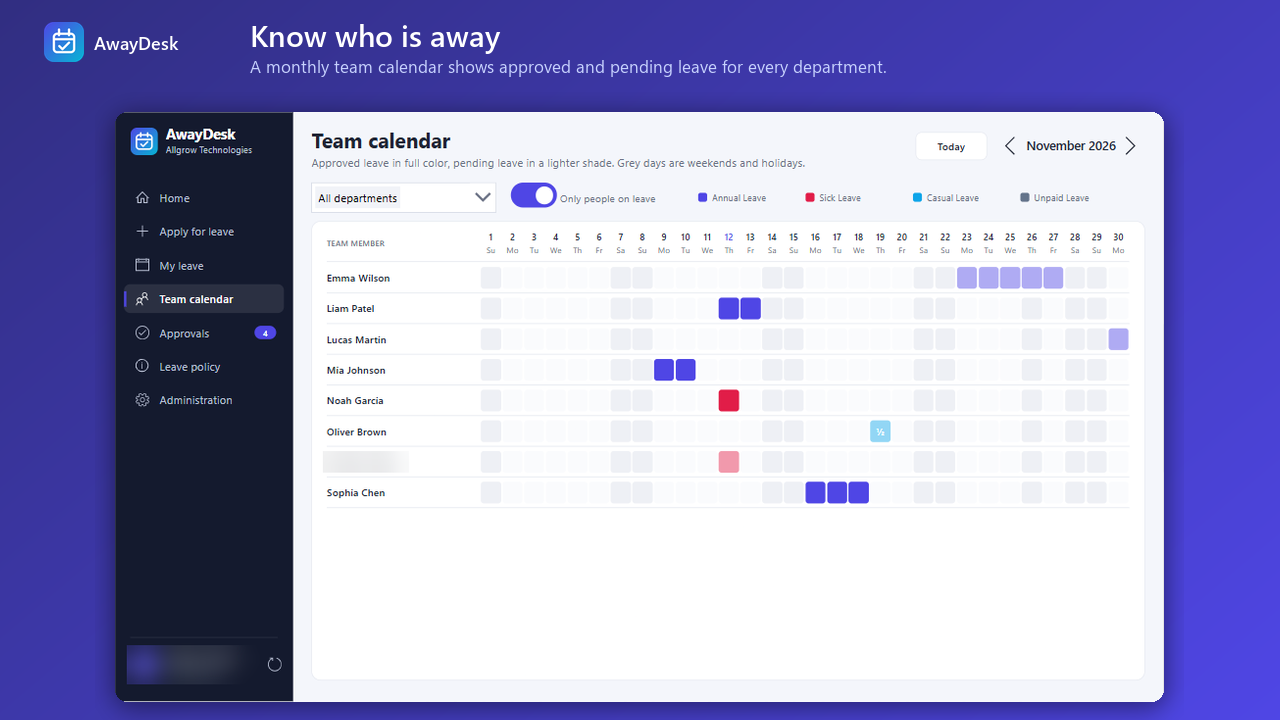
Give team leads and project managers a clear graphical overview of scheduled absences to ensure project delivery commitments remain on schedule.
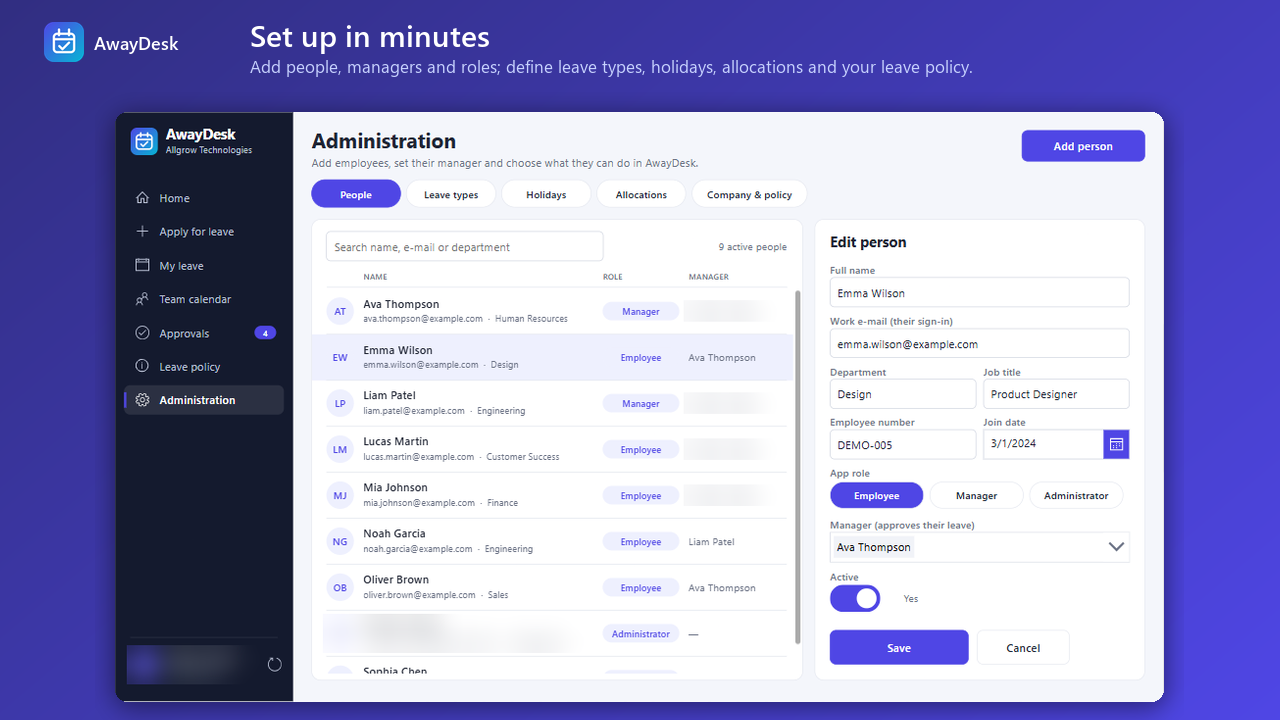
HR administrators maintain full governance over leave types, annual entitlements, carry-over limits, and annual public holiday calendars without coding.
Engineered on Microsoft Power Platform to give your HR and management teams complete control without adding another vendor login or SaaS bill.
Prevents operational blackouts by automatically alerting approving managers if key project team members are requesting overlapping vacations.
Automatically calculates net working days by deducting public holidays and weekends, guaranteeing 100% accurate leave balance accounting.
Employees request time off right from Microsoft Teams on desktop or mobile. Zero separate passwords, authenticating via native Entra ID SSO.
Zero third-party cloud hosting. All employee personal data, medical attachments, and absence logs remain securely inside your Microsoft tenant.
Powered by Microsoft Power Automate: managers receive actionable approval emails and Teams cards with 1-click decision buttons.
Integrate approved leaves with Dynamics 365 Business Central, ADP, or custom payroll solutions through Allgrow's integration engineering.
Compare AwayDesk’s native Power Platform architecture against fragmented spreadsheets and expensive external HR platforms.
| Platform Dimension | Third-Party HR SaaS (BambooHR, etc.) | AwayDesk for Power Platform |
|---|---|---|
| Subscription Licensing Cost | ✕ $6–$12/user/month ($7,200+/yr for 100 users) | ✓ $0 Free Tier on Microsoft AppSource |
| Data Storage & Sovereignty | ✕ Exported to vendor cloud databases | ✓ 100% Inside your Microsoft Dataverse |
| Microsoft Teams Integration | Clunky webview bots with external authentication | ✓ Native Power App tab and mobile interface |
| Authentication & Identity | Secondary user logins or paid SAML SSO add-on | ✓ Native Entra ID Single Sign-On included |
| Approval Clash Detection | Rarely included without enterprise HR tier | ✓ Built-in collision warning for team leads |
Human resource records, doctor notes, and absence dates are strictly governed by GDPR, HIPAA, and corporate compliance standards. AwayDesk runs entirely within your existing Microsoft Cloud boundary—leveraging Microsoft Dataverse security roles and Entra ID authentication.
Deploy directly into your Microsoft Power Platform environment with zero infrastructure overhead.
Open the official Microsoft Marketplace listing for AwayDesk by Allgrow Technologies.
Target your designated Power Platform sandbox or production environment for automatic package import.
Set your organization's annual leave quotas, statutory public holidays, and carry-over limits.
Pin the AwayDesk app into Microsoft Teams or share the web link with employees.
Common questions regarding Microsoft licensing, Teams deployment, and custom payroll integration.
Yes. AwayDesk is completely free to install and use directly from the Microsoft Commercial Marketplace. There are no per-user monthly SaaS fees, trial expirations, or hidden feature paywalls for the core leave management solution.
Absolutely. AwayDesk is built natively as a Power Apps canvas application and can be packaged and deployed as a personal app or pinned channel tab within Microsoft Teams, as well as accessed via desktop web browsers and iOS/Android Power Apps mobile clients.
When an employee submits a leave request, AwayDesk cross-references existing approved and pending absences across the employee’s department or team in Dataverse. If an overlap exists with a peer holding the same role or department, the approval dashboard highlights a collision warning so managers can safeguard staffing coverage before approving.
100% inside your organization’s Microsoft Dataverse environment. AwayDesk does not transmit employee names, medical notes, or absence histories to any third-party servers. Your data stays completely under your enterprise Microsoft 365 security, compliance, and GDPR boundaries.
Yes. Allgrow’s Power Platform engineering team provides turnkey integration services to synchronize approved leaves and accrual balances with Dynamics 365 Business Central, Dynamics 365 Human Resources, ADP, QuickBooks, or custom SQL/REST payroll systems.
Say goodbye to messy spreadsheets and expensive per-user HR platforms. Install AwayDesk free directly from Microsoft AppSource or contact our team for custom ERP and payroll sync.
100% Free · No Obligation · Senior Architects