Power Automate Flow – Send Email to All Team Members When a Quote is Activated Have you ever wanted to notify everyone in a team automatically when something important happens in Dynamics 365? Here’s a simple automation I built using Power Automate — when a Quote is activated, it sends an email to all the […]
Read More
How to Send Email Notifications When Releasing a Sales Order in Business Central In Microsoft Dynamics 365 Business Central, the release of the Sales Order is a key control step — it indicates that an order is ready for subsequent processing, like picking, shipping, or invoicing. But in most organizations, it’s beneficial to automatically notify […]
Read More
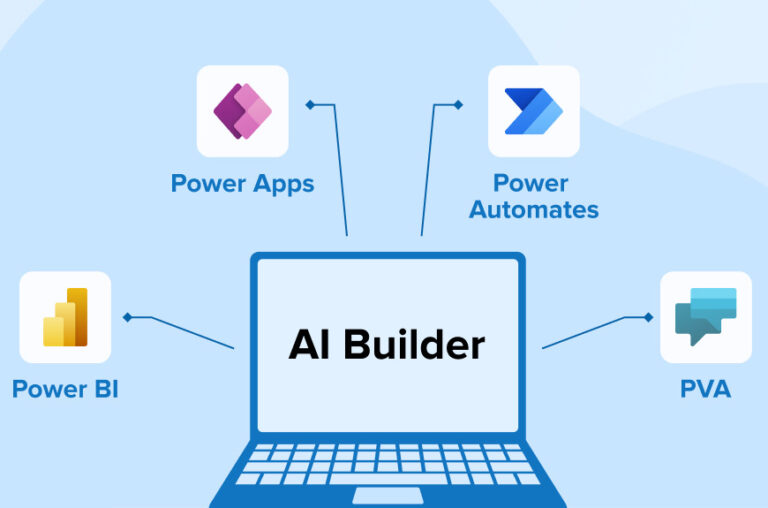
Automating Invoice Extraction from Email Attachments Using Power Automate and AI Builder Managing vendor invoices manually can slow down operations and introduce errors. To streamline this process, an automated solution was implemented that extracts invoice data from email attachments and stores it directly in Dataverse, using Power Automate and AI Builder’s Invoice Processing model. This […]
Read More
How to Import Business Central Table Data into Power Apps Using Dataflows A Power Apps dataflow is a reusable, cloud-hosted Extract Transform and load (ETL) pipeline we create in the Power Apps portal to pull tables from Dynamics 365 Business Central, shape and clean those tables with Power Query, and load the prepared data into […]
Read More
How to Upload and Read a Text File in Dynamics 365 Business Central 27 Using AL Code. Introduction Imagine you’re working at a retail company that frequently updates discount codes for promotions. The marketing team maintains a simple .txt file containing all active discount codes and hands it over to the IT department to upload […]
Read More
How to Automatically Notify Sales Credit Limit Breaches in Outlook Using Power Automate + Business Central Why This Matters If you work in sales or finance, you know how important it is to keep an eye on customer credit limits. Business Central lets you set those limits, but it doesn’t shout at you when someone […]
Read More
Microsoft Dynamics 365 Business Central: How to Implement Camera picture in Business Central using AL Integrating the camera feature into the Microsoft Dynamics 365 Business Central app is an initial action in implementing camera photos by utilizing AL. Users can take and upload photos straight from their device’s camera by using AL code to create […]
Read More
Microsoft Dynamics 365 Business Central: Map e-documents to purchase order lines with Copilot In Microsoft Dynamics 365 Business Central, by automatically aligning electronic documents with matching purchase order lines, the “Map e-documents to purchase order lines with Copilot” tool simplifies the procurement process. For organizations, this feature is revolutionary as it decreases the need for […]
Read More
MICROSOFT DYNAMICS 365: Creating a Sales Order through Power Apps Power Apps provides a user-friendly experience, allowing non-developers to customize the sales order process to meet specific company requirements. This interface ensures that data flows effortlessly between sales and other departments, increasing productivity and accuracy in order management. First let us build a simple power […]
Read More
Microsoft Dynamics 365 Business Central Connector in Power App What is a connector? A connector is a set of pre-built functionality or a feature that allows Power Apps to connect to various external services, systems, or data sources. Connectors serve as a bridge between Power Apps and external platforms, enabling seamless integration and interaction. They […]
Read More