DCAA Compliance in Dynamics 365 Business Central: How Government Subcontractors Pass SF 1408 Audits Without Deltek Costpoint
A practical architectural guide for aerospace and defense CFOs, controllers, and IT directors seeking to escape rigid legacy GovCon ERP pricing while enforcing strict audit-ready compliance with FAR Part 31, CAS, and DCAA Pre-Award Accounting System Surveys.
Executive Takeaways
- The Deltek Alternative: Government contractors are no longer forced into expensive, siloed ERPs like Deltek Costpoint. Dynamics 365 Business Central supports full DCAA SF 1408 compliance with modern cloud ergonomics.
- Standard Form 1408 Criteria: Passing a DCAA Pre-Award Survey requires segregation of direct/indirect costs, exclusion of FAR 31 unallowables, logical indirect rate pool allocation (Fringe, Overhead, G&A), and verifiable timekeeping.
- Automated Rate Calculations: How custom BC cost allocation journals compute provisional and cumulative indirect rates to prevent cost overruns and cash flow withholding on CPFF and T&M contracts.
- CMMC 2.0 & GCC High: How to align Business Central with Microsoft Azure Government to satisfy DFARS 252.204-7012 and protect Controlled Unclassified Information (CUI).
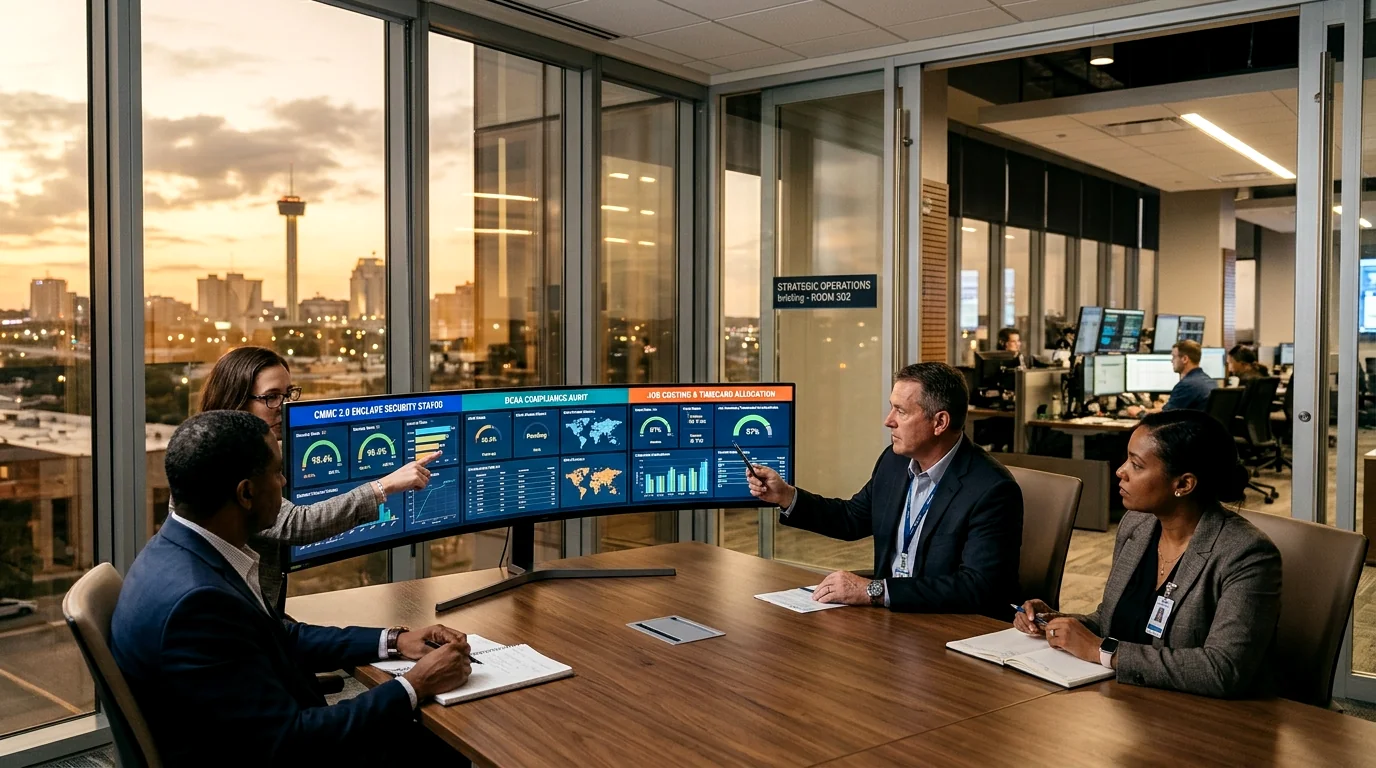
Figure 1: Enterprise defense subcontractor finance leadership validating indirect cost allocations against DCAA SF 1408 benchmarks in Business Central.
The “Costpoint Monopoly” vs. Modern Enterprise ERP
For nearly three decades, government contractors operating in the United States defense industrial base have lived under an unspoken mandate: if you want to pass a DCAA audit, you must buy Deltek Costpoint.
While Costpoint undeniably provides out-of-the-box government compliance features, it comes at an immense operational tax. Mid-market aerospace suppliers, defense hardware engineering firms, and IT services subcontractors frequently find themselves trapped in a legacy software paradigm characterized by:
- Astronomical Total Cost of Ownership: Implementation and annual licensing fees frequently reach hundreds of thousands of dollars, far exceeding the budget of tier-2 and tier-3 subcontractors.
- Siloed Architecture: Poor out-of-the-box integration with modern CRM, engineering CAD, PLM, and Microsoft 365 productivity suites, resulting in endless CSV import/export cycles.
- Specialized Talent Lock-In: Finding controllers and finance personnel proficient in proprietary Deltek legacy modules is extraordinarily difficult and expensive.
- Rigid User Experience: Clunky, dated interfaces that hinder shop-floor manufacturing operators, field technicians, and engineers from tracking accurate time and materials in real time.
Today, growing defense contractors are proving that compliance is a function of system design and internal controls, not vendor brand name. The Defense Contract Audit Agency does not certify specific software packages; DCAA audits evaluate whether your accounting system design satisfies the criteria of Standard Form 1408 (SF 1408).
By implementing Microsoft Dynamics 365 Business Central paired with purpose-built GovCon configuration, subcontractors achieve full audit compliance, modern cloud collaboration, and real-time Power BI operational visibility at a fraction of Costpoint’s lifecycle cost.
Decoding Standard Form 1408: The 10 Essential Audit Criteria
Before awarding a Cost-Reimbursement (CPFF, CPIF), Time & Materials (T&M), or Progress Payment contract, the Defense Contract Management Agency (DCMA) or procuring contracting officer requests a Pre-Award Accounting System Survey. The auditor uses Standard Form 1408 to determine if the contractor’s accounting system is acceptable.
Here is how Dynamics 365 Business Central is architected to satisfy every single requirement in Section II of SF 1408:
1. Segregation of Direct and Indirect Costs (SF 1408 II.a)
Under FAR 31.201-1, direct costs are those specifically identified with a final contract objective, while indirect costs are shared across multiple objectives. In Business Central, this separation is enforced at the transaction entry point through Global Dimensions (`PROJECT_ID`, `TASK_ID`, `COST_ELEMENT`). Transactions cannot be posted without a valid dimension code, guaranteeing that direct project expenditures are physically partitioned from intermediate cost centers.
2. Direct Cost Accumulation Under General Ledger Control (SF 1408 II.b)
Audit failure frequently occurs when project job sheets exist outside the core accounting software (e.g., in standalone spreadsheets). In Business Central, the Project Ledger (Jobs Module) is structurally bound to the General Ledger. Every raw material purchase, labor hour, and subcontract expense posted to a contract creates synchronous, reconciled debits and credits in both sub-ledgers.
3. Logical and Consistent Indirect Rate Allocation (SF 1408 II.c)
DCAA requires intermediate and final cost objectives to absorb an equitable share of corporate indirect expenses. As detailed below, we configure automated Indirect Cost Allocation Journals in Business Central to apply provisional Fringe, Overhead, and G&A rates, truing them up to actual cumulative rates each accounting period.
4. Exclusion of Unallowable Costs (FAR Part 31 / SF 1408 II.d)
Under FAR 31.205, specific expenses—including entertainment, alcoholic beverages, bad debts, lobbying, contributions, and interest expenses—are strictly unallowable. In Business Central, dedicated unallowable G/L accounts are tagged with dimension value `ALLOWABILITY = UNALLOWABLE`. When automated billing schedules (SF 1034/1035) are generated, these accounts are mathematically excluded by the billing engine.
5. Labor Timekeeping and Audit-Compliant Distribution (SF 1408 II.e)
Labor is the most scrutinized cost element in defense contracting. Business Central’s native Time Sheet architecture is augmented with strict DCAA governance rules: daily time entry, mandatory audit logging of any timesheet change reasons, supervisor approvals, and total time accounting (preventing uncompensated overtime distortions).

Figure 2: Architectural schematic of the three-tier DCAA indirect cost rate pool structure implemented in Business Central.
Architecting Indirect Rate Pools in Business Central
For government subcontractors, managing cash flow on cost-type contracts depends on establishing an accurate, audit-defensible indirect cost structure. In Business Central, we deploy a standard Three-Tier Rate Pool Architecture:
Pool: Payroll Taxes (FICA/FUTA), Health Insurance, 401(k) Match, PTO, Sick Leave
Base: Total Productive Labor (Direct Labor + Overhead Labor + G&A Labor)
Formula: Fringe Rate = (Total Fringe Expense Pool) ÷ (Total Productive Labor Base)
2. OVERHEAD POOL (Engineering & Manufacturing)
Pool: Shop Supervision, Equipment Depreciation, Facility Rent, Quality Assurance
Base: Direct Labor + Applied Direct Fringe Benefits
Formula: Overhead Rate = (Overhead Expenses) ÷ (Direct Labor + Allocated Fringe)
3. GENERAL & ADMINISTRATIVE (G&A) POOL
Pool: Executive Salaries, Legal, Accounting, HR, Corporate Insurance (Allowable)
Base: Total Cost Input (TCI) = Direct Costs + Overhead + Subcontracts + Materials
Formula: G&A Rate = (Allowable Corporate G&A Pool) ÷ (Total Cost Input Base)
In standard Business Central, standard cost adjustments exist for commercial manufacturing. For GovCon, we implement automated Recurring Allocation Journals that calculate provisional rates monthly, post cost-recovery entries to contract ledgers, and calculate Year-to-Date (YTD) Indirect Rate Variances. This guarantees that when filing your annual Incurred Cost Submission (ICE Model), your general ledger and cost recovery schedules match penny for penny.
DCAA-Compliant Timekeeping: Solving the Human Error Problem
According to DCAA audit statistics, timekeeping deficiencies account for over 60% of all pre-award and post-award audit citations. To pass a DCAA audit, contractors must prove strict compliance with the following timekeeping rules:
- Daily Recording: Employees must record their working hours against specific contract charge numbers at the close of each working day.
- Employee Exclusivity: Supervisors, administrative staff, or colleagues are prohibited from entering or altering an employee’s timecard on their behalf.
- Change Reason Auditing: If an employee modifies a previously submitted timesheet, the system must enforce a mandatory text explanation and store a non-destructible audit log of who made the change, when it occurred, and the original value.
- Unannounced Floor Checks: Auditors will physically walk the office or manufacturing floor and ask employees what project they are currently working on, cross-referencing their response against that day’s time entry.
- Total Time Accounting: Salaried exempt employees who work 50 hours in a week must record all 50 hours, diluting the effective hourly rate across projects to prevent overcharging the government on cost-plus work.
To satisfy these requirements without encumbering engineers with bureaucratic interfaces, we deploy custom Power Apps timekeeping kiosks integrated directly with Business Central. Employees authenticate via Microsoft Entra ID (with biometric or hardware MFA), log hours against authorized work breakdown structure (WBS) elements, and submit with full cryptographic logging.

Figure 3: Real-time Power BI executive dashboard displaying contract funding burn rates, indirect rate tracking, and DCAA compliance status.
FAR Part 31: Automating the Identification of Unallowable Costs
The Federal Acquisition Regulation (FAR) Part 31 establishes principles for determining commercial cost allowability. A common trap for defense subcontractors is co-mingling allowable and unallowable corporate costs within standard chart of account lines (for example, booking both a client lunch and internal employee training under “Meals & Travel”).
In our Business Central GovCon architecture, we enforce Explicit Unallowable Account Partitioning:
- Dedicated 8000-Series Accounts: All unallowable cost categories (FAR 31.205-1 Advertising, 31.205-14 Entertainment, 31.205-20 Interest, 31.205-22 Lobbying, 31.205-51 Alcoholic Beverages) are mapped to dedicated unallowable G/L sub-accounts.
- Directly Associated Costs: Expenses directly resulting from unallowable activities (such as payroll taxes on unallowable bonus compensation) are systematically flagged and routed to the unallowable ledger.
- Zero-Voucher Leakage: Standard Form 1034/1035 public vouchers generated from Business Central automatically filter out any transaction stamped with the unallowable dimension code, ensuring zero improper billing claims are submitted to the government.
Infrastructure Security: CMMC 2.0 & Microsoft GCC High
For defense contractors handling Controlled Unclassified Information (CUI), Federal Contract Information (FCI), or covered defense information under DFARS 252.204-7012, ERP compliance extends far beyond accounting ledgers into infrastructure cybersecurity.
Under the Department of Defense’s Cybersecurity Maturity Model Certification (CMMC 2.0) Level 2 framework, contractors must implement the 110 security requirements of NIST SP 800-171.
To satisfy these requirements, Allgrow deploys Business Central within Microsoft Azure Government / GCC High environments:
- US Sovereign Cloud: Data residency is restricted exclusively to CONUS (Continental United States) data centers, screened exclusively by US persons.
- FedRAMP High Authorization: Azure Government holds FedRAMP High and DoD Impact Level 5 (IL5) provisional authorizations, satisfying DFARS cyber incident reporting requirements (clauses c-m).
- Zero Trust Access: Conditional access policies, FIPS 140-2 validated encryption in transit and at rest, and automated telemetry logging through Microsoft Sentinel.
Case Study: San Antonio Defense Subcontractor Passes DCAA SF 1408 Audit in Business Central
Explore how an aerospace subcontractor operating adjacent to Lackland AFB replaced QuickBooks and manual spreadsheets with Business Central, implemented indirect rate pool journals, and passed their DCMA Pre-Award Audit with zero findings in 60 days.
The 90-Day DCAA Audit Readiness Roadmap
Transitioning from commercial bookkeeping to a government-compliant accounting environment does not require an 18-month overhaul. At Allgrow Technologies, we execute a structured 90-day implementation sprint:
Chart of Accounts & Rate Pools
Restructure G/L into direct, indirect (Fringe/OH/G&A), and FAR 31 unallowable trees. Map WBS dimension structures.
Timekeeping & Labor Floor Checks
Deploy Entra-authenticated daily timesheet kiosks. Configure audit trail change logs and total time uncompensated overtime logic.
Billing & Mock Audit Defense
Automate SF 1034/1035 public vouchers, test rate true-up journals, and execute a comprehensive mock SF 1408 auditor survey.
Conclusion: Freedom from Legacy ERP Costs
Achieving DCAA compliance does not require mortgaging your company’s technology budget to legacy software vendors. By combining the financial rigor of Microsoft Dynamics 365 Business Central with an intentional GovCon configuration, defense subcontractors secure a modern, scalable operational core that impresses federal auditors while empowering teams to build and deliver on time.
Complimentary GovCon Review
Preparing for a DCAA Audit or Transitioning Off Deltek?
Schedule a confidential 45-minute architectural review with an Allgrow senior GovCon solutions architect. We will evaluate your current chart of accounts, timesheet governance, and indirect rate pool design against SF 1408 criteria.