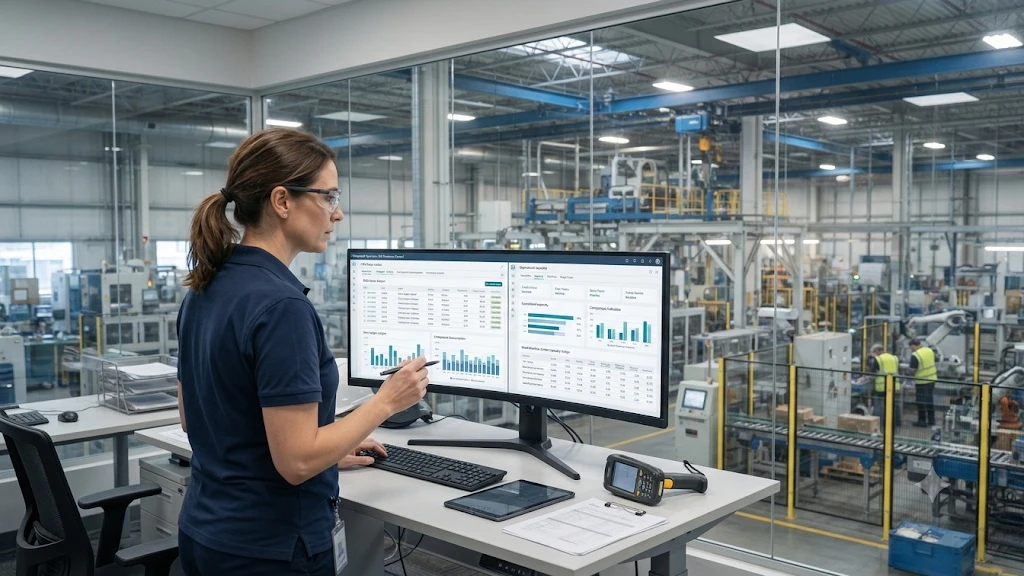
The production order is marked as Finished. Inventory has been updated, the finished goods are available for shipment, and from an operational standpoint everything appears normal. Yet during month-end reviews, finance notices that production costs don’t align with expectations. Inventory Ledger Entries show one picture, while Capacity Ledger Entries tell another. If you’ve encountered this situation in Dynamics 365 Business Central, you’re not alone. As manufacturing consultants, we’ve seen this issue surface across organizations of different sizes, and in most cases, the root cause isn’t the ERP system itself.
When a Finished Production Order Raises More Questions Than Answers
Most manufacturers assume that once a production order reaches Finished status, every related transaction has been captured accurately. It’s a reasonable expectation. After all, the order is complete, inventory has been received, and operations has moved on to the next job.
In reality, different parts of the manufacturing process are often recorded at different times and by different teams. A production order may appear complete on the surface, but underlying transactions can still be waiting to be reported or validated. Common areas where gaps occur include:
- Material consumption recorded correctly, but labor reporting delayed.
- Finished goods output posted immediately, while machine time is captured later.
- Routing activities completed on the shop floor, but not fully registered in the system.
Manufacturing transactions rarely occur as a single event. Material consumption, output posting, labor reporting, machine utilization, and routing activities often follow different timelines. When one part of the process is delayed, overlooked, or reported inconsistently, the mismatch usually remains hidden until someone starts reviewing production costs, variances, or capacity utilization reports. That’s when a finished production order suddenly raises more questions than answers.
What We Typically See During Investigations
When clients contact us about differences between Inventory Ledger Entries and Capacity Ledger Entries, the initial assumption is often that something went wrong in Business Central. Yet after reviewing dozens of manufacturing environments, we’ve found that the issue usually starts on the shop floor rather than in the ERP system.
Production teams are often focused on meeting output targets. If products need to be shipped quickly, output is posted immediately so inventory can become available. Capacity reporting, on the other hand, may be entered later, recorded in batches, or sometimes missed altogether. Weeks later, when finance reviews the production order, the reporting gap becomes visible.
The Gap Between Physical Production and Reported Production
One common mistake is assuming that physical completion automatically means reporting completion. In reality, a product may have been manufactured exactly as planned while the supporting production transactions remain incomplete. The warehouse sees finished products, but finance sees missing labor costs.
This is especially common in growing manufacturing businesses. As production volumes increase, processes that once worked smoothly begin to break down. Teams adopt shortcuts, manual workarounds become routine, and reporting discipline slowly weakens. The ERP system continues recording transactions, but those transactions no longer represent the full operational picture.
What the Team Sees vs. What’s Actually Happening
When Inventory and Capacity Ledger Entries Tell Different Stories
THE PRODUCTION ORDER LOOKED COMPLETE, BUT THE DATA DIDN’T
In this manufacturing scenario, the production order was marked as Finished, inventory was available for shipment, and operations considered the job complete. However, Inventory Ledger Entries and Capacity Ledger Entries were telling different stories during month-end review.
Step 2: Finished goods output is posted immediately to make inventory available.
Step 3: Inventory Ledger Entries correctly reflect material consumption and output transactions.
Step 4: Capacity activities (labor and machine time) are recorded later using manual production notes.
Step 5: Finance reviews production costs and identifies missing or inconsistent capacity-related costs.
Step 6: Inventory values appear correct, but production variances begin increasing.
Step 7: Investigation reveals that inventory transactions and capacity reporting followed different reporting timelines.
ROOT CAUSE: Production execution and production reporting were not aligned. The ERP system accurately reflected the transactions it received, but operational reporting processes created the discrepancy.
THE ACTUAL RESOLUTION: ALIGN REPORTING WITH PRODUCTION
Rather than correcting individual ledger entries every month, the manufacturing team reviewed how production activities were being captured across departments.
Step 2: Identify delays between output posting and capacity registration.
Step 3: Standardize responsibilities for reporting labor and machine activities.
Step 4: Introduce validation checkpoints before production orders are closed.
Step 5: Ensure routing activities are reported consistently against the correct operations.
Step 6: Monitor production variances and capacity utilization regularly.
RESULT: Inventory, capacity, operations, and finance begin working from the same set of production data, leading to more accurate costing, cleaner month-end reviews, and greater confidence in manufacturing reports.
Why Manufacturing Leaders Should Pay Attention
It’s easy to dismiss a ledger mismatch as a one-time reporting issue. The problem is that these discrepancies rarely remain isolated. Over time, they begin affecting product costing, operational reporting, and management decision-making.
We’ve seen organizations spend hours every month investigating variances that were ultimately caused by inconsistent production reporting. The longer these issues remain unresolved, the harder it becomes to trust manufacturing data when making strategic decisions around profitability, resource allocation, and production planning.
Common business impacts include:
- Incorrect product costing
- Unreliable profitability analysis
- Production variance issues
- Poor visibility into labor efficiency
- Inaccurate capacity utilization reporting
- Reduced trust in manufacturing reports
The ERP System Is Often the Messenger, Not the Problem
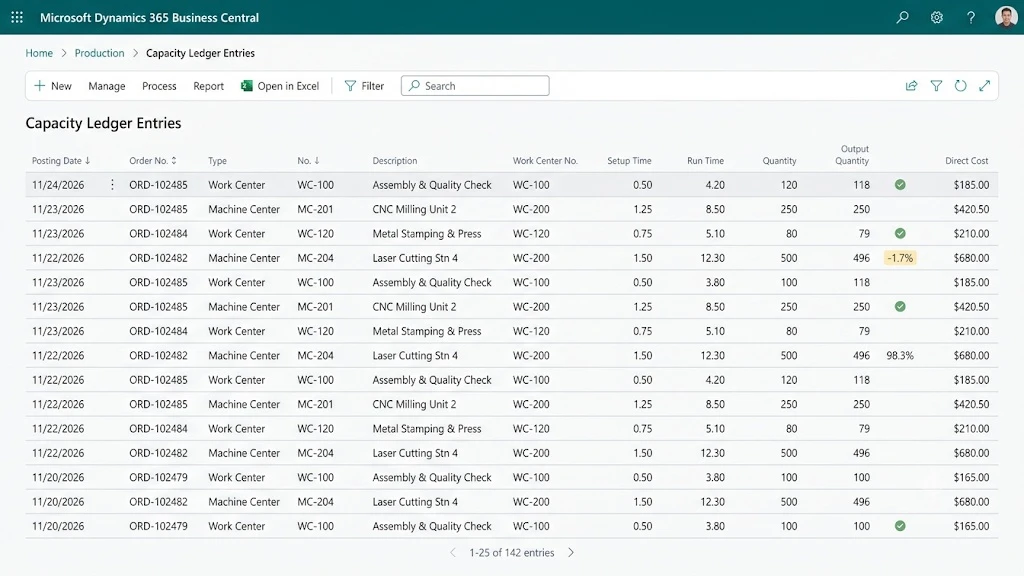
One of the biggest lessons we’ve learned from manufacturing projects is that ERP systems are extremely good at exposing process weaknesses. They highlight inconsistencies that businesses may not realize exist. What appears to be a technology issue is often an operational issue that has gone unnoticed for months.
Business Central records the information it’s given. If shop floor reporting, routing confirmations, labor tracking, or machine registrations aren’t performed consistently, the resulting reports will naturally reflect that inconsistency. Fixing the ledger entries may solve the symptom, but it won’t solve the underlying business challenge.
What We Recommend Before Blaming the System
Before concluding that Dynamics 365 Business Central is causing the issue, it’s worth taking a step back and looking at how production is actually being managed on the shop floor. In many of the projects we’ve worked on, the root cause wasn’t a system configuration problem at all. The ERP was simply reflecting what was happening in the business. The challenge usually lay somewhere between production execution, reporting discipline, and ownership of the process.
When a client approaches us with discrepancies between Inventory Ledger Entries and Capacity Ledger Entries, we don’t immediately start by reviewing system settings or posting configurations. Instead, we spend time understanding how production moves through the organization. We talk to planners, production supervisors, warehouse teams, and finance users to understand where information is entered, who is responsible for reporting it, and whether the process being followed today is the same process that was originally designed during implementation.
At Allgrow Technologies, we generally begin by reviewing three key areas:
- Production reporting practices – Are consumption, output, labor, and machine activities being recorded consistently and at the right stage of production, or are teams relying on delayed updates and manual workarounds?
- Routing and capacity registration processes – Are employees following the routing structure as intended, and is capacity being captured accurately against the correct operations, work centers, and production activities?
- User responsibilities and approval controls – Is there clear accountability for production reporting, or are critical transactions being missed because ownership is spread across multiple teams?
What we’ve learned over the years is that even small gaps in these areas can create reporting inconsistencies that continue for months without anyone noticing. Once those gaps are identified and addressed, the discrepancy between inventory and capacity data usually becomes much easier to understand and, more importantly, much easier to prevent in the future.
This approach not only resolves the immediate issue but also gives manufacturers greater confidence in their costing, reporting, and overall production visibility.
Final Thoughts
A finished production order should bring clarity, not questions. When Inventory Ledger Entries and Capacity Ledger Entries tell different stories, it’s often a sign that production activities and production reporting are not fully aligned. While the issue may appear as a system discrepancy, the underlying cause is usually found in the processes used to capture and report manufacturing activity.
Rather than focusing only on correcting transactions, manufacturers should take the opportunity to understand why the mismatch occurred. Improving reporting consistency, process discipline, and operational visibility not only resolves these discrepancies but also leads to more accurate costing, stronger decision-making, and greater confidence in production data.