Modernizing Warehouse Logistics in Dynamics 365 Business Central: Directed Put-Away, Wave Picking & AI Routing
How enterprise distributors and manufacturers transform warehouse throughput in Dynamics 365 Business Central: Directed Put-Away and Pick, bin ranking mechanics, mobile pick path routing, storefront cutoff countdowns, and predictive vendor replenishment intelligence.

1. The Mid-Market Fulfillment Bottleneck: Why Traditional Warehousing Breaks at Scale
In wholesale distribution and omni-channel manufacturing, warehouse efficiency directly determines operating margins. Yet, across growing mid-market enterprises in North America, distribution centers are plagued by invisible friction: material handlers wandering zig-zag patterns across 80,000-square-foot facilities, picking stock from bulk reserve pallet racking while designated forward pick bins sit empty, and e-commerce customer service teams fielding calls about delayed shipments because front-office sales channels have no visibility into freight departure schedules.
When warehouse operations rely on basic inventory locations or paper pick tickets, human operators decide where to put items away and what path to walk when fulfilling orders. This unstructured approach introduces three severe business penalties: excessive worker travel time (often accounting for more than 50% of total pick labor), mis-picked SKUs caused by similar packaging stored in adjacent bins, and missed freight cutoffs that force companies to absorb expensive expedited shipping fees.
In Microsoft Dynamics 365 Business Central, modern supply chains replace manual guesswork with algorithmic warehouse intelligence. By combining Directed Put-Away and Pick, bin ranking travel mechanics, mobile pick path routing, real-time storefront dispatch windows, and predictive AI vendor replenishment, growing enterprises achieve the operational velocity of tier-1 logistics hubs.
Modern warehouse logistics in Business Central shifts fulfillment from reactive paper-ticket walking to deterministic mathematical routing. By assigning Bin Rankings, enforcing capacity cubing, running mobile serpentine (S-shape) pick routing, and connecting live freight dispatch cutoffs directly to customer checkout storefronts, distributors eliminate aisle doubling-back and guarantee next-day delivery promises without expanding warehouse footprint.
2. Phase 1: Directed Put-Away, Bin Ranking Mechanics & Capacity Cubing
In Business Central, toggling Directed Put-Away and Pick on a Location card elevates the ERP from a passive ledger into an active logistics engine. The system takes complete mathematical control over warehouse inventory positioning.
The Mechanics of Bin Ranking: Prioritizing Pick Faces Over Bulk Reserve
A critical architectural concept in Business Central warehouse design is Bin Ranking. Business Central evaluates bin priority using an integer hierarchy where higher numbers indicate higher preference for picking:
- Forward Pick Faces (Rank 500–900): Low-level shelf locations adjacent to packing stations and main transit aisles. Assigned the highest integer ranking so Business Central pick algorithms target these locations first to satisfy immediate customer shipments.
- Bulk Reserve Racking (Rank 100–300): High-bay pallet racking located in back aisles, requiring reach trucks or forklifts. Assigned lower ranking numbers so pickers are never sent to retrieve single pieces from upper bulk racking during order picking.
- Algorithmic Bin Replenishment: When forward pick faces drop below minimum safety thresholds, Business Central generates internal Movement Worksheets. Forklift operators receive instructions to pull full pallets from bulk reserve (Rank 100) to top off the active pick bins (Rank 500) before wave picking begins.
Dimensional Cubing and Weight Constraints
To prevent warehouse physical damage or overflowing shelves, Directed Put-Away enforces bin capacity policies. For each bin, architects configure maximum cubic volume, maximum weight, and dedicated item rules. When receiving purchase orders or transfer shipments, Business Central calculates the dimensions and weight of inbound units of measure (cartons, pallets, master cases) and automatically directs the material handler to the nearest open bin that can physically accommodate the stock.
3. Phase 2: Mobile Pick App, Worker Path Routing & Smooth Staging Checkout
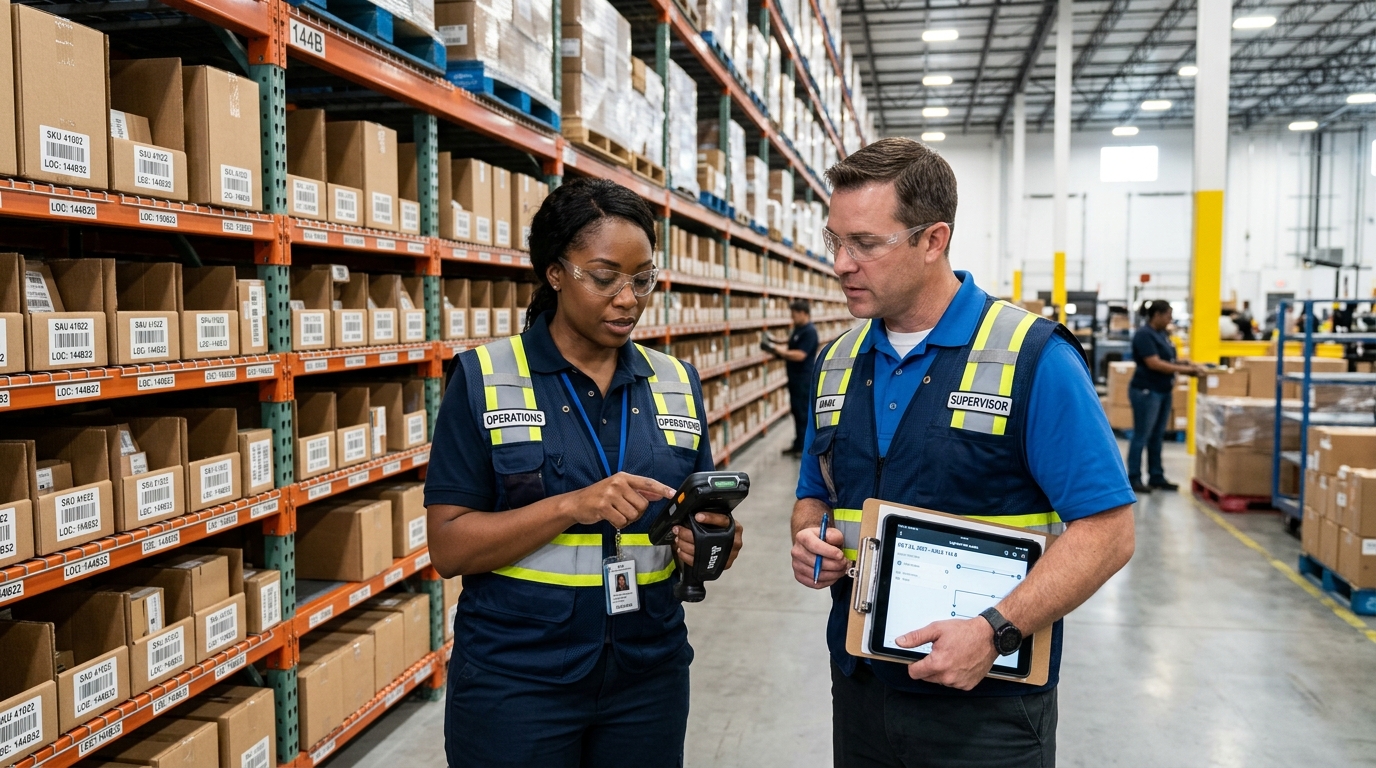
Even the best bin architecture fails if workers carry paper printouts and walk haphazard paths. To achieve sub-minute fulfillment cycles, modern warehouses implement mobile pick applications (the "Pick Me" operational model) running on ruggedized handheld scanners and mobile devices.
Algorithmic Travel Sequencing: Eliminating Warehouse Aisle Doubling-Back
When Business Central generates a wave pick across dozens of orders, the warehouse mobile app sorts pick lines using coordinate-based travel sequencing rather than arbitrary document order:
- Serpentine (S-Shape) Routing: The worker moves systematically down Aisle 1, crosses the end cap, and works back down Aisle 2, picking all required items on both sides of the aisle in a single continuous sweep.
- Batch & Cluster Picking: The mobile app groups multiple single-line e-commerce orders or multi-order carts into a single pass. The mobile screen directs the picker: "Scan Bin A-04-02; Place 2 units in Tote 1, 1 unit in Tote 4".
- Instant Barcode Verification: Scanning the bin barcode confirms the worker is at the correct rack location. Scanning the product UPC/GTIN validates the item. If the worker attempts to scan an incorrect variant, an audible warning prevents the wrong item from entering the tote.
Smooth Staging and Packing Checkout
Once the pick path concludes, the mobile app directs the worker directly to the designated Staging or Packing Bay. Because all items were pre-validated at the bin level, packing station operators simply scan the tote barcode to generate shipping labels, print packing slips, and stage the parcel for freight carrier ingestion without time-consuming manual re-checks.
4. Phase 3: Real-Time E-Commerce Dispatch Windows & Carrier Cutoff Telemetry
The true competitive advantage of modern warehouse logistics lies in connecting physical fulfillment with front-office customer buying experiences. In traditional setups, sales reps and e-commerce storefronts have no idea when the next freight carrier leaves the dock, resulting in vague "Ships in 3–5 business days" estimates.
The 2-Hour Carrier Dispatch Countdown Banner
By integrating Business Central warehouse shipping calendars with your digital storefront (Shopify Plus, Magento, or custom B2B portals), the front office dynamically calculates the next carrier dispatch cutoff:
- Next-Day Delivery Guarantee: If the UPS freight truck arrives at 4:00 PM, a customer browsing the website at 1:45 PM sees a real-time banner: "Order within 2 hours 15 minutes for guaranteed delivery tomorrow, October 17th".
- Dynamic Arrival Projection: If the customer places the order after the 4:00 PM cutoff, the banner dynamically recalculates and displays the exact next scheduled freight window: "Next shipment leaves Monday; estimated delivery Thursday, October 22nd".
- Automated Priority Wave Release: Orders placed within the 2-hour cutoff window automatically bypass routine batch queues. Business Central flags them with expedited shipment codes, instantly pushing high-priority pick tasks to the warehouse mobile scanners so the goods are packed and staged before the truck departs.
5. Phase 4: Predictive AI Vendor Intelligence: Synchronized Vendor Reorders & Sales Prompts
Stockouts and overstock both destroy cash flow. Traditional MRP calculations in ERP systems look strictly at backward-looking static safety stock numbers. In an agile distribution environment, an intelligence model reads ordering frequencies between vendors and customers to orchestrate synchronized procurement.
Continuous Pattern Learning Across Vendor Lead Times
An enterprise AI model grounded in Business Central transaction history continuously monitors vendor fulfillment performance, freight delays, and customer seasonal ordering velocity. Rather than waiting for inventory to drop below a static reorder point, the intelligence engine calculates the probability of stock depletion based on live run rates.
Simultaneous Dual Action: Vendor PO Prompt & Sales Opportunity Alert
When the model identifies that a critical SKU will require replenishment within the next 10 business days, it triggers two synchronized enterprise actions:
- Automated Vendor Reorder Prompt: The system prepares an electronic purchase order draft in Business Central and prompts the procurement team (or sends an automated EDI 850 / API draft to the vendor) with exact quantity recommendations factoring in vendor volume discount tiers.
- Real-Time Sales Team Notification for Up-Selling: Simultaneously, the model pushes an alert via Microsoft Teams and Dynamics 365 CRM to account executives: "Inbound replenishment of 500 units of SKU #8492 arriving in 5 days. Optimal time to offer a 5% volume incentive to Customer ABC, whose reorder cycle is predicted within 72 hours." The sales team converts operational inbound data into proactive revenue generation.
6. Architectural Comparison: Basic Warehousing vs. Directed Put-Away & AI Orchestration
Selecting the appropriate warehouse granularity in Business Central ensures your operational complexity matches business requirements without unnecessary administrative drag:
| Fulfillment Capability | Standard Business Central | Directed Put-Away & Pick | Allgrow AI-Orchestrated WMS |
|---|---|---|---|
| Bin Allocation & Priority | Manual bin selection | Automated Bin Ranking & capacity cubing | Dynamic slotting based on sales velocity |
| Worker Travel Routing | Unsorted document order | Bin code numerical sorting | Serpentine S-shape mobile path routing |
| E-Commerce Dispatch Visibility | Disconnected static estimates | Daily shipping calendar queues | Real-time 2-hr storefront cutoff banners |
| Replenishment Intelligence | Static reorder point sheets | Min/Max internal bin replenishment | Predictive AI vendor POs + sales alerts |
| Material Handler Interface | Paper pick tickets / desktop client | Standard warehouse pick documents | Ruggedized mobile app with barcode validation |
7. Frequently Asked Questions: Warehouse Logistics in Dynamics 365 Business Central
Technical and operational answers for logistics leaders and COOs modernizing distribution operations:
How does Bin Ranking determine pick routes in Business Central Directed Put-Away and Pick?
In Business Central, higher integer numbers indicate higher picking priority. When generating Warehouse Picks, the system evaluates bin types (Pick, Put, Put-Pick) and directs warehouse staff to pull stock from the highest-ranked bins first (such as low-level forward pick faces ranked 500) down to bulk reserve racking (ranked 100). When combined with travel sequencing or zone coordinates, this ensures workers traverse the shortest physical route down warehouse aisles without doubling back.
What is the architectural difference between Basic Warehousing and Advanced Directed Put-Away and Pick in Business Central?
Basic Warehousing requires simple inventory put-aways and picks linked directly to sales or purchase documents, offering limited bin enforcement. Advanced Directed Put-Away and Pick enforces zone and bin segregation, bin capacity constraints (cubing and weight limits), dedicated bins, automatic bin replenishment worksheets, warehouse shipments, and wave releases, ensuring 100% real-time inventory precision across multi-aisle distribution centers.
How does the live storefront shipment cutoff countdown connect e-commerce with warehouse fulfillment?
Through bidirectional API webhooks between Shopify Plus or custom digital storefronts and Business Central, the storefront calculates remaining time until the next freight carrier dispatch (e.g., FedEx or UPS pickup in 2 hours). Customers see dynamic countdown banners ("Order within 1 hour 42 minutes for guaranteed next-day delivery"). Once placed, the order triggers an instant high-priority wave release in Business Central, prioritizing the pick before the truck departs.
How does the predictive AI replenishment model prompt vendors while notifying the sales team?
An integrated Azure OpenAI or Fabric intelligence model continuously analyzes historical order frequency, seasonal velocity, and vendor lead-time variability in Business Central. When an item approaches its dynamic reorder threshold, the model drafts an automated purchase order prompt directly to the vendor while simultaneously triggering a Microsoft Teams notification or CRM alert to the sales team, advising them on high-margin customer upsell opportunities and special promotional timing.
Can warehouse workers execute mobile barcode scanning without dedicated Business Central full user licenses?
Yes. Using Power Apps mobile applications or dedicated mobile scanning ISV solutions connected via Business Central APIs or Dataverse Virtual Tables, warehouse material handlers can scan UCC-128 barcodes, execute wave picks, and register put-aways under cost-effective Microsoft Power Apps per-app licenses or Device licenses, dramatically reducing total licensing overhead compared to full ERP seats.
8. Related Supply Chain & Modernization Resources
For detailed architectural blueprints on connecting warehouse logistics with enterprise ERP:
- Dynamics 365 Supply Chain Management (SCM) & F&O Integration Guide
- Enterprise Shopify Plus & Dynamics 365 Business Central B2B Integration Guide
- Autonomous AI Agents in Business Central: Copilot Studio vs. Claude MCP vs. Azure OpenAI
- Dynamics 365 Business Central Implementation Services USA
- Business Central AL Customization & API Integration Services
