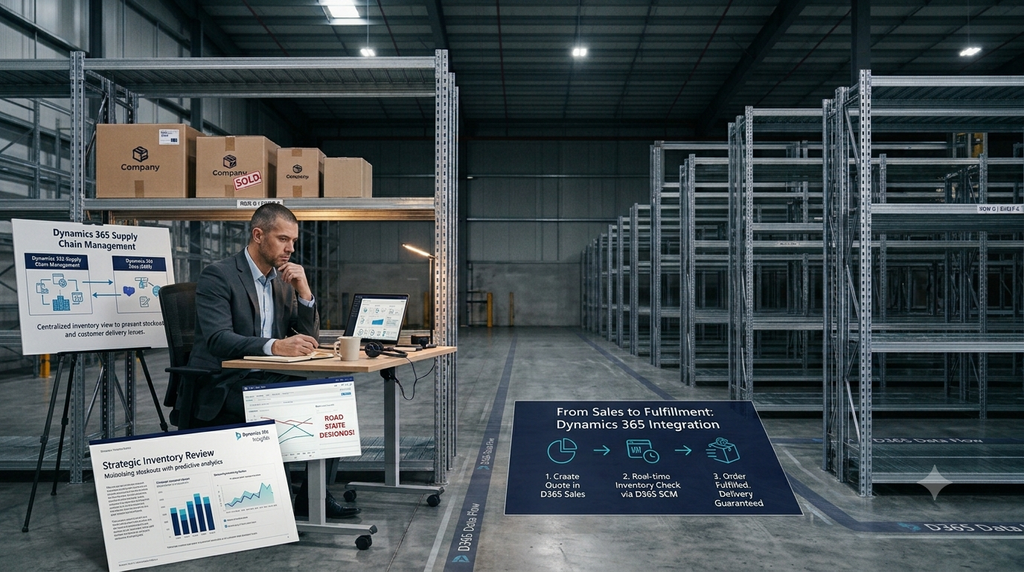
It is the last day of the month. A salesperson is on a call with a happy customer. “Yes sir, 200 units, delivered by Friday. Consider it done.” The call ends. The deal is closed. Everyone is smiling.
Then the warehouse manager walks in. “We only have 60 units. The rest will come in three weeks.”
Now the salesperson has to call the customer back. The customer is upset. The finance team is worried about the invoice. The operations team is blaming sales. And the sales team is saying, “Nobody told me.”
Sound familiar? We see this story in almost every company we visit. The good news is that it is not a people problem. It is a connection problem. And it can be fixed.
The Real Reason This Keeps Happening
Most of the time, the salesperson is not lying or careless. They simply cannot see what the warehouse sees.
Sales works in one place (often Excel, WhatsApp, or a separate CRM). Inventory lives in another place (the ERP, or even a register). By the time the numbers reach the salesperson, they are already old.
Here is what usually goes wrong:
- The salesperson checks stock from an old report or asks a colleague on call.
- Stock that is already promised to another customer still looks “available”.
- Incoming purchase orders are not visible, so nobody knows when new stock will really arrive.
- Nobody knows the supplier is running late.
- The quote is sent first, and the stock check happens later (or never).
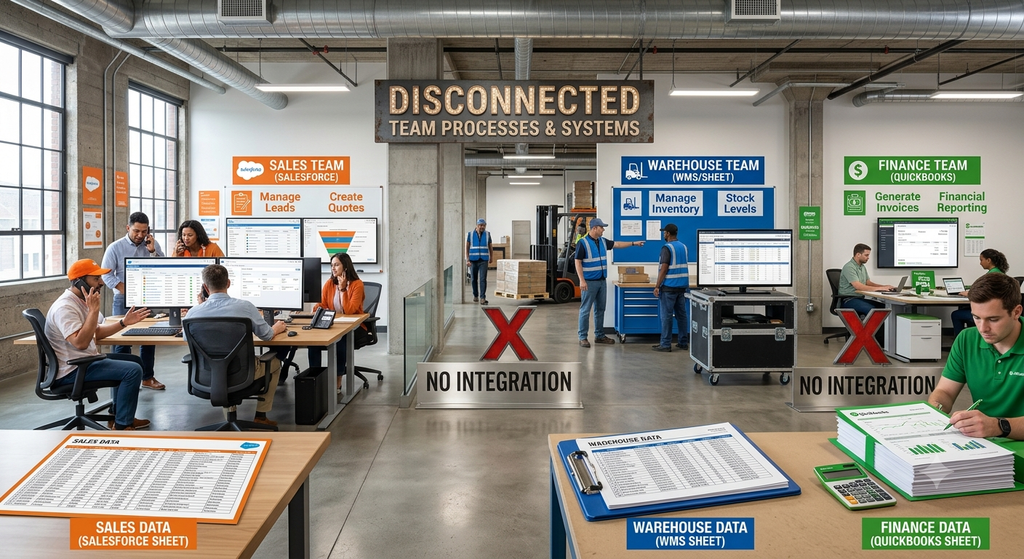
How Business Central Fixes the Information Gap
Dynamics 365 Business Central is the ERP that holds the true picture of your stock, purchases, sales orders and deliveries in one place. When the salesperson works with Business Central, they do not have to guess. They can see:
- Real stock on hand – what is physically in the warehouse right now.
- Stock already reserved – what is promised to other customers.
- Stock coming in – open purchase orders and their expected dates.
- Item availability by date – what will be free on which day.
This is called availability checking. The moment a salesperson adds an item to a sales quote or order, Business Central can show whether the quantity is really available. If it is not, they get a warning before the promise is made, not after.
What the Salesperson Sees vs. What Is Actually True
Let’s go back to that month-end call. The salesperson did not try to fool anyone. He opened his stock sheet, saw 200 units, and said yes. But that sheet was updated two days ago. Since then, three other orders were packed, and a supplier message landed in the purchase team’s inbox. He never saw any of it.
So inside one company, there are two versions of the truth. Here they are side by side:
| What the salesperson thinks | What is actually happening |
|---|---|
| “We have 200 units in stock.” | 200 are in the warehouse, but 140 are already promised to other orders. |
| “New stock comes this week.” | The supplier has pushed the delivery by 10 days. |
| “I will promise Friday.” | Nobody checked transport, packing and picking time. |
| “The customer can wait.” | The customer has already told a competitor they need it by Friday. |
And the damage goes beyond one order. Sales loses trust, finance faces payment arguments, and the warehouse gets blamed for something it never knew. One small gap in information turns into a lost customer, a payment delay, or a bad review.
Order Promising: A Date You Can Trust
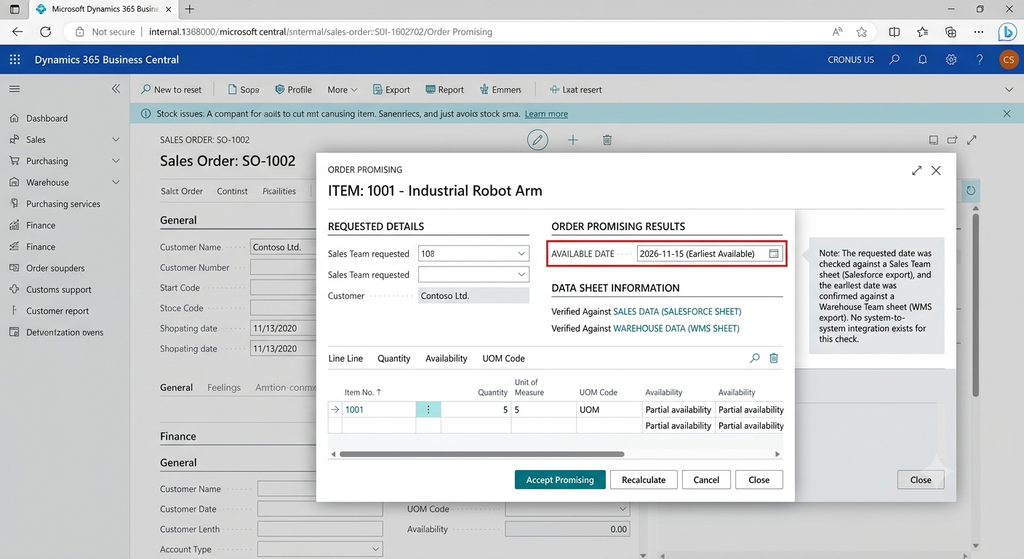
Business Central also has a feature called Order Promising. Instead of the salesperson guessing a date, the system works out the earliest possible delivery date based on current stock, incoming purchases and normal lead times.
So the conversation changes from “I think we can do Friday” to “I can confirm Tuesday, and here is why.” Customers respect an honest date much more than a broken promise.
Think of it like a smart calendar. The customer says, “I need 200 units by Friday.” Business Central then checks three things in a few seconds:
- What is in stock today, after removing what is already set aside for other orders.
- What is coming in from suppliers, and on which dates.
- How long it normally takes to buy, make or pick the item.
There are two ways it can answer. Available to Promise works only with stock you already have or have already ordered. Capable to Promise goes one step further and also looks at what you could order or make, based on normal lead times. In simple words: the first tells you what you can sell today, the second tells you how soon you could sell more.
Let’s see it with our month-end story. The customer wants 200 units by Friday, and only 60 are free. Instead of a quick “yes”, the salesperson sees a clear answer:
Now the salesperson has choices. He can offer a split delivery, ship what is ready and send the rest later, or agree on a new date with the customer. Either way, the customer hears the truth while the deal is still open, not after the truck fails to arrive.
How D365 Sales Brings the Customer Side Into the Picture
Business Central tells you what you have. Dynamics 365 Sales is where your sales team manages leads, customers, opportunities and quotes. When the two are connected, the salesperson does not have to jump between tools.
When we connect them for a client, the sales team can:
- See product, price and customer information that matches the ERP exactly.
- Check availability while working on an opportunity or quote.
- Convert an opportunity into a sales order without typing everything again.
- Know the status of the order (picked, shipped, invoiced) without calling the warehouse.
In simple words: Sales sees what Operations sees. Operations sees what Sales has promised. Everyone works from the same truth.
Stories From the Field
We have worked with different sales teams, and the problem always looks a little different. Here are a few examples of how the fix was designed around each team. (Details are shared in general form to protect client privacy.)
The distribution company. The sales team was taking bulk orders on the phone and checking stock on WhatsApp. We set up availability checking inside the sales order and added a simple custom warning when the available quantity was lower than the requested quantity. Wrong promises dropped, and the team stopped chasing the warehouse every hour.
The manufacturing company. Salespeople kept promising dates that production could not meet. We configured order promising and made the planned production and purchase dates visible on the sales line. Delivery dates started to match reality.
The trading company with many branches. Each branch had its own idea of what was “in stock”. We brought everything into one Business Central setup with location-wise availability, so a salesperson in one city could see if another branch could fulfil the order.
Before and After: What Changes for Your Team
| Area | Without a connected system | With Business Central + D365 Sales |
|---|---|---|
| Stock checking | Phone calls, Excel, guesswork | One click on the sales line |
| Delivery date | “I think Friday” | System-calculated date |
| Reserved stock | Hidden until someone complains | Visible to every salesperson |
| Incoming stock | Known only to purchase team | Visible with expected dates |
| Customer trust | Broken promises, repeat calls | Honest dates, fewer complaints |
| Team relationship | Sales vs. warehouse blame | One shared picture |
Where Customization Makes the Difference
Business Central works well out of the box, but every business sells in its own way. This is where a good implementation partner matters. Based on how a client works, we often set up things like:
- A clear warning or a block when the quantity on the order is more than available stock.
- Approval steps when a salesperson wants to promise a date that stock cannot support.
- Customer-wise or location-wise stock visibility.
- Simple alerts to the sales manager when a big order is at risk.
- Dashboards for sales and operations that show orders waiting for stock.
And with Copilot and automation through Power Platform, even the small daily work (like summarising an order status or notifying a customer about a delay) can be made faster.
Can It Fully Prevent the Problem?
Honest answer: it can prevent most of it, but not all of it. No software can stop a truck from breaking down or a supplier from failing. But it can make sure that:
- The salesperson never promises blindly.
- Problems are seen early, not on delivery day.
- The customer hears about a delay from you first, with a new date, before they have to ask.
That last point is what saves relationships.
The tool alone is also not enough. The result depends on clean item data, correct lead times, disciplined posting of receipts and shipments, and a team that is trained to use the system. That is why the setup and the training matter as much as the software.
How Allgrow Can Help
At Allgrow Technologies, we do not just install the software and leave. We start by understanding how your sales team actually takes orders, how your warehouse actually works, and where the promises break. Then we shape Business Central and D365 Sales around that.
Our help usually covers:
- Understanding your process – a short discovery to find where the gaps are.
- Implementation – setting up Business Central and D365 Sales the way your business works.
- Integration – connecting sales and ERP so data flows both ways.
- Customization – warnings, approvals, dashboards and reports that fit your team.
- Modernization – moving from older systems such as NAV or GP to Business Central.
- Training and support – so your people use it with confidence after go-live.
Final Thought
A broken delivery promise is never just about one order. It is about trust. The customer remembers it, and so does your team.
When your salesperson can see the truth before they speak, they can make promises that hold. That is what a connected Business Central and D365 Sales setup gives you.
If your sales team is still guessing about stock, let us talk. Reach out to Allgrow Technologies and we will show you how this can work for your business.
Have you ever lost a deal because of a wrong delivery promise? Share your story in the comments.