Executive Briefing: Securing Enterprise Intelligence
- The Executive Paradox: Enterprise business teams demand generative AI assistants embedded into everyday Power Apps and ERP screens, but Chief Information Security Officers (CISOs) and CFOs cannot risk proprietary margins, customer lists, or financial ledgers leaking into public models.
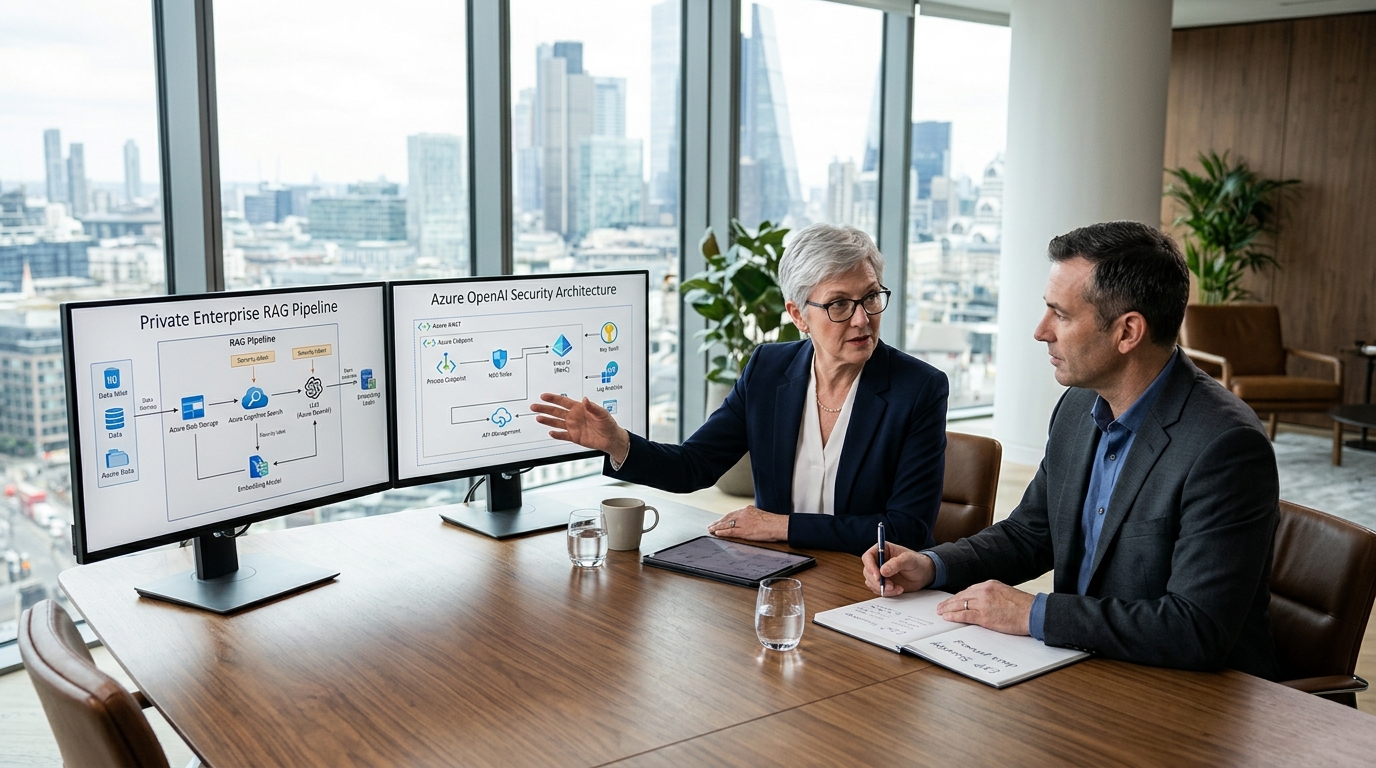
- The Architectural Solution: Private Enterprise Retrieval-Augmented Generation (RAG) isolates the reasoning engine (Azure OpenAI) behind private network endpoints, grounding it on live Dynamics 365 Business Central data via Microsoft Dataverse Virtual Tables and Azure AI Search.
- Zero Data Leakage Guarantee: Corporate prompts and retrieved ERP contexts remain 100% inside your private Azure tenant boundary and are never retained, logged for public review, or used to train foundational AI models.
- Hybrid Context Fusion: Private RAG bridges the gap between structured relational ERP tables (General Ledger, Sales Lines, Vendor Balances) and unstructured enterprise documents (vendor master agreements, SOP manuals, logistics bills of lading).
- Low-Code Deployment: Frontline users interact with grounded AI models directly through responsive Canvas and Model-Driven Power Apps, maintaining native Microsoft Entra ID role-based access control (RBAC).
1. The Enterprise AI Dilemma: Balancing Operational Speed with Strict Data Sovereignty
In 2026, every forward-thinking Chief Information Officer and Vice President of IT faces the same operational challenge: department leaders want intelligent, natural-language search and automated reasoning embedded directly into their business workflows.
Customer service representatives want to query past order histories and freight claims instantly inside Microsoft Power Apps; finance controllers want dynamic summaries of accounts payable aging against complex multi-tiered supplier contracts; warehouse managers want intelligent equipment troubleshooting assistants that understand live Business Central maintenance registers.
However, connecting commercial generative AI directly to enterprise systems creates acute risks:
- Data Ingestion & Model Poisoning: Unregulated public LLM tools risk ingesting proprietary pricing algorithms, margin data, or customer PII into external model retraining pipelines.
- Hallucinations in Financial Operations: LLMs are probabilistic text predictors. Allowing a generic model to “guess” ledger balances or invent non-existent invoice terms introduces fatal accounting errors.
- Absence of Security Context: Traditional AI chat tools possess no awareness of enterprise role-based security. An employee querying an unrestricted bot could inadvertently expose executive salary allocations or confidential acquisition plans.
To unlock the transformative value of artificial intelligence without exposing corporate data, leading enterprise engineering teams deploy Private Enterprise RAG—an isolated, grounded architecture connecting Azure OpenAI, Microsoft Dynamics 365 Business Central, and Microsoft Power Apps.
2. Architectural Comparison: Public AI Chatbots vs. Private Enterprise RAG
To establish rigorous data governance, architects must understand how private enterprise RAG fundamentally diverges from off-the-shelf conversational AI tools:
| Dimension | Public AI / Off-the-Shelf Chatbots | Private Enterprise RAG (D365 BC + Power Apps) |
|---|---|---|
| Tenant Isolation & Networking | Public multi-tenant SaaS endpoints traversing the open internet. | Dedicated Azure OpenAI tenant instance isolated within private Azure VNets and Private Endpoints. |
| Data Retention & Training | User prompts and outputs may be retained for evaluation or foundational model training. | Zero retention policy. Microsoft contractually guarantees enterprise customer data is never used to train OpenAI models. |
| Grounding Context | Static weights frozen at model training cutoff; zero access to live ERP ledgers. | Dynamic real-time retrieval from live Business Central OData APIs and Dataverse Virtual Tables. |
| Identity & Permissions | Generic individual account login; zero integration with enterprise Active Directory. | Microsoft Entra ID OAuth 2.0 with strict Row-Level Security (RLS) inheriting user ERP permissions. |
| User Interface | External browser tab detached from everyday business software. | Embedded directly inside frontline Canvas & Model-Driven Power Apps, Teams, and BC FactBoxes. |
3. The Anatomy of a Private RAG Architecture for Business Central & Power Apps
A high-performance, compliant enterprise RAG architecture consists of three interconnected layers designed to deliver contextual intelligence while strictly insulating the ERP core:

The Three Sovereign Architecture Boundaries
- Layer 1: The Transactional Core (Dynamics 365 Business Central): Houses authoritative enterprise transactional data: General Ledger, Chart of Accounts, Purchase Orders, Sales Lines, and Vendor Master records. Data is surfaced outward using compiled AL API pages (`PageType = API`) and Dataverse Virtual Tables.
- Layer 2: The Grounding & Hybrid Retrieval Engine (Azure AI Search + OneLake): Indexes both structured ERP entities and unstructured enterprise documents (vendor master service agreements, logistics invoices, product specification PDFs). Leverages hybrid search—combining semantic vector embeddings (generated via `text-embedding-3-large`) with BM25 keyword matching and semantic reranking.
- Layer 3: The Frontline Orchestration & App Layer (Power Apps + Azure OpenAI): Frontline employees interact with responsive Canvas or Model-Driven Power Apps. When a user asks a question, Power Apps calls an Azure API Management gateway that signs the request with the user’s Entra ID token, retrieves only authorized context chunks from Azure AI Search, and injects that context into Azure OpenAI GPT-4o for deterministic synthesis.
4. Step-by-Step Technical Blueprint: Connecting Power Apps, Business Central, and Azure OpenAI
Building an enterprise-grade private RAG pipeline does not require custom Python microservices running on external unmanaged servers. Enterprise engineering teams leverage the native Microsoft cloud stack to achieve end-to-end security and rapid time-to-value:
Step 1: Expose Business Central Entities via Dataverse Virtual Tables
Traditional integration patterns rely on brittle scheduled ETL pipelines that copy ERP tables into external staging databases. This creates severe data latency and duplicates storage costs.
With Business Central Virtual Tables in Microsoft Dataverse, Business Central entities (e.g., `Customers`, `VendorInvoices`, `ItemLedgerEntries`) appear as native relational Dataverse tables. No data is physically copied; Dataverse executes live, sub-second OData v4 queries against Business Central. This provides Power Apps and Azure AI Search with a direct, real-time window into live ERP records.
Step 2: Configure Azure AI Search with Hybrid Vector & Relational Chunking
Pure vector search struggles with exact ERP identifiers (like finding specific invoice numbers or GL account codes), while traditional keyword search fails to understand natural language intent. The solution is Hybrid Search with Semantic Reranking:
{
“name”: “bc-enterprise-rag-index”,
“fields”: [
{ “name”: “chunk_id”, “type”: “Edm.String”, “key”: true },
{ “name”: “entity_type”, “type”: “Edm.String”, “filterable”: true }, // e.g. “VendorContract”, “SalesInvoice”
{ “name”: “erp_reference_id”, “type”: “Edm.String”, “searchable”: true }, // e.g. “VEND-1040”
{ “name”: “content_text”, “type”: “Edm.String”, “searchable”: true },
{ “name”: “content_vector”, “type”: “Collection(Edm.Single)”, “dimensions”: 3072, “vectorSearchProfile”: “hnsw-cosine” },
{ “name”: “security_roles_allowed”, “type”: “Collection(Edm.String)”, “filterable”: true }
]
}
Step 3: Embed Grounded Reasoning into Power Apps via Custom Connectors
Inside Microsoft Power Apps, frontline users should not be forced into a separate browser tab to query AI. By implementing a Power Apps Component Framework (PCF) control or Canvas custom connector, developers embed a conversational assistant directly into the Power Apps form:
- When a user types a query in the Power App, the app captures the current record context (e.g., active Customer ID or Purchase Order Number).
- The Power App invokes an Azure API Management (APIM) endpoint using Entra ID single sign-on.
- The backend orchestrator executes a filtered search in Azure AI Search, injects the retrieved ERP and document chunks into Azure OpenAI GPT-4o, and streams the verified answer back into the Power App in real time.
5. Real-World Enterprise Use Cases: Power Apps + Business Central + Private RAG
Organizations deploying private RAG across Business Central and Power Apps achieve dramatic reductions in operational friction across core departments:
Three High-Impact Production Implementations
- 1. The Vendor Contract & Early-Payment Dispute Assistant: Accounts payable specialists inside a Model-Driven Power App ask: “Why does Acme Steel claim an 8% late penalty on Invoice #9024?” The RAG engine retrieves the signed vendor PDF contract, correlates it with posted Business Central payment journal timestamps, and instantly identifies that the vendor failed to fulfill the contractual 10-day ASN advance shipping notice, voiding the penalty.
- 2. Field Service & Equipment Maintenance Triage: Field engineers running a Canvas Power App on mobile tablets scan a machine serial barcode. The app queries Business Central historical maintenance ledger entries while referencing 400-page manufacturer PDF technical manuals via vector search, giving the technician step-by-step diagnostic procedures grounded in their exact machine model.
- 3. Dynamic Customer Credit Risk & Quote Approval: Sales directors evaluating custom non-standard terms in Power Apps query: “Can we extend 60-day terms to Customer 10842?” The assistant retrieves live open accounts receivable exposure from Business Central, checks historical payment velocity, reviews credit insurance caps, and drafts a structured risk evaluation with zero manual spreadsheet calculation.
6. Enforcing Row-Level Security (RLS) and Zero-Trust Guardrails
The fatal flaw of novice RAG implementations is trusting the large language model to enforce security. Telling an AI model in its system prompt: <em>"Do not reveal executive salaries to junior clerks"</em> is thoroughly unreliable and vulnerable to adversarial prompt injection.
Enterprise RAG architectures enforce security deterministically at the retrieval boundary:
- Pre-Retrieval Security Filtering: Every document chunk and ERP record in Azure AI Search contains a multi-value string field (`security_roles_allowed`) populated from Business Central user permission sets and Dataverse security teams.
- Token Validation: When the user invokes the Power App, their Entra ID security token is verified. The search query automatically appends a mandatory filter clause: `$filter=security_roles_allowed/any(r: r eq ‘Finance_Manager’)`.
- Zero Information Exposure: If a user lacking administrative privileges asks a question regarding confidential executive ledger entries, the search query returns zero records. The model responds: “No authorized records found.” The LLM never even sees the confidential data.
7. Enterprise AI Architecture Advisory with Allgrow Technologies
At Allgrow Technologies, our practice leads architect and deliver secure, production-grade AI solutions and custom low-code applications across Microsoft Dynamics 365 Business Central, Microsoft Power Platform, and Azure Cloud infrastructure.
As an independent enterprise technology consultancy, Allgrow designs tailor-made architectures focused strictly on your organization’s operational security, audit compliance, and measurable ROI:
- Private Enterprise RAG Architecture: Zero-leakage Azure OpenAI integration isolated within private VNets and grounded on live Business Central data.
- Custom Power Apps Engineering: High-performance Canvas and Model-Driven applications featuring pro-code PCF controls, Dataverse Virtual Tables, and Entra ID authentication.
- Enterprise SLA Frameworks: Tier-1 to Tier-3 support structures, proactive telemetry monitoring in Azure Application Insights, and rapid response for mission-critical operations.
8. Private Enterprise RAG & Power Apps FAQ
What is Private Enterprise RAG and how does it prevent Business Central data leakage?
Private Enterprise Retrieval-Augmented Generation (RAG) is an architecture where large language models (such as GPT-4o hosted in Azure OpenAI) are grounded on your organization’s proprietary ERP data without transmitting that data into public training sets. Queries originating from Microsoft Power Apps or Business Central pass through Azure Virtual Networks (VNets) with Private Endpoints. Customer financial records, item pricing, and general ledger balances remain strictly isolated inside your corporate tenant boundary under SOC 2, HIPAA, and ISO 27001 compliance standards.
Why is grounding an LLM on Business Central data via RAG superior to traditional SQL or OData querying?
Traditional OData or SQL queries require users to know exact table structures, primary keys, and rigid syntax (e.g. searching exact Item No. or Account No.). A private RAG pipeline combines semantic vector search with structured ERP queries: an end-user in a Canvas or Model-Driven Power App can ask natural questions like "Which Midwest distribution contracts have early payment discounts expiring this week?" The RAG pipeline retrieves the relevant unstructured PDF vendor contract terms, correlates them with live Business Central accounts payable balances, and generates an exact, mathematically verified answer.
How does Microsoft Dataverse Virtual Tables accelerate RAG pipelines for Power Apps and Business Central?
Dataverse Virtual Tables create real-time, bidirectional proxy representations of Business Central entities inside Dataverse without replicating or duplicating raw database storage. In an enterprise RAG architecture, custom Power Apps and Azure AI Search index Dataverse Virtual Tables natively, ensuring that the AI agent always references live transactional data while inheriting Dataverse security roles and eliminating expensive ETL staging pipelines.
How do enterprise teams enforce Row-Level Security (RLS) so users cannot query ERP data above their pay grade?
Enterprise RAG architectures enforce security at the retrieval stage rather than relying on prompt instructions. When a user submits a query inside Power Apps, the request is signed with the user’s Microsoft Entra ID OAuth 2.0 bearer token. The RAG orchestration layer filters vector search results and Business Central API responses against the user’s assigned security roles and responsibility centers before any context is passed to the LLM. If a warehouse clerk asks about executive payroll or company gross margins, the retrieval layer returns zero matching chunks, preventing unauthorized disclosure.
Can custom Power Apps embed private Azure OpenAI capabilities without third-party plugins?
Yes. Enterprise architects build private RAG interfaces in Power Apps using native Microsoft tools: Power Apps Custom Connectors with Azure Entra ID authentication, Power Platform PCF (PowerApps Component Framework) TypeScript controls for streaming chat interfaces, and Azure AI Search REST APIs. This approach eliminates third-party black-box add-ons and ensures that all telemetry flows directly into your corporate Azure Application Insights instance.
What is the cost model for running Private RAG on Business Central and Power Apps?
Private RAG costs consist of three components: Azure OpenAI token consumption (pay-per-token or Provisioned Throughput Units/PTU), Azure AI Search storage and index units (typically Standard S1/S2 tiers), and standard Power Apps per-user or pay-as-you-go licenses. By utilizing hybrid search (filtering vector chunks before calling the LLM) and caching common operational responses, organizations reduce token consumption by up to 60%, delivering enterprise-scale AI querying at predictable monthly budgets.
