
Transform complex operational workflows into governed, high-performance applications. We engineer bespoke Canvas mobile apps, Dataverse Model-Driven consoles, custom TypeScript PCF controls, and zero-latency connectors linking directly into Microsoft Dynamics 365 Business Central.
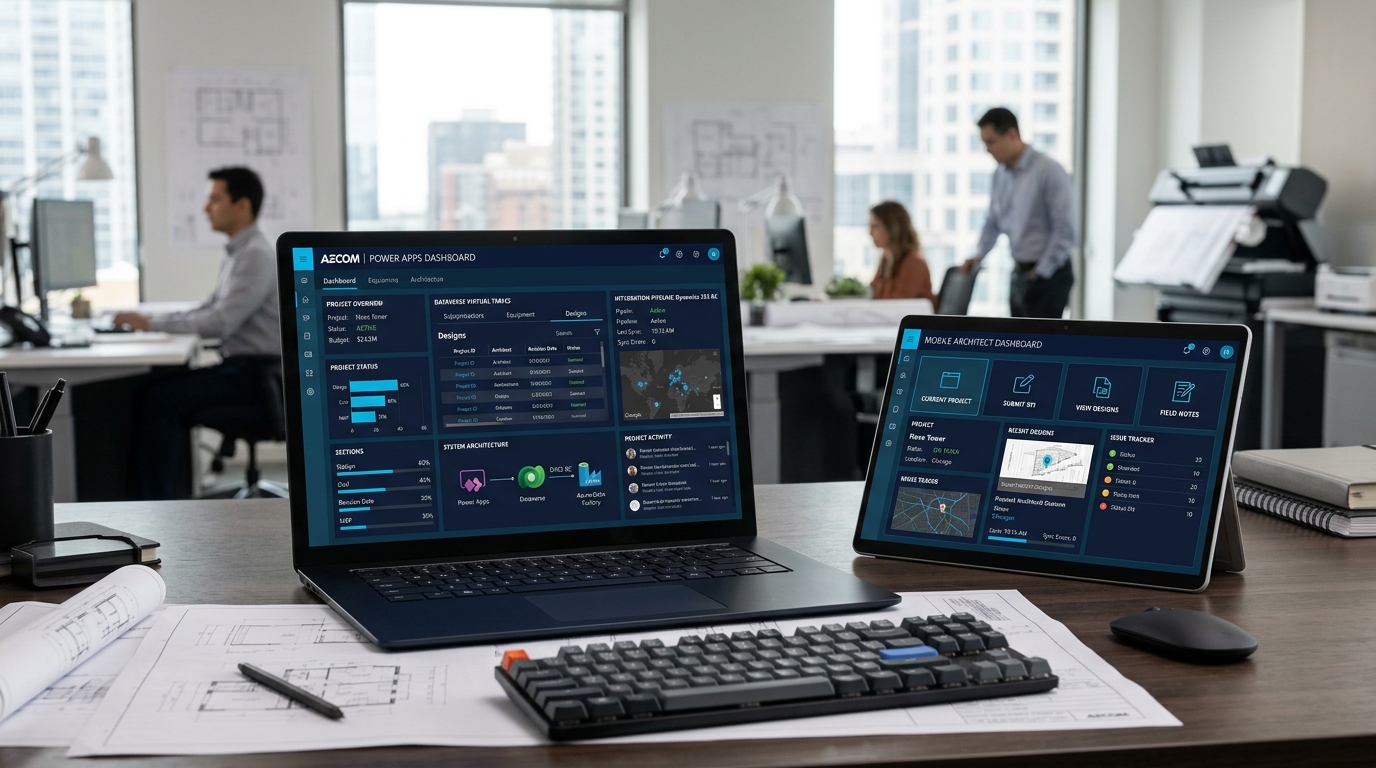
Standard citizen-developer apps quickly hit delegation bottlenecks, rate limits, and unmanaged sprawl. We architect enterprise-ready Power Apps engineered for scale, audit compliance, and ERP integration.
Ad-hoc builds, SharePoint list limits, unmanaged security, and slow API queries.
Engineered solutions on Dataverse, TypeScript PCF controls, custom AL APIs, and automated ALM.
We combine pixel-perfect mobile UX, complex back-office logic, custom code components, and deep enterprise systems integration.
Tailor-made, responsive front-end experiences designed for tablets, phones, and rugged industrial handhelds. Optimized for fast touch interactions, hardware barcode scanners, camera attachments, and instant field validations.
Back-office data engines built on Microsoft Dataverse. We configure complex multi-stage Business Process Flows (BPFs), strict role-based access control (RBAC), interactive subgrids, and unified audit tracking.
When out-of-the-box controls fall short, our developers build custom Power Apps Component Framework (PCF) controls in TypeScript. Embed custom interactive scheduling boards, Gantt charts, pricing calculators, and ERP line-item grids directly into forms.
Direct bidirectional sync with Microsoft Dynamics 365 Business Central, Finance, and third-party APIs. We author custom AL API pages and configure Virtual Tables so Power Apps interacts with live ERP data with zero duplication.
Deploy mission-critical apps for warehouse operators and field inspectors that function without an active internet connection. Seamless transactional caching with automatic conflict resolution upon reconnection.
Eliminate shadow IT risks. We implement the Power Platform Center of Excellence (CoE) framework, strict Data Loss Prevention (DLP) policies, and automated CI/CD deployment pipelines using Azure DevOps and GitHub Actions.
See how our custom Power Apps integrate frontline hardware, Microsoft Dataverse, and core enterprise ERP engines.
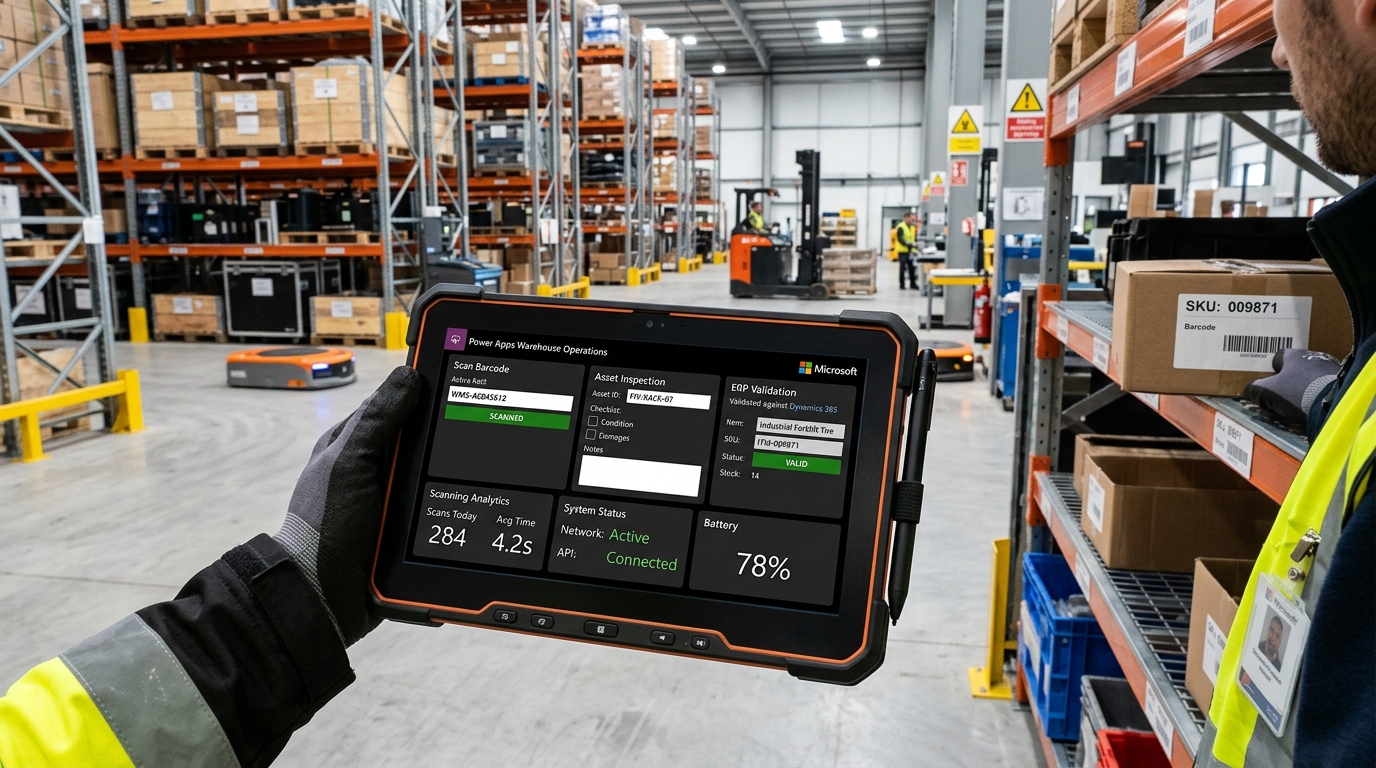
Frontline warehouse and field teams cannot tolerate slow, laggy web forms or apps that fail when entering metal warehouse aisles or remote job sites. We engineer lightweight, hardware-accelerated Canvas apps optimized for Zebra, Honeywell, and iOS/Android barcode scanners.
With native Dataverse offline profiles and SQLite client caching, technicians execute cycle counts, record quality checkpoints, attach photos, and capture customer signatures seamlessly offline. Transactions automatically queue and post to Business Central the moment connectivity is restored.
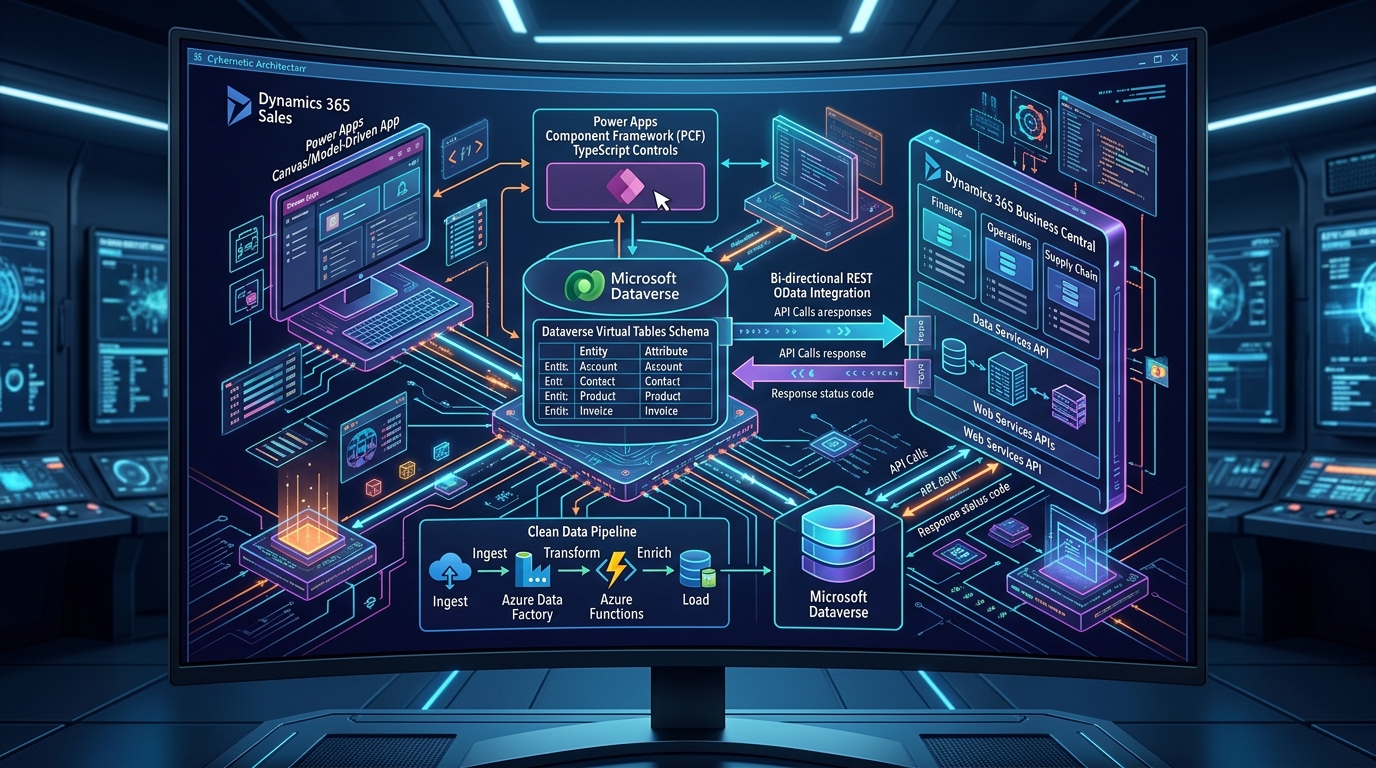
Standard Power Apps forms often struggle with complex business calculations, dynamic grids, and custom interactive schedules. We build bespoke Power Apps Component Framework (PCF) controls using TypeScript, React, and Fluent UI that drop right into Model-Driven and Canvas forms.
To prevent data duplication and eliminate expensive batch sync jobs, we configure Microsoft Dataverse Virtual Tables linked to Business Central OData v4 web services. Your Power App reads and writes live ERP tables with native sub-second response times without consuming duplicate storage.
Discover real-world use cases where custom Power Apps replace fragile spreadsheets and paper workflows with governed enterprise apps.
Replaced manual paper manifests with a rugged tablet Canvas app. Warehouse receivers scan vendor shipment barcodes, validate line items against open Business Central Purchase Orders in real time, record damaged items with camera attachments, and automatically post warehouse receipts.
Engineered an offline-capable inspection app for multi-site field engineers. Technicians complete 60+ safety and maintenance checks, record calibrated sensor values, capture digital customer sign-offs, and generate automated PDF audit certificates routed directly to clients.
Streamlined corporate procurement across 12 business entities. Employees submit purchase requests with item categorization and budget codes; Power Automate checks remaining budget thresholds in Business Central and routes approval cards directly into Microsoft Teams for executive sign-off.
Delivered an iPad quoting tool for mobile sales reps. Features custom pricing matrix lookups, customer credit limit alerts from Business Central, live inventory reservation, and 1-click quote-to-sales-order creation with e-signature integration.
How we take your application from initial workflow analysis to automated GitHub/Azure DevOps release pipelines.
We analyze current business friction, map relational data schemas, design Dataverse tables, and identify integration endpoints in Business Central or third-party APIs.
We craft high-fidelity responsive wireframes, engineer bespoke TypeScript PCF controls for complex components, and build touch-optimized Canvas and Model-Driven layouts.
We develop custom AL API endpoints, configure Dataverse Virtual Tables, program Power Automate cloud flows, and conduct stress testing for API delegation and offline caching.
We deploy via GitHub Actions or Azure DevOps pipelines using managed solutions across Dev, Test, and Prod environments, backed by comprehensive end-user training and 24/7 SLA support.
Everything you need to know about enterprise custom Power Apps engineering, licensing, and ERP integration.
Standard out-of-the-box Power Apps rely on pre-built templates and citizen-developer formulas that frequently hit data delegation thresholds (such as the 2,000-record limit in SharePoint or Excel) and lack true offline synchronization. Custom Power Apps development by Allgrow utilizes Microsoft Dataverse, custom TypeScript/React PCF (Power Apps Component Framework) controls, custom AL API pages in Dynamics 365 Business Central, and automated ALM CI/CD pipelines to build scalable, high-throughput applications that conform to enterprise security and governance standards.
We connect Power Apps to Business Central through two primary architectural patterns: Custom AL API Endpoints and Dataverse Virtual Tables. Custom AL APIs allow Power Apps to execute transactional operations (such as creating sales orders or posting warehouse receipts) without encountering OData pagination bottlenecks. Dataverse Virtual Tables provide real-time, bidirectional CRUD access to Business Central entities directly within Model-Driven and Canvas apps without duplicating data in Dataverse storage.
Yes. We implement native Dataverse Mobile Offline profiles and custom transactional local SQLite caching. Field technicians, drivers, and warehouse staff can scan barcodes, view product catalogs, complete multi-step inspection checklists, and capture photo attachments while completely disconnected from cellular or Wi-Fi networks. When a connection is re-established, the app automatically reconciles changes against the central ERP using intelligent conflict-resolution rules.
The Power Apps Component Framework (PCF) empowers developers to create bespoke visual controls using TypeScript, React, and HTML/CSS that blend seamlessly into Canvas and Model-Driven apps. PCF controls are essential when out-of-the-box UI elements cannot support complex requirements — such as interactive Gantt resource schedulers, editable ERP matrix grids, hierarchical multi-level tree views, or custom financial modeling calculators.
Power Apps offers flexible licensing models depending on user frequency and application scope: Power Apps Premium (Per User) at $20/user/month for unlimited applications; Power Apps Per App at $5/user/month for targeted single-use apps; and Azure Pay-As-You-Go which bills active users monthly via an Azure subscription. In addition, existing Dynamics 365 Business Central and Microsoft 365 licenses grant specific embedded Power Apps rights. During our architecture review, Allgrow analyzes your user base to optimize licensing costs and prevent over-licensing.
We treat Power Apps with the same rigor as pro-code enterprise software. We configure distinct Development, Test/UAT, and Production environments within Microsoft Power Platform, implement managed solution layers, and automate CI/CD build pipelines using GitHub Actions or Azure DevOps with the Power Platform CLI (pac CLI). Developers never modify formulas or forms directly in production, guaranteeing audit compliance and seamless rollbacks.
Book a free 30-minute technical session with our senior Power Platform architects. We will evaluate your current workflow, review your ERP integration endpoints, and provide a concrete architectural roadmap with zero sales pitch.
100% Free · No Obligation · Senior Architects