How To Create A Card Type Page In Business Central
Overview The main purpose of the card type page is to display the records from a table and we can choose the fields which we want to show on the card page. We design the card pages when we want to give user the freedom to view, create and modify the records of a table. The card type of page is typically associated with List the of page which uses the same table as card page. Difference is that list pages provide an overview of all records in a table while card page gives us information about a single record in that table. When a user selects a record from List page then it usually opens the card page for that record, allowing the user to view and modify the fields of that record. In most cases we use the card page for the master data.
Let’s Design our First Card Page using VS Code!
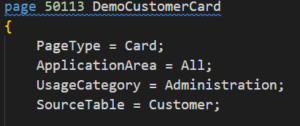
- The very first step for designing a card type page is defining “PageType” property as Card and giving the source table for card page.
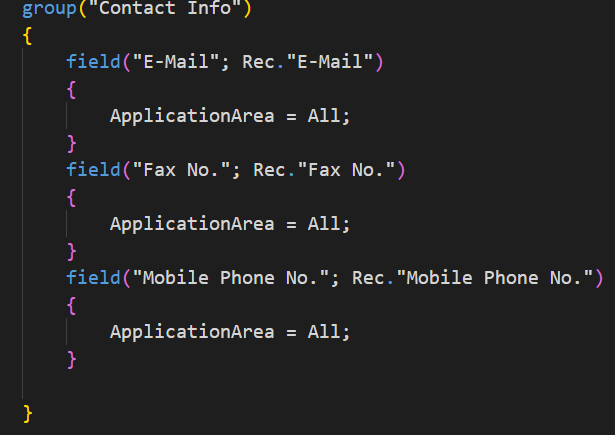
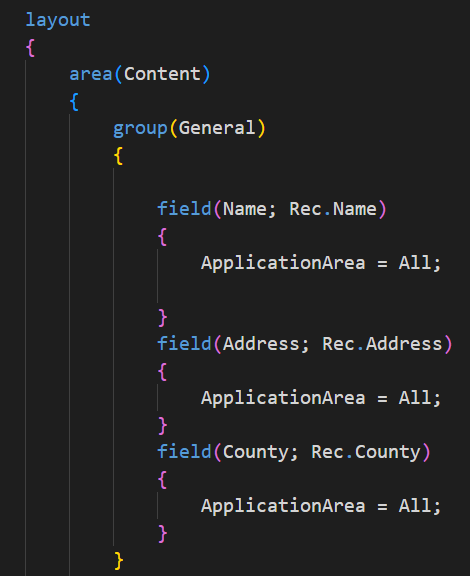
2. After that, in layout section and inside area (Content), we can choose the fields which we want to show on the page. We can divide the fields in groups/FastTabs in an optimized way, such that the user can browse through field in effective manner.
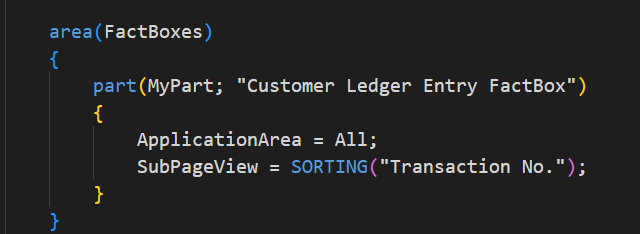
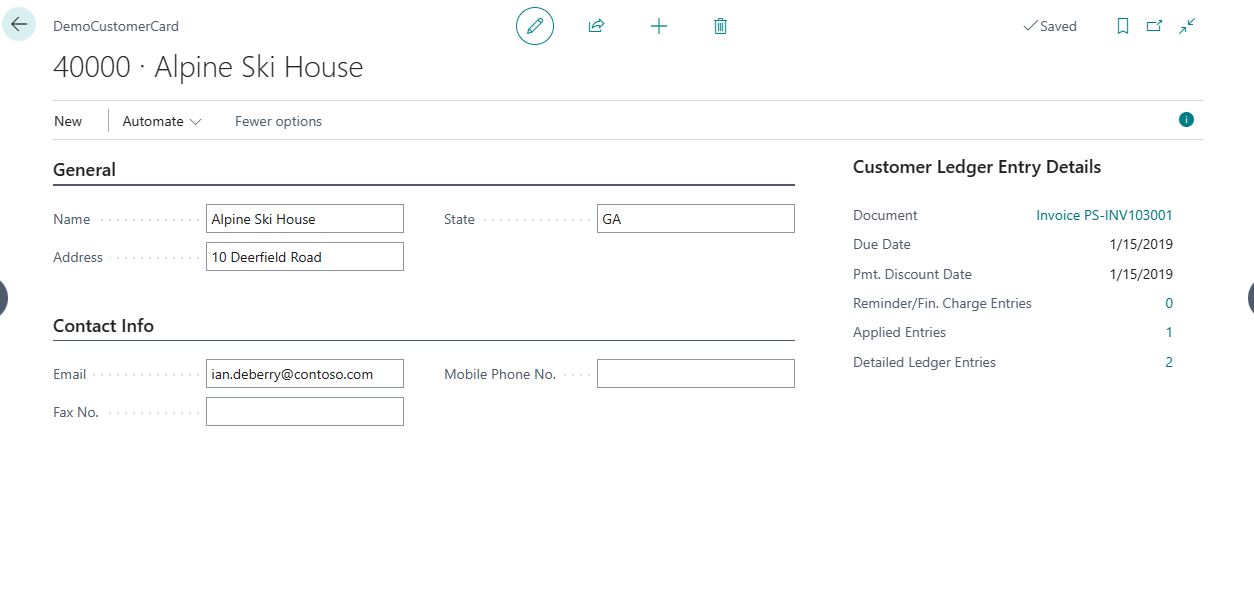
3. We can also add “FactBox” on a card type page. Like here, we have added a part in “FactBox” showing customer ledger entry details.
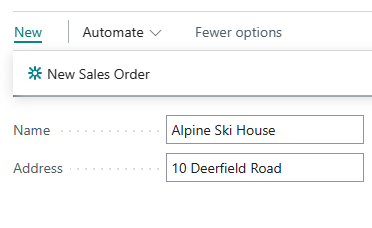
- Now Let’s add an action on our card type page. Like here we have provided an action on card type page of a customer which will directly open a sales order page for creating a sales order.
5. Now that we have designed our First Card Page, to see how it looks, we have to publish it.
- As we added our action in New (PromotedCategory), we will now click on new to find our action which we created.
For more details kindly visit our LinkedIn page:
https://www.linkedin.com/company/allgrow-technologies-pvt-ltd/mycompany/
or you can write us on contact@allgrowtech.com
DO YOU WANT TO TURN YOUR IDEA INTO REALITY
Services we offer
Consulting Services
Software and Web Development
Development
Frontend
Backend
DevOps
SAAS
Locate us at
Karnataka
My Office Space, No 22/B, 2nd Floor,
BM Habitat Mall, Gokulam Main Road,
Jalakashmipuram, Mysore-570012,
Karnataka, India.
+91 9538770892
Uttar Pradesh
4th Floor, Bhavya Corporate Tower,
Vibhuti Khand, Gomti Nagar, Lucknow,
Uttar Pradesh 226010
+91 726-804-5173
Get in Touch
+1 646-432-0784
+91 9538770892
For Business – contact@allgrowtech.com
For Career – hr@allgrowtech.com
ALLGROW TECHNOLOGIES
We are here to provide quality technical solutions that perfectly align with your business requirements.