Automating Invoice Extraction from Email Attachments Using Power Automate and AI Builder
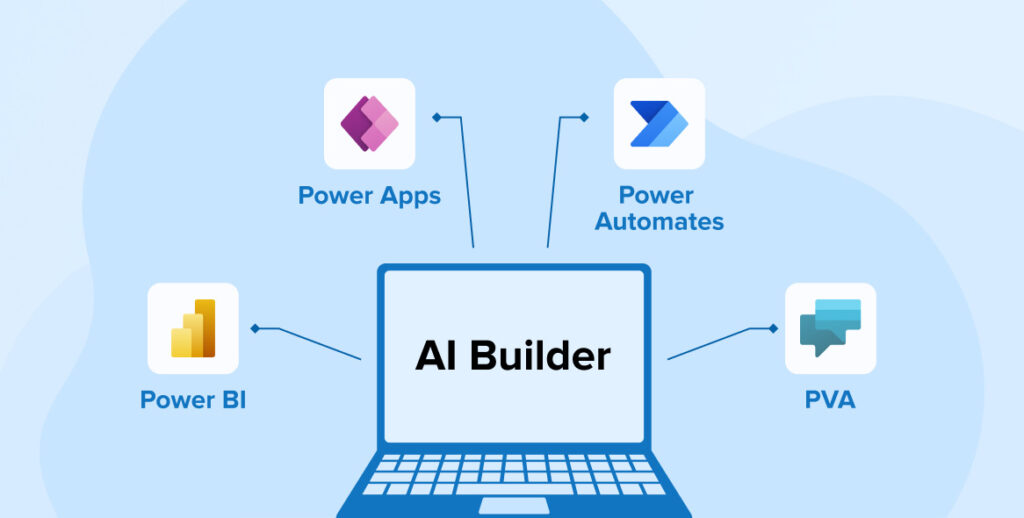
Managing vendor invoices manually can slow down operations and introduce errors. To streamline this process, an automated solution was implemented that extracts invoice data from email attachments and stores it directly in Dataverse, using Power Automate and AI Builder’s Invoice Processing model.
This integration ensures accurate data capture, faster processing, and centralized storage for reporting and downstream Cloudflows.
Solution Overview
The automation performs the following tasks:
- Monitors a shared mailbox for incoming emails.
- Extracts invoice data from PDF attachments using AI.
- Stores the extracted data in a structured Dataverse table.
This eliminates manual data entry and ensures that invoice records are consistently and reliably captured.
Technologies Used
- Power Automate – Workflow automation
- AI Builder (Invoice Processing) – Intelligent document processing
- Dataverse – Centralized data storage
- Outlook Connector – Email monitoring
AI Model Training
The Invoice Processing model in AI Builder was trained using sample invoices tailored to the organization’s format. This improved the model’s ability to accurately extract fields such as:
- Invoice ID
- Vendor Name
- Invoice Date
- Total Amount
Training involved uploading labeled documents and validating the model’s predictions to ensure consistent accuracy.
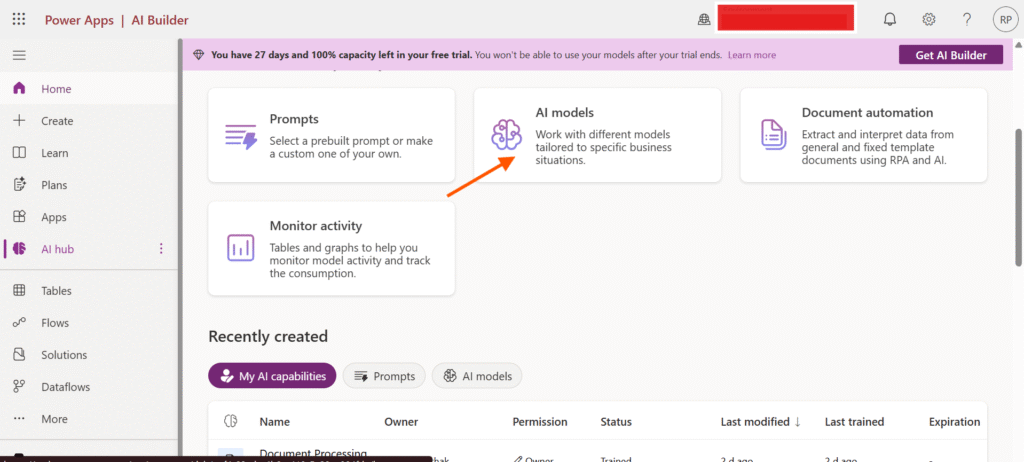
- Click on the AI Models
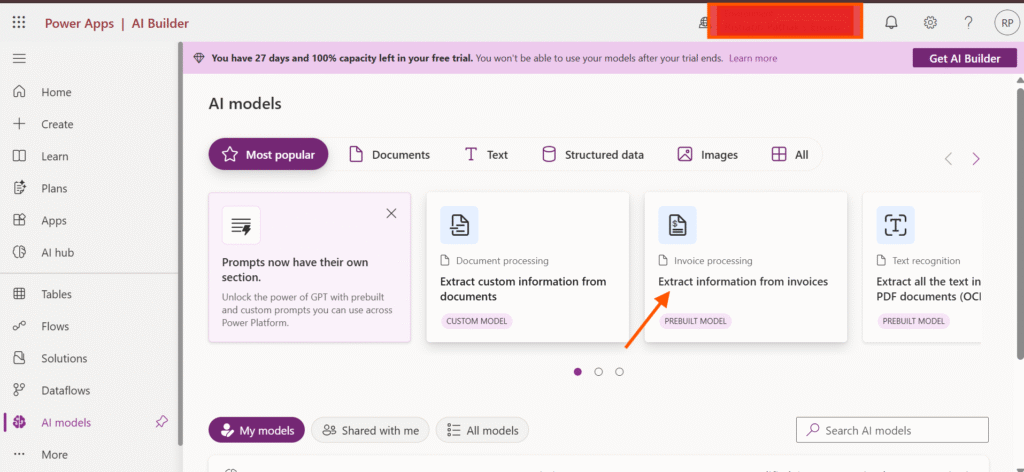
- Click on prebuilt invoice processing model and train it
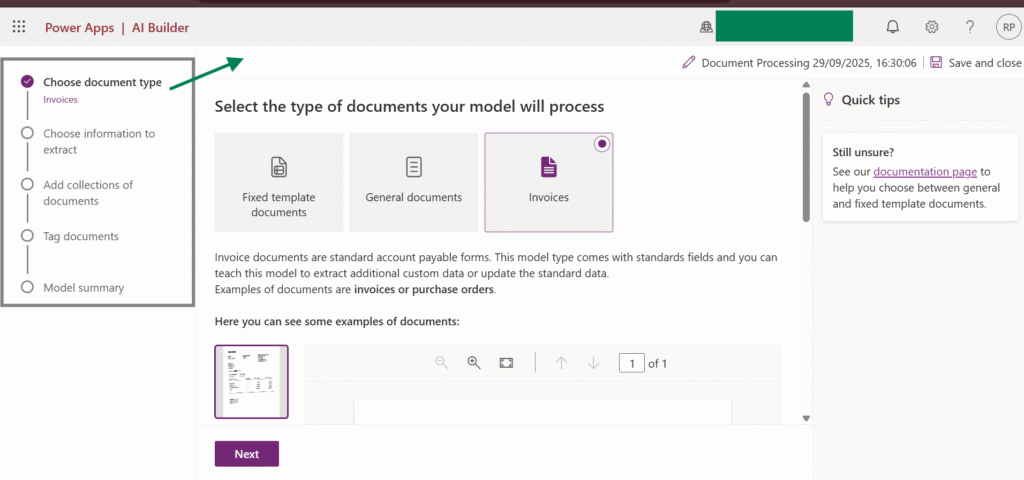
On the left-hand side, you will see five steps. Here, you need to select the document type, which is invoices. Then extract the information from the PDF. After that, add a collection of items that you want to train and tag each component in the PDF according to the tag. It includes certain default fields taken from a few tables, but you can also use your own custom fields here.
Cloudflow Steps
The Power Automate flow follows a structured sequence:
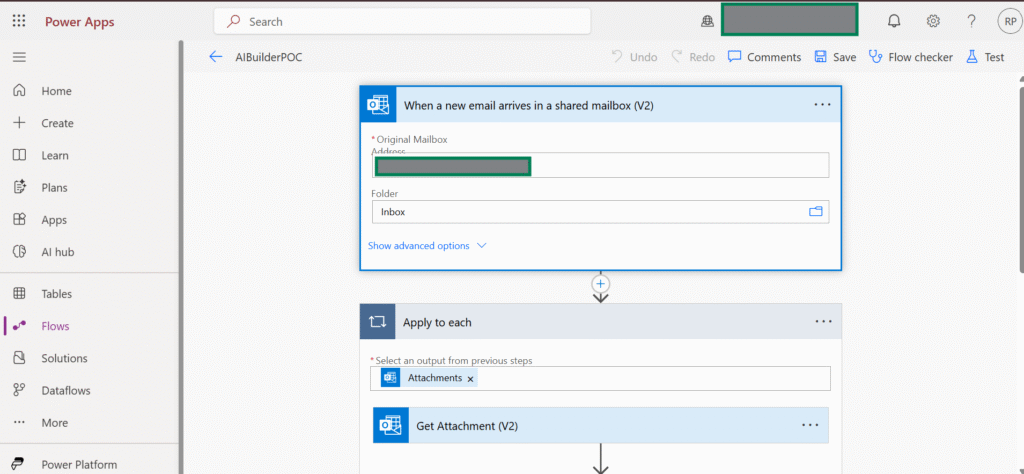
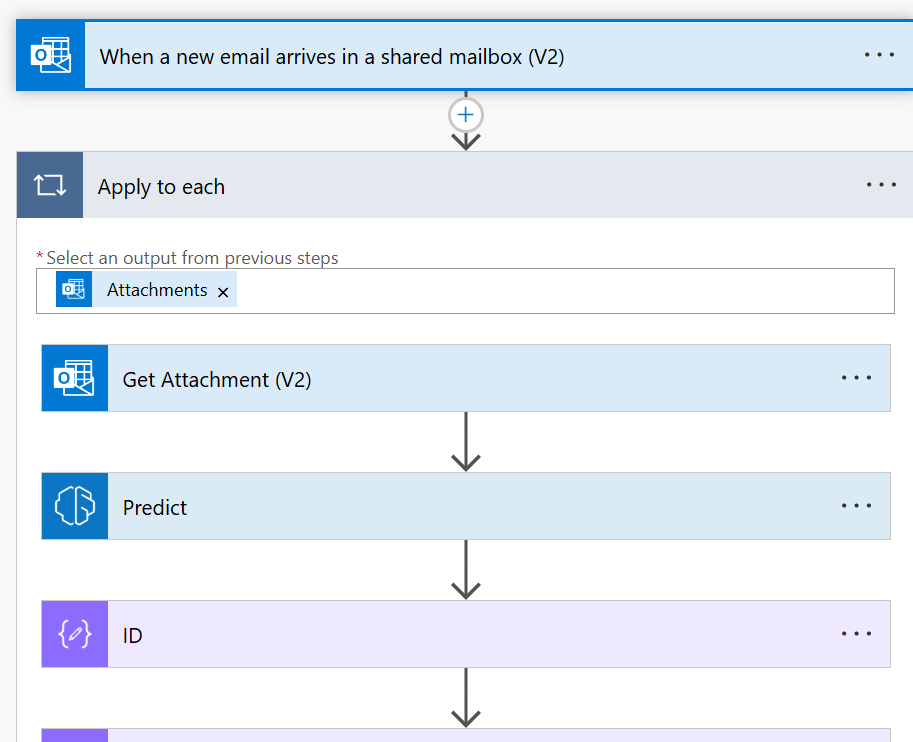
1. Email Trigger
The flow starts when a new email arrives in a shared mailbox.
2. Attachment Loop
Each attachment in the email is processed individually.
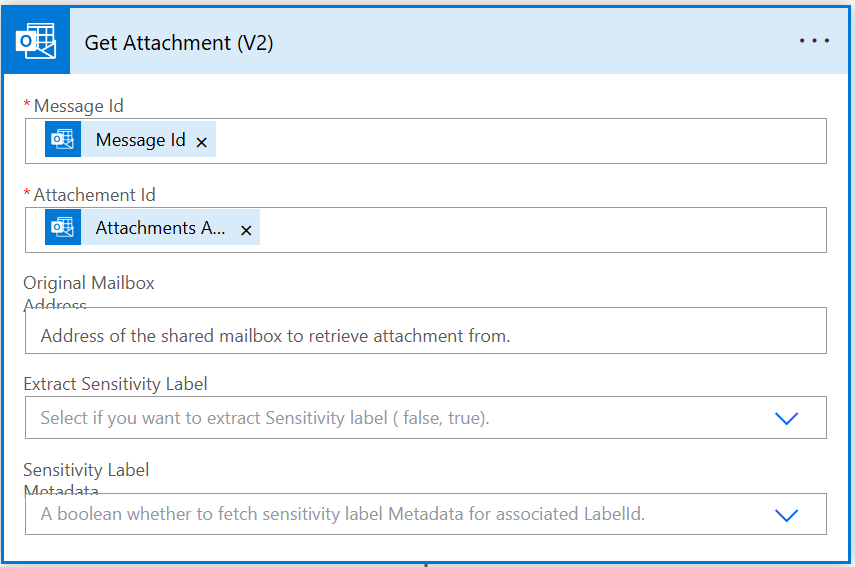
3. Get Attachment
The PDF file is retrieved from the email.
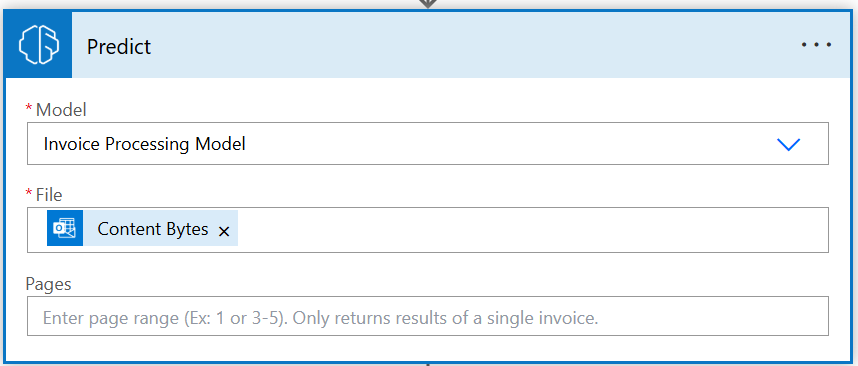
4. AI Prediction
The file is sent to AI Builder’s Invoice Processing model, which extracts structured data.
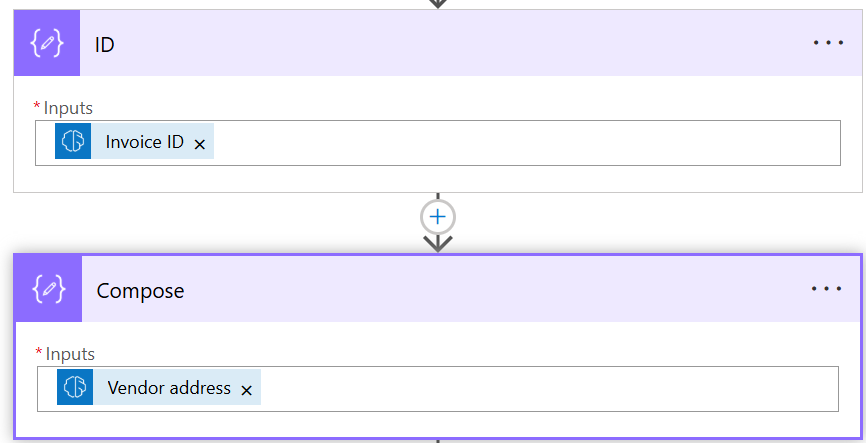
5. Field Extraction
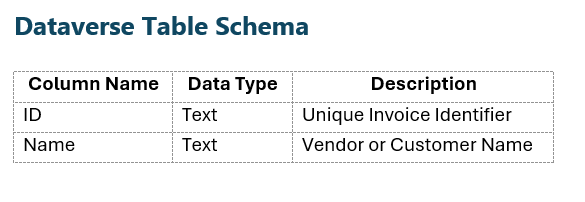
Specific fields such as ID and Name are isolated using Compose actions.
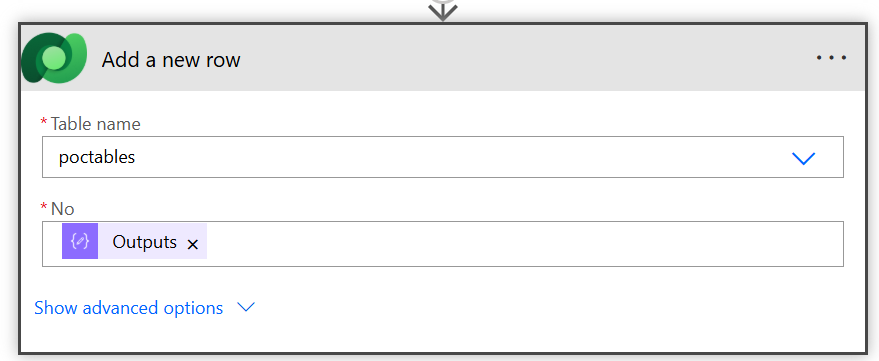
6. Dataverse Entry
The extracted data is inserted into a Dataverse table as a new record.
Dataverse Table Schema
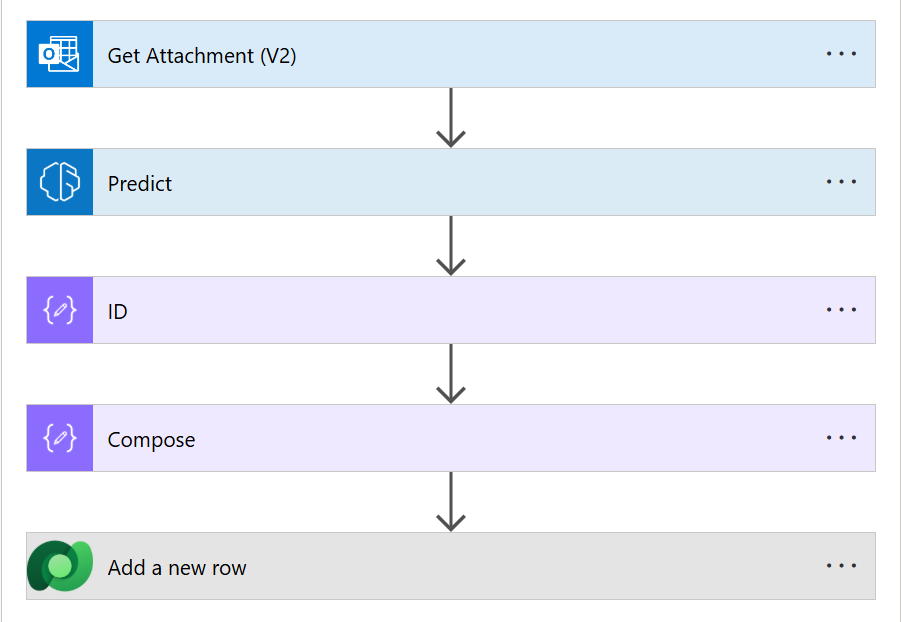
Flow Diagram
Below is the visual representation of the Power Automate flow:
This diagram outlines the automation steps from email monitoring to data storage.
Key Advantages
- AI-Driven Accuracy: Reduces errors in data extraction.
- Automated Cloudflow: Eliminates manual intervention.
- Centralized Storage: Dataverse provides secure and scalable data management.
- Adaptable Design: Can be extended to support additional document types or fields.
Conclusion
This solution demonstrates how Power Platform components can be combined to automate invoice handling efficiently. By integrating AI Builder, Power Automate, and Dataverse, invoice data is captured reliably and stored in a format ready for analysis, reporting, or integration with other systems.
Outcome
For more details like this please follow our company LinkedIn page where you will get all the new updates
every week:
https://www.linkedin.com/company/allgrow-technologies-pvt-ltd/mycompany/
or you can write us at contact@allgrowtech.com
-By Rishabh Pathak
Author
Leave a comment
Your email address will not be published