
Microsoft Power Apps has become the enterprise standard for replacing paper forms, digitizing spreadsheets, and rapidly prototyping departmental applications. Yet, when organizations attempt to scale low-code apps into mission-critical supply chains, shop-floor manufacturing, and high-volume ERP workflows, they inevitably collide with the limitations of citizen-developer builds: delegation limits, severe 2,000-record query freezes, mobile offline failures, and cowboy direct-to-production editing.
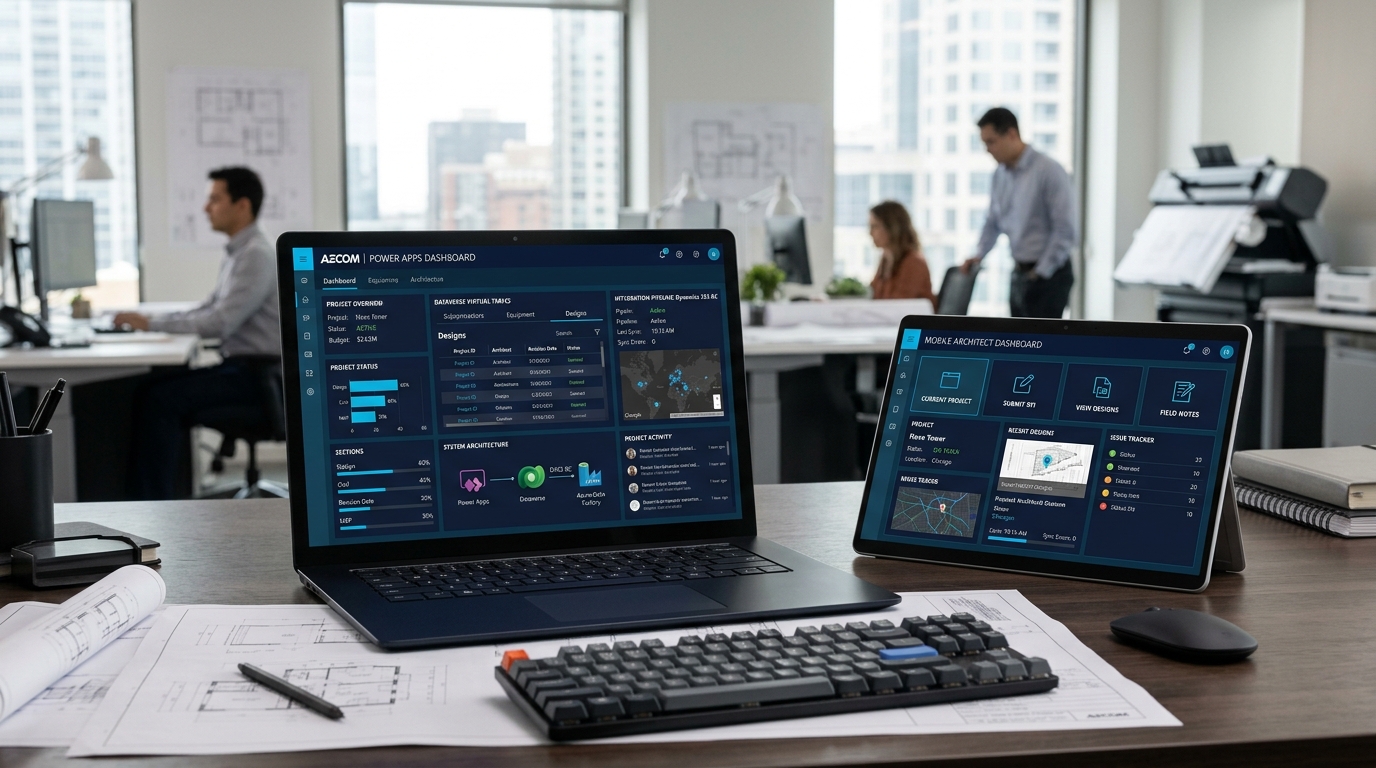
To transform Power Apps from simple departmental forms into robust, governed enterprise applications, technology leaders must transition from ad-hoc citizen low-code to professional low-code engineering. By combining Microsoft Dataverse, pro-code TypeScript PCF controls, custom AL API pages in Dynamics 365 Business Central, and automated GitHub CI/CD pipelines, enterprises can build resilient apps capable of handling millions of records with sub-second response times.
In this architectural guide, our senior architects at Allgrow Technologies Custom Power Apps Practice break down the exact patterns, code structures, and governance practices required to build production-grade custom Power Apps on top of Microsoft Dynamics 365 Business Central.
1. Why Standard Power Apps Fail at Enterprise Scale
Most organizations start their Power Apps journey with good intentions: an internal power user builds a Canvas app connected to a SharePoint list or an Excel workbook. At first, the app works smoothly. But within months, three fatal structural problems emerge:
- The 2,000-Record Delegation Wall: In standard Canvas apps, non-delegable formulas (such as complex string matching or multi-table aggregations) force Power Apps to process records client-side. The platform caps this retrieval at 500 records by default (extendable to a hard ceiling of 2,000). Once your sales order history, inventory catalog, or customer list exceeds 2,000 records, the app silently drops data, causing frontline errors and missed shipments.
-
Fragile OData API Throttling: Connecting directly to Business Central using generic standard OData web service connectors results in unbatched, chatty network requests. Under peak warehouse picking or field inspection hours, the ERP engine triggers
429 Too Many RequestsHTTP throttling errors, locking out workers. - The Offline Vacuum: Standard web apps require constant connectivity. When warehouse forklift operators enter metal storage aisles, or field service engineers enter basement mechanical rooms, standard Canvas apps lose state and fail to submit forms.
- Environment Sprawl & Direct Production Edits: Without an Application Lifecycle Management (ALM) framework, citizen developers make live changes directly in the production tenant. A single misplaced formula breaks business operations with no version control or rollback mechanism.
2. The Enterprise Custom Power Apps Architectural Blueprint
To bypass low-code limitations, enterprise architects decouple presentation from data orchestration, using Microsoft Dataverse as an enterprise data plane and custom AL API endpoints within Business Central:
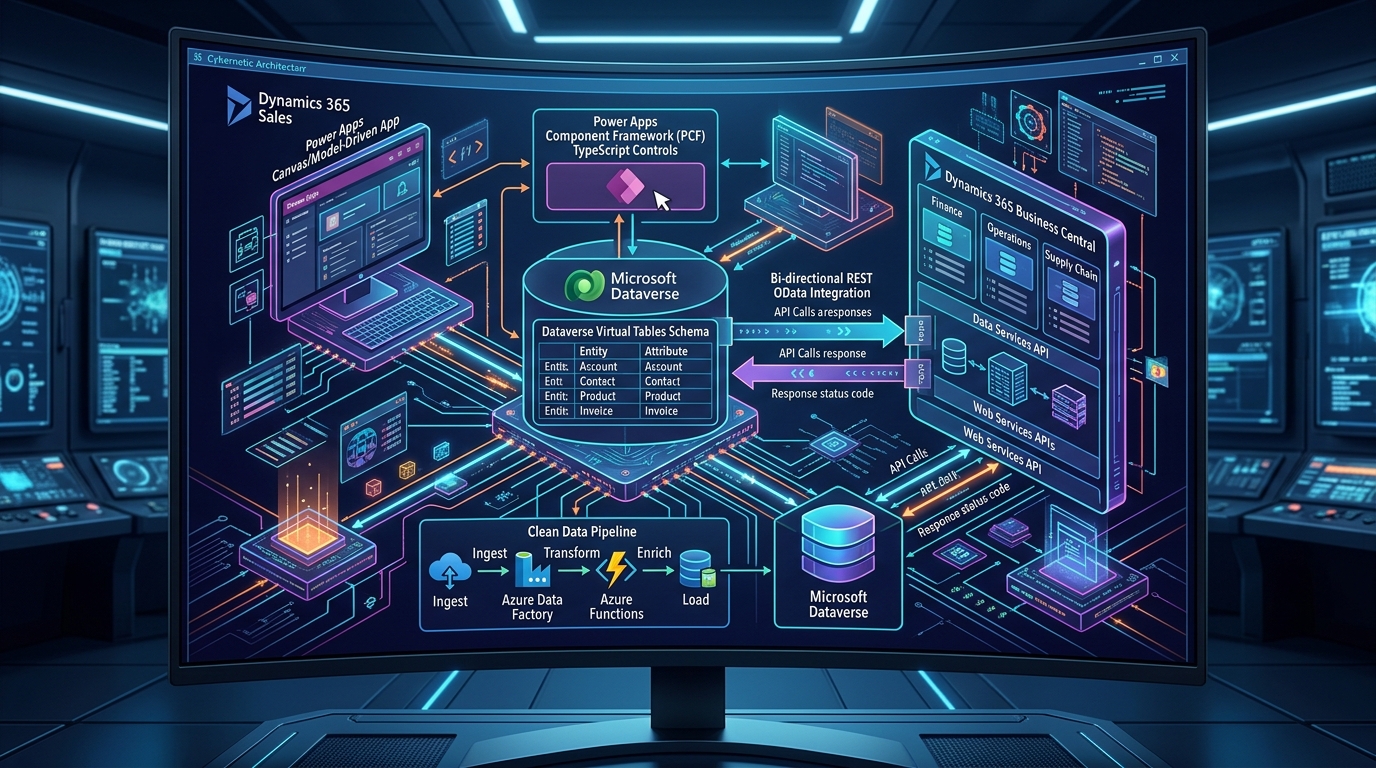
This architecture operates across four distinct tiers:
- Presentation Tier: Responsive Canvas apps for mobile/field operations and Model-Driven apps for back-office dispatch and administration. Custom PCF (Power Apps Component Framework) controls provide high-performance UI components like matrix grids and Gantt calendars.
- Dataverse Virtual Table Abstraction: Instead of syncing millions of ERP records into Dataverse storage (which inflates licensing costs), we configure Dataverse Virtual Tables. Power Apps queries Business Central entities via OData v4 web services in real time, making them appear natively in Dataverse with zero storage footprint.
- Business Central AL API Tier: For transactional writes (such as creating sales orders or posting warehouse receipts), custom AL API pages batch records and execute business logic directly inside the ERP database engine.
- Governance & Security Tier: Role-based access control (RBAC) mapped through Microsoft Entra ID (Azure AD), with automated solution deployment pipelines enforcing strict segregation of duties.
3. Canvas vs. Model-Driven vs. PCF: Choosing the Right UI Tier
A major architectural decision is determining whether to build a Canvas app, a Model-Driven app, or embed custom PCF controls. The table below outlines how our engineering team segments these workloads:
| Workload Type | Primary UI Technology | Ideal Use Cases | Key Technical Strengths |
|---|---|---|---|
| Frontline Mobile & Field | Custom Canvas App | Warehouse picking, delivery verification, equipment audits, barcode scanning | Pixel-perfect layout, hardware scanner integration, custom touch UI, local SQLite caching |
| Back-Office Operations | Model-Driven App (Dataverse) | Multi-tier procurement approval, customer master console, credit limit review | Automatic responsive grid, built-in Business Process Flows (BPF), native Entra ID RBAC |
| Complex Pro-Code Controls | PCF Component (TypeScript / React) | Interactive Gantt resource dispatch, line-item ERP pricing matrices, hierarchical trees | Runs directly in DOM, re-usable across Canvas & Model-Driven forms, zero iframe latency |
4. High-Throughput Business Central Integration: Custom AL API Pages
Standard Business Central connectors rely on generic OData pages that expose entire tables. When your Power App queries these pages, Business Central evaluates dozens of FlowFields, slowing down response times.
To achieve sub-second response times, we author lightweight custom AL API pages in Business Central that expose only the exact fields required by the Power App, with built-in batch processing:
page 50140 "Allgrow Warehouse Pick API"
{
    PageType = API;
    Caption = 'allgrowWarehousePick';
    APIPublisher = 'allgrow';
    APIGroup = 'logistics';
    APIVersion = 'v2.0';
    EntityName = 'warehousePick';
    EntitySetName = 'warehousePicks';
    SourceTable = "Warehouse Activity Line";
    DelayedInsert = true;
    ODataKeyFields = SystemId;

    layout
    {
        area(content)
        {
            repeater(Group)
            {
                field(id; Rec.SystemId) { Caption = 'Id'; }
                field(activityType; Rec."Activity Type") { Caption = 'ActivityType'; }
                field(no; Rec."No.") { Caption = 'DocumentNo'; }
                field(lineNo; Rec."Line No.") { Caption = 'LineNo'; }
                field(itemNo; Rec."Item No.") { Caption = 'ItemNo'; }
                field(binCode; Rec."Bin Code") { Caption = 'BinCode'; }
                field(qtyToHandle; Rec."Qty. to Handle") { Caption = 'QtyToHandle'; }
                field(actionType; Rec."Action Type") { Caption = 'ActionType'; }
            }
        }
    }
}DelayedInsert = true and exposing lightweight API entities rather than heavy UI pages, Business Central bypasses client UI validation overhead, increasing throughput by up to 400% during concurrent barcode scanning runs.
5. Resilient Offline Mobile Sync Architecture
Providing reliable offline functionality in Power Apps requires more than the basic SaveData() and LoadData() functions. For enterprise reliability, we leverage Dataverse Mobile Offline Profiles coupled with a transactional client queue.
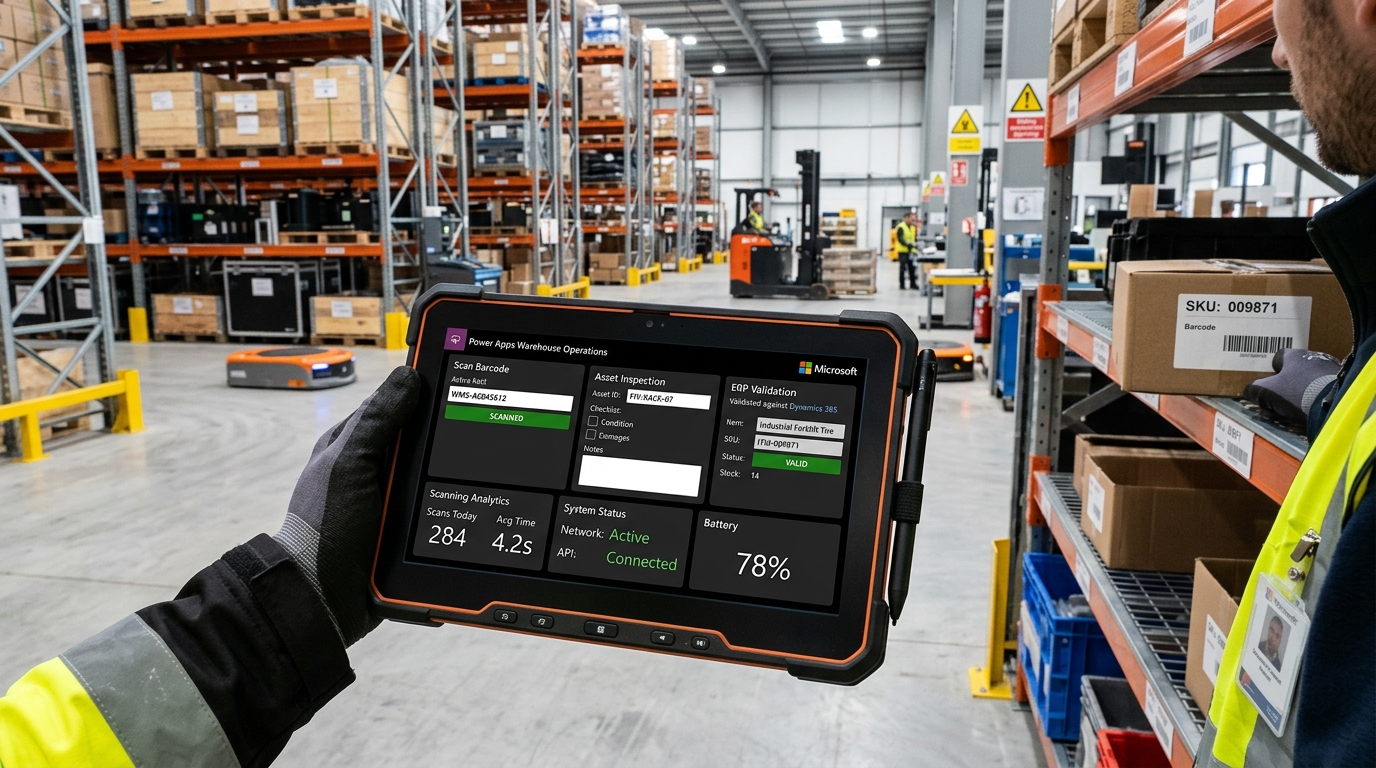
How the Offline Sync Engine Works:
- Pre-Shift Sync: When the worker logs in on Wi-Fi, the app downloads necessary reference data (e.g., active PO lines, bins, item master records) into an encrypted local SQLite database on the mobile device.
- Disconnected Operation: As items are scanned or inspection checklists completed, transactions append to a local queue table with unique GUIDs and client timestamps.
- Auto-Reconciliation: When the device detects network restoration, a background sync service replays the queued transactions sequentially against the Business Central API endpoints.
- Deterministic Conflict Resolution: If an inventory line was modified concurrently by another worker, the sync engine applies business rule policies (e.g., last-write-wins or routing the conflict to an exception review queue).
6. Extending Power Apps with PCF TypeScript Controls
When out-of-the-box controls like drop-downs and text inputs fail to meet complex operational needs, the Power Apps Component Framework (PCF) allows engineers to build pro-code controls using modern web technologies:
- Interactive Gantt & Timeline Schedulers: For field service dispatch and machine production schedules, rendering live drag-and-drop bars directly within Model-Driven forms.
- High-Speed Matrix Grids: For bulk order entry and multi-line invoice reconciliation where spreadsheet-style tab navigation is required.
- Custom Camera & Barcode Parsers: Embedding specialized ZXing or hardware scanner decoders with instant visual bounding-box feedback.
import { IInputs, IOutputs } from "./generated/ManifestTypes";
import * as React from "react";
import * as ReactDOM from "react-dom";
import { ErpMatrixGrid, IGridProps } from "./components/ErpMatrixGrid";

export class AllgrowErpGridControl implements ComponentFramework.StandardControl {
    private _container: HTMLDivElement;
    private _notifyOutputChanged: () => void;

    public init(context: ComponentFramework.Context, notifyOutputChanged: () => void, state: ComponentFramework.Dictionary, container: HTMLDivElement): void {
        this._container = container;
        this._notifyOutputChanged = notifyOutputChanged;
    }

    public updateView(context: ComponentFramework.Context): void {
        const props: IGridProps = {
            records: context.parameters.itemsDataset,
            onRowUpdated: (rowId, newValues) => {
                this._notifyOutputChanged();
            }
        };
        ReactDOM.render(React.createElement(ErpMatrixGrid, props), this._container);
    }

    public destroy(): void {
        ReactDOM.unmountComponentAtNode(this._container);
    }
}
7. Enterprise ALM & Automated GitHub / Azure DevOps Pipelines
Professional low-code development treats Power Platform assets with the same rigorous engineering discipline as compiled software. We enforce an automated Application Lifecycle Management (ALM) pipeline using the Power Platform CLI (pac CLI) and GitHub Actions:
- Development Tenant: Developers build components in Unmanaged solutions with feature branch isolation.
- Build & Test / UAT Tenant: Automated CI pipelines export unmanaged solutions, unpack XML/JSON files into Git, run solution checkers, compile Managed solution packages, and deploy to automated test sandboxes.
- Production Tenant: Only automated service principals deploy strictly Managed solutions upon passing pull request code reviews and approval gates. Direct production edits are disabled.
8. Enterprise Readiness Checklist for Custom Power Apps
Before releasing a custom Power App into production, verify your architecture against these core engineering benchmarks:
- Zero Unmanaged Solutions in Production: Every production component must deploy as a managed package via automated CI/CD.
- Dataverse Virtual Tables Configured: ERP queries pull live records without duplicating gigabytes of relational data.
- Delegation Warning Audit: Zero yellow delegation warning triangles inside Canvas app formulas.
- Entra ID Role-Based Access: Security roles defined at the Dataverse table and column levels.
- Offline Caching Verified: Full end-to-end transactional testing under airplane mode with automated reconnection replay.