Dynamics GP Assessment
Review your existing GP environment, databases, customizations, integrations, reports, security, and operational processes to define a migration strategy.

Dynamics GP Migration
Microsoft Dynamics GP has supported finance and business operations for decades, but modern organizations require cloud accessibility, intelligent automation, AI capabilities, and connected business applications. Our Dynamics GP migration services help businesses transition to Microsoft Dynamics 365 Business Central through a structured migration approach that minimizes disruption while preparing your organization for future growth.
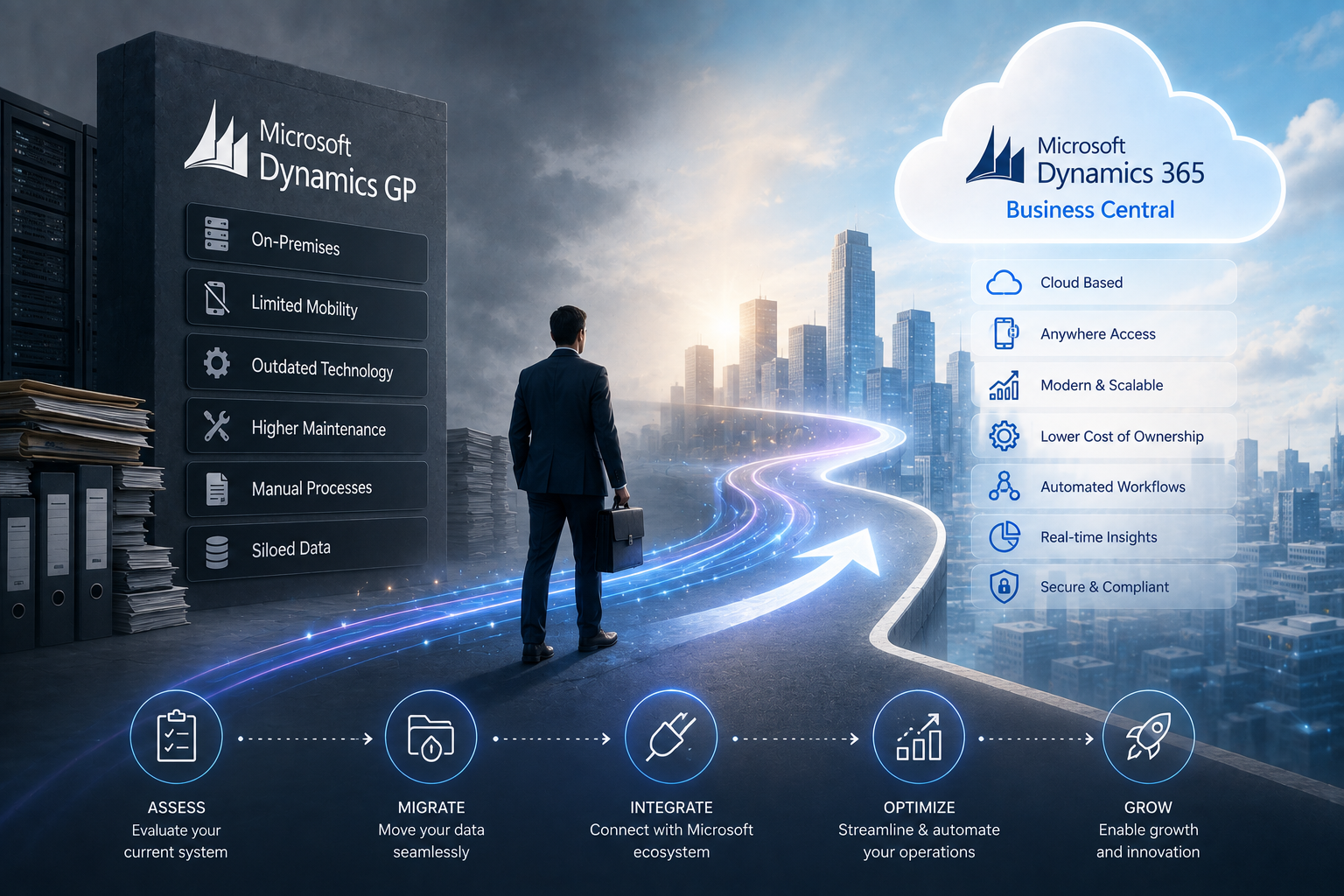
ERP Overview
Microsoft Dynamics GP has supported finance and business operations for decades, but modern organizations require cloud accessibility, intelligent automation, AI capabilities, and connected business applications. Transitioning to Business Central ensures a future-ready operational platform.
The case for change
Many organizations continue to depend on Microsoft Dynamics GP because it has reliably supported financial management and core business processes for years. However, maintaining legacy ERP environments often leads to increasing infrastructure costs, aging technology, limited cloud capabilities, disconnected reporting, and growing integration challenges. As businesses adopt remote work, AI, automation, cloud services, and modern analytics, Dynamics GP environments become increasingly difficult to extend and maintain. Manual upgrades, server maintenance, and isolated business systems prevent organizations from responding quickly to changing business requirements. Migrating to Microsoft Dynamics 365 Business Central provides an opportunity to modernize operations while preserving the business knowledge accumulated over years of using Dynamics GP.
Legacy ERP Limitations & Costs
Manual upgrades, server maintenance, and isolated systems prevent organizations from responding quickly to market shifts.
End-to-end migration services - from comprehensive Dynamics GP assessments and secure data conversion to cloud transformation and user adoption.
Review your existing GP environment, databases, customizations, integrations, reports, security, and operational processes to define a migration strategy.
Migrate financial records, customers, vendors, inventory, fixed assets, historical transactions, and master data securely into Business Central while preserving business continuity.
Replace manual workflows with intelligent automation, streamlined approvals, and standardized business processes that improve efficiency across departments.
Reconnect CRM systems, banking platforms, payroll, eCommerce, warehouse applications, reporting tools, and third-party business software using Microsoft's modern integration framework.
Prepare employees through structured training, documentation, testing, and adoption planning to ensure a successful transition to Business Central.
Continue improving the ERP environment after migration by introducing Power Platform, AI capabilities, reporting enhancements, workflow automation, and operational improvements.
Migration Blueprint
How our structured migration methodology moves historical data from aging on-premises servers to Business Central cloud infrastructure.
Modernization Stack
We combine Microsoft cloud ERP architecture with modern extension frameworks and automated data migration pipelines.
Outcomes
Realize the benefits of migrating from Dynamics GP to Business Central.
Move away from aging on-premises servers and costly ERP maintenance.
Adopt a cloud-native ERP platform with improved financial visibility, automation, and compliance.
Replace manual tasks with automated workflows and connected business processes.
Connect Business Central with Microsoft 365, Power Platform, Copilot, Power BI, Azure, and other Microsoft business applications.
Prepare your ERP environment for intelligent assistants, workflow automation, predictive analytics, and modern business intelligence.
Create a scalable cloud platform capable of supporting business expansion, acquisitions, remote work, and continuous innovation.
Roadmap
A structured transition framework designed to minimize disruption and ensure smooth operational continuity.
Review existing GP databases, customizations, integrations, reports, and security models.
Define phased migration milestones, data mapping strategies, and risk mitigation plans.
Audit, clean, and test historical financial records and master data migration into Business Central.
Re-engineer custom workflows, reporting, and external third-party API connections.
Conduct user acceptance testing, simulation runs, and comprehensive staff training.
Execute controlled cutover, production launch, and ongoing managed system optimization.
Leadership
Migrating from Dynamics GP is more than replacing software - it's an opportunity to modernize how your organization operates. At Allgrow, we combine ERP consulting, cloud technologies, AI, automation, and enterprise integration expertise to deliver migration projects that improve business performance while minimizing operational risk. From migration planning and data conversion to process optimization, user adoption, integrations, and long-term support, we help organizations transition confidently to Microsoft Dynamics 365 Business Central while maximizing the value of their technology investment.
Support
Business Central provides cloud deployment, automatic updates, AI capabilities, stronger Microsoft integration, improved reporting, enhanced security, and greater flexibility than legacy Dynamics GP environments.
Yes. Financial history, customers, vendors, inventory, fixed assets, and operational data can be migrated based on your business and compliance requirements.
Existing customizations are reviewed during the assessment phase and redesigned where appropriate using Business Central's modern extension framework and automation capabilities.
Migration timelines depend on database size, customizations, integrations, historical data, testing, and business complexity. Most organizations benefit from a phased implementation approach.
Keep exploring
Next step
Whether you're planning your first Dynamics GP migration assessment or preparing for a complete transition to Microsoft Dynamics 365 Business Central, Allgrow can help you modernize with a structured migration strategy that protects your business, improves operational efficiency, and builds a strong foundation for future growth.
Focused consultation